Sign in to which Dashivo?
Your own phones, or your company's fleet. Each has its own account.
New to Dashivo Pro? Talk to us and we'll set up your company.
Delete your
account.
Recording with Dashivo never needs an account. If you made one, you can delete it at any time, in the app, on the web or by email. Your account is signed out at once and deleted for good 30 days later; until then you can keep it. This page is for the Dashivo app; for the company app, see Delete a Dashivo Pro account.
-
In the app
Settings › Profile › Delete account, on Android or iPhone. Enter your password if your account has one, then confirm. You're signed out at once and we email you a link to keep the account.
-
On the web
Sign in at dashivo.app/account/delete from any browser, including your phone's. Type DELETE and confirm with your password, or confirm it's you.
-
By email
Write to [email protected] from the email address on your account, with the subject “Delete my account”. We confirm the request comes from you before we act on it. The same 30 days apply.
30 days to change your mind
From the moment you ask, the account is signed out on every phone and browser, nothing uploads to Dashivo Cloud and your cloud clips are hidden. To keep it, sign in and choose Keep my account, or use the link in the email we send. Nothing is lost.
Then it's final
After 30 days the account, its personal data and its Dashivo Cloud clips are deleted for good, and we email you once more to confirm. That can't be undone.
Deleting your account or the app doesn't cancel a subscription. Cancel a Google Play or App Store subscription in the store. If you have a subscription bought on dashivo.app that still renews, we ask you to cancel it before deleting.
What is deleted after 30 days
- Your email address, name, password and any Apple or Google sign-in link. If you used Sign in with Apple, we also ask Apple to cancel it.
- Every signed-in browser and app, your registered phones and Black Boxes, and push tokens.
- Your Terms acceptance records and the support messages you sent.
- Your purchase entitlements, your billing details (name, address, tax ID and billing email), Driver Score summaries, community reports and Trusted Contacts.
- Your Dashivo Cloud clips and any other Cloud data, queued for erasure from storage at once.
What we keep, and for how long
- A record with only the random account ID and the dates it was created and deleted
- Kept so our audit records still make sense. It holds nothing else.
- Web invoice records (Cloud invoices), without your name, email, street address or invoice links
- 7 years, as tax and accounting law requires
- A record of each App purchase with only the store, the date, the price and a scrambled transaction reference, and the stores' notices about your subscriptions, with no link to you
- As long as needed to prevent fraud and handle refunds
- Arbitration opt-outs and legal notices
- The life of the account plus 6 years
- Encrypted nightly database backups
- 30 days. Backups are never restored into service; deleted data leaves them as they expire.
- Information under a legal hold, or needed for a dispute or to prevent fraud
- Only as long as the law or that need requires
Google Play and the App Store keep their own purchase records.
Your recordings stay yours
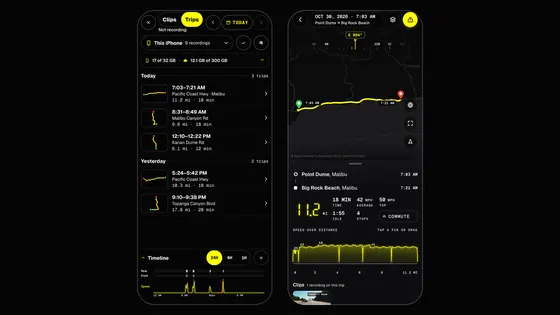
Deleting your account doesn't touch footage, trips, reports or settings on your phone, USB-C drive or Black Box. Delete them in the app, or uninstall it: on Android that removes the app's own storage, but not videos you saved to your Gallery. Uninstalling the app doesn't delete your account.
More detail
Sections 8 and 11 of the Privacy Policy set out every retention period. Questions: [email protected].