For iPhone & Android
App
Reports
Mark a speed trap, a hazard or an accident in one tap.
Tap REPORT on the HUD and pick what you see. Dashivo™ marks it right where you are, with the time and which way you were heading, and keeps it on your phone. Sharing with other drivers comes with Dashivo Cloud.
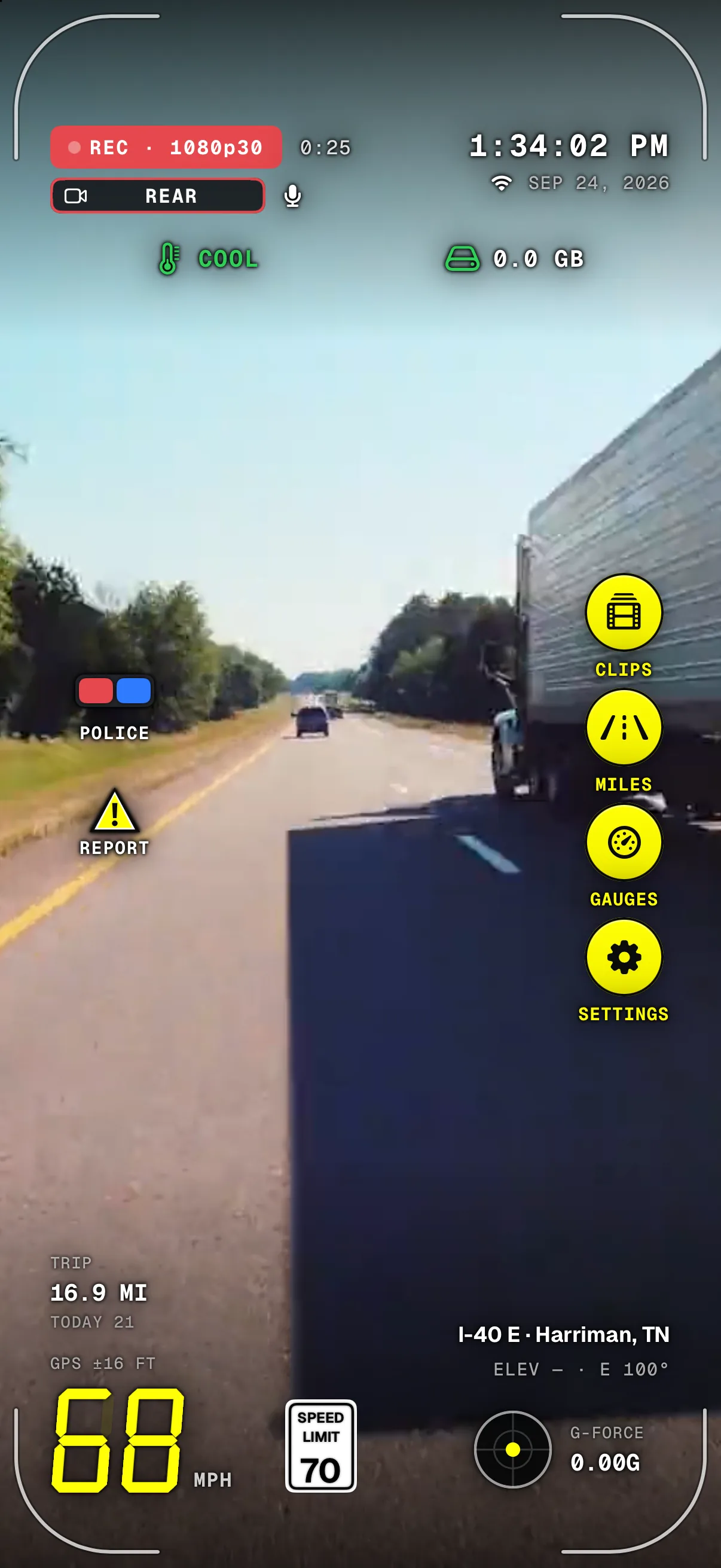
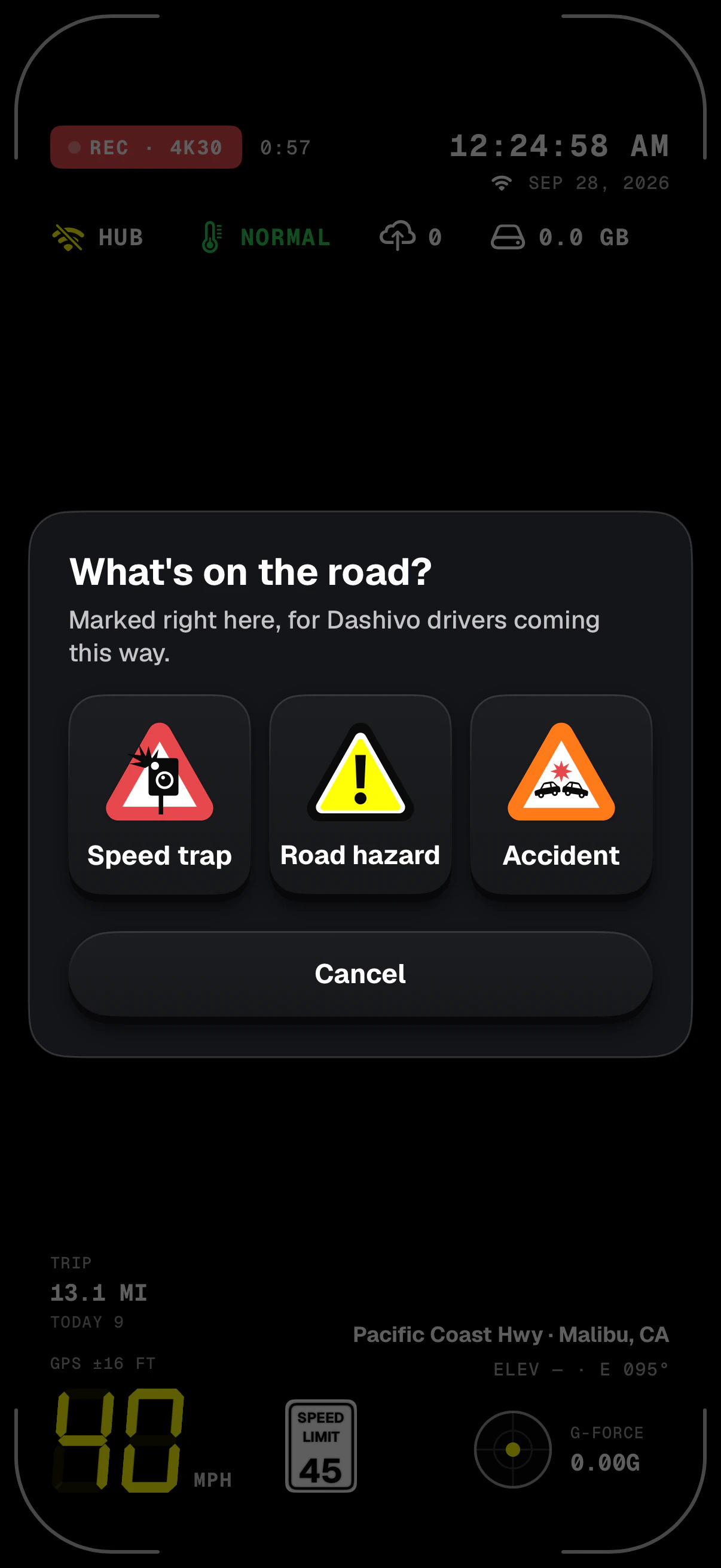
- Still recordingMarking a report never stops the camera.
- REPORTOne tap opens the three signs. It's on the Dashboard gauges too.
- SpeedHow fast you were going goes with the report.
- TimeYour phone's clock, to the second, with its time zone.
- Coming this wayKept on your phone today; shared only with Cloud and sharing turned on.
- Three signsSpeed trap, road hazard or accident. One tap marks it right here.
- Where and which wayPosition, heading and the street go with it.
Screens from the iPhone app on a simulated drive.
What a report keeps
- Type
- Speed trap, road hazard or accident.
- Place
- Latitude and longitude from GPS, whenever the phone has a fix.
- Heading
- Which way you were driving, in degrees from north.
- Time
- Your phone's own time with its time zone, and the same moment in UTC.
- Speed
- How fast you were going when you marked it.
- Street
- The road's name, from the phone's own map service.
Reports stay on your phone, in Dashivo's own storage. Nothing is sent to us.
How it works
- 01
Tap REPORT on the HUD, or on the Dashboard gauges.
- 02
Pick Speed trap, Road hazard or Accident. One tap marks it right there, and a note says “Speed trap marked here”.
- 03
It's kept on your phone with where, when and which way you were heading. Recording carries on the whole time.
- 04
With Dashivo Cloud, and only if you turn sharing on, it will reach Dashivo drivers coming your way. Coming soon
Set Dashivo up before you drive and don't handle the phone on the road. Tap a mounted phone only where the law allows it and it's safe; better still, let a passenger do it, or wait until you've stopped.
The rules
Honest reports only.
Report only what you actually see. Never use reports, or any part of Dashivo, to evade police, flee or avoid a stop, or to mark sobriety checkpoints or follow a particular officer or anyone else. Reports can be wrong, and posted signs and the law always come first. And an accident report doesn't call for help: if anyone may be hurt, call 911.
Where it stands
Works today
- Speed trap, road hazard, accident: one tap from the HUD or the Dashboard
- Place, heading, time, speed and street with each one
- Kept on your phone
Coming soon
- Sharing with Dashivo drivers (Cloud, only if you turn it on)
- Nearby report alerts: within a mile ahead, under 30 minutes old
Only what's
ahead.
When Dashivo Cloud is live and you've turned sharing on, reports from other drivers can reach you. Dashivo keeps it to the road in front of you: reports within a mile ahead, less than 30 minutes old, each one once.
- ASpeed trap, 0.6 mi aheadMarked 4 minutes ago, on your road, in front of you.Alerts
- BRoad hazard, 0.3 mi aheadMarked 45 minutes ago: older than 30 minutes.Too old
- CAccident, just behind youYou've already passed it.Behind
- DSpeed trap on a cross streetMore than 45° off the way you're heading.Not ahead
- ERoad hazard, 1.1 mi aheadFurther than a mile.Too far
- Only if you turn it on Coming soon
- Reports are sent only when you're signed in and have turned sharing on. Until then they stay on your phone.
- Where it was made Coming soon
- A shared report carries its place, time and direction, never your name or email.
- Rounded for others Coming soon
- Other drivers see its place to about 11 m (36 ft) and its time to the minute.
- Your position stays yours Coming soon
- To look for reports ahead, your phone asks with its position rounded to about a kilometer, then does the exact “a mile ahead” check itself.
- On screen, a banner Coming soon
- On the HUD it's a banner with the report's sign; a notification only when Dashivo isn't on screen.
- The only alerts while driving Coming soon
- Reports ahead are the only alerts you'll get while you drive. Parked Guard's alerts wait until you park.
Reports come from drivers and aren't verified. Posted signs and the law always come first, whether or not a report is shown.
Download
Drive with a
witness.
Dashivo™ is free for iPhone and Android. Get the app, mount your phone, and your next drive is on the record.
Nothing new to buy · No account needed · Footage stays on your phone