Skip to content

The dash and body cam you already carry.

Dashivo™ turns your phone into a dash cam, a body cam and a one-tap recorder for police traffic stops. Use the phone in your pocket, give a spare one a second life, or run a few together.

In the app today

4K dash cam: Full HD free · 4K with Pro Front + rear body cam: both cameras at once, with sound Road + cabin dash cam: front and rear at once · Pro Police stop in 1 tap: records until you end it Live speed limits: the posted limit for your road Evidence stamp: time · speed · GPS · G-force on every frame Hazard reports: speed trap · hazard · accident iPhone & Android: iOS 17+ · Android 10+
Supercar gauges: big live dials · Pro 0–60 stopwatch: ¼ mile · braking · Pro Auto night mode: clearer video after dark App lock: Face ID, fingerprint or PIN Clips by day: play · save · share Mileage log: every trip, logged for you Free to start: Pro $9.99 once · no subscription Your footage stays yours: nothing sent to us without Cloud

The app

Mount it, tap record,
drive.

Any mount, upright or sideways. Tap record and Dashivo films every drive on a loop that never fills your phone, with the time, your speed and the place on every frame.

Your speed · the posted limit

Time · speed · place · on every frame

Dashivo for iPhone · sample road footage

Features

Everything a dash cam
does, and more.

One app, six jobs, on the iPhone or Android phone you already own. Every screen here is the real app.

Download App

01On the roadIn the app today

Dash cam

Films every drive on a loop that never fills your phone.

Every frame carries the facts, and a second by second log is saved beside each clip, so the evidence travels with the video. With Pro it can film the cabin too, on the front camera. The road and the cabin

  • Video in 4K or Full HD4K with Pro
  • Audio with every clipToday
  • GPS coordinates, every secondToday
  • Speed and G-force on every frameToday
  • Elevation and heading, loggedToday
  • Route history on a mapWith Cloud · coming soon
  • The road and the cabin at once, for rideshare and deliveryPro · front and rear together
Dashivo recording on iPhone over sample highway footage: REC, the time and date, your speed beside the posted limit, G-force, and the street and city.
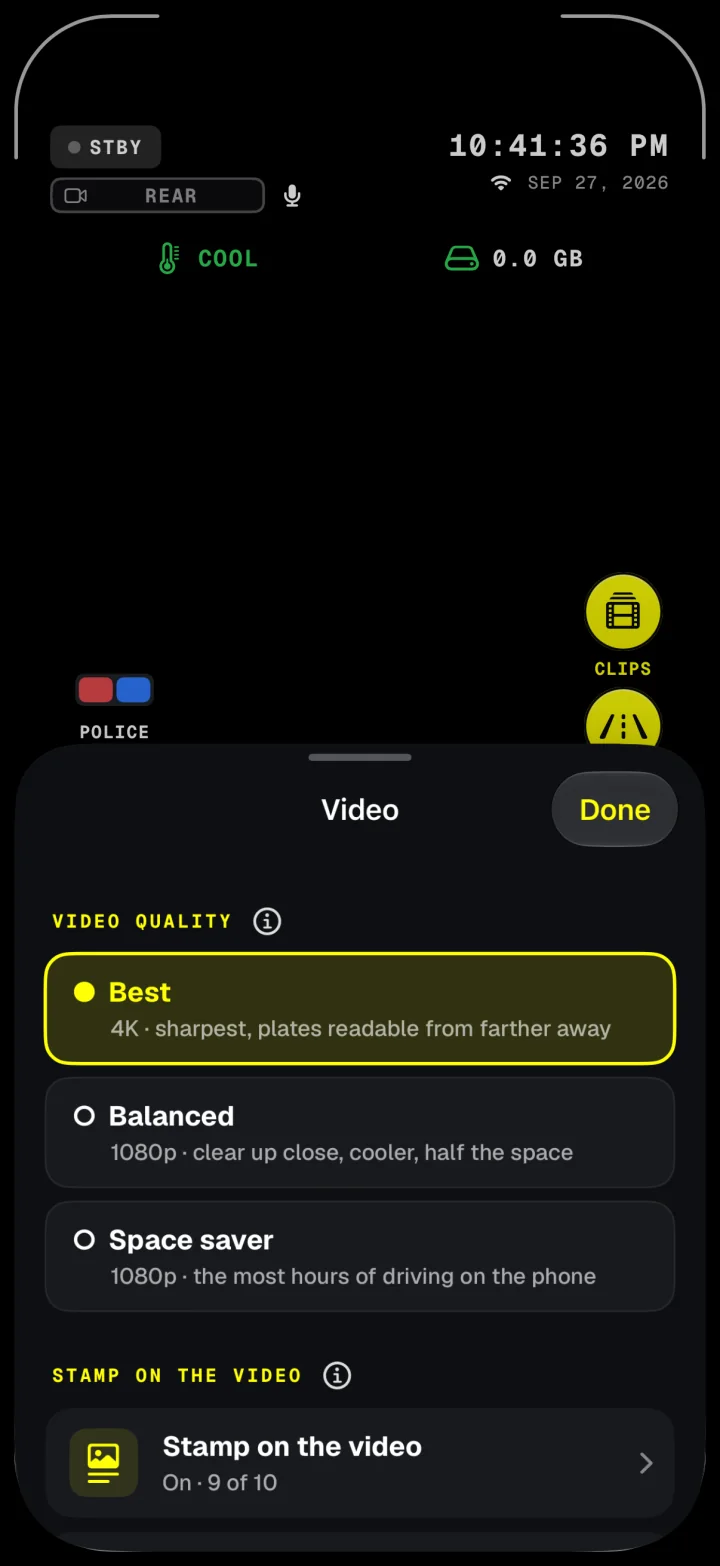
Video quality in Dashivo: Best records in 4K, Balanced in 1080p, Space saver keeps the most hours on the phone.

02Pulled overIn the app today

Police stop

One tap when the lights come on. It records until you end it.

Front and rear cameras with sound, no time limit. It saves every few seconds, so nothing is lost if the phone is grabbed, and the stop, and the 10 minutes before it, are kept safe from loop recording.

  • Front + rear, with soundToday
  • USB-C driveToday · Android
  • Dashivo Hub, hidden in your carPreorder
  • Dashivo Cloud, encryptedComing soon
  • Live on your private YouTubeComing soon
  • Copy to Google DriveComing soon

STOP ON · recording until you end it

Kept safe from the loop

03On foot, bike or rideshareIn the app today

Body cam

Front, rear or both cameras at the same time, with audio.

Clip it to your chest or keep it in a pocket. Dashivo records what’s ahead, who you’re talking to, or both, and ignores accidental taps.

  • Front, rear or both camerasToday
  • Audio with every clipToday
  • Each camera in its own fileToday
  • GPS coordinates and time stampedToday
  • Touch protection in a pocketToday
  • Screen off while it recordsToday
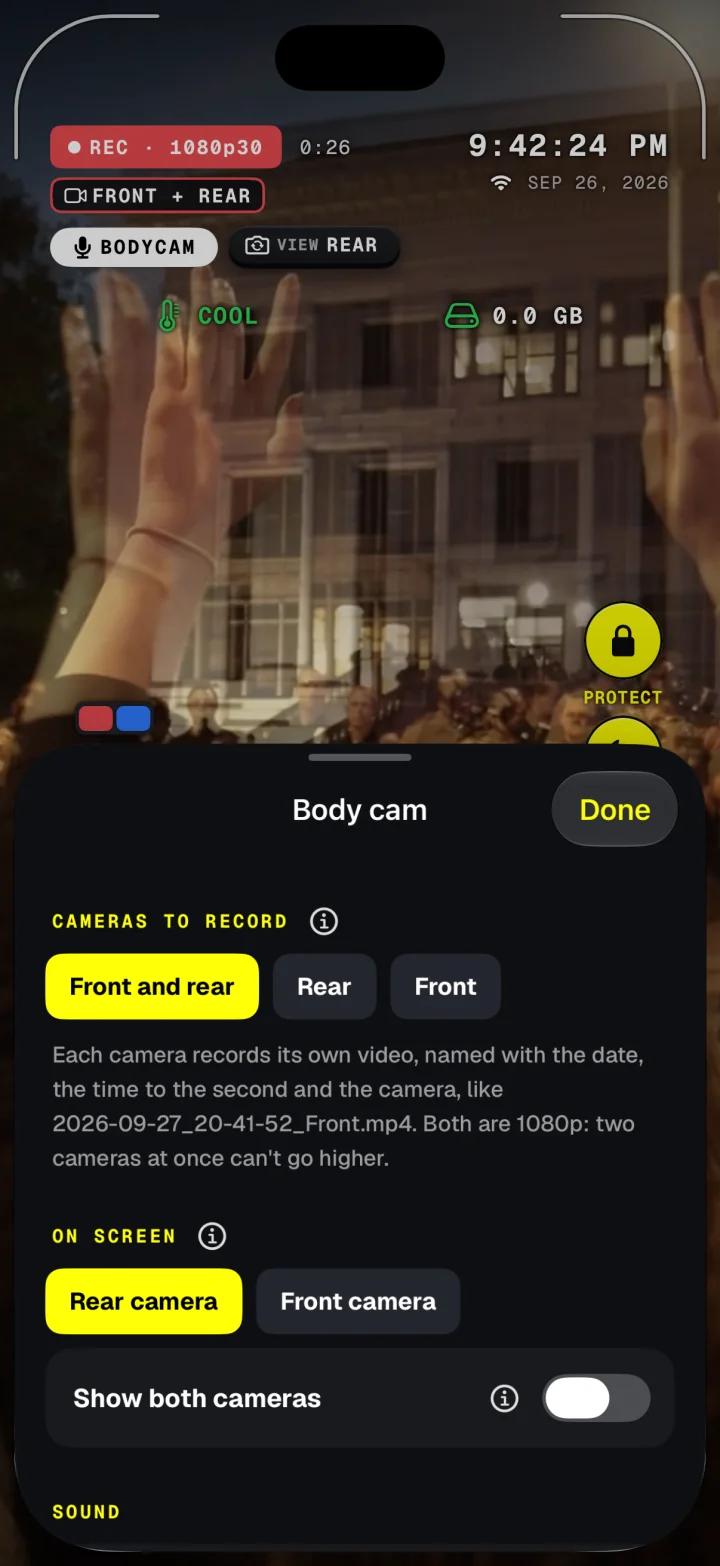
Body cam settings in Dashivo: record the front and rear cameras, the rear or the front, choose which camera shows on screen, and show both cameras at once.

04For the drivePro · in the app today

Gauges & stopwatch

Supercar gauges, and a stopwatch that times your 0–60.

A full dashboard in your phone, and timed runs that start the moment the phone feels the launch. On closed courses only.

  • Speed dial with the posted limitPro
  • Live G-force meterPro
  • 0–60, ¼ mile and braking runsPro
  • AUTO start at launchPro
  • Your time stamped on the videoPro
  • Miles or metricPro
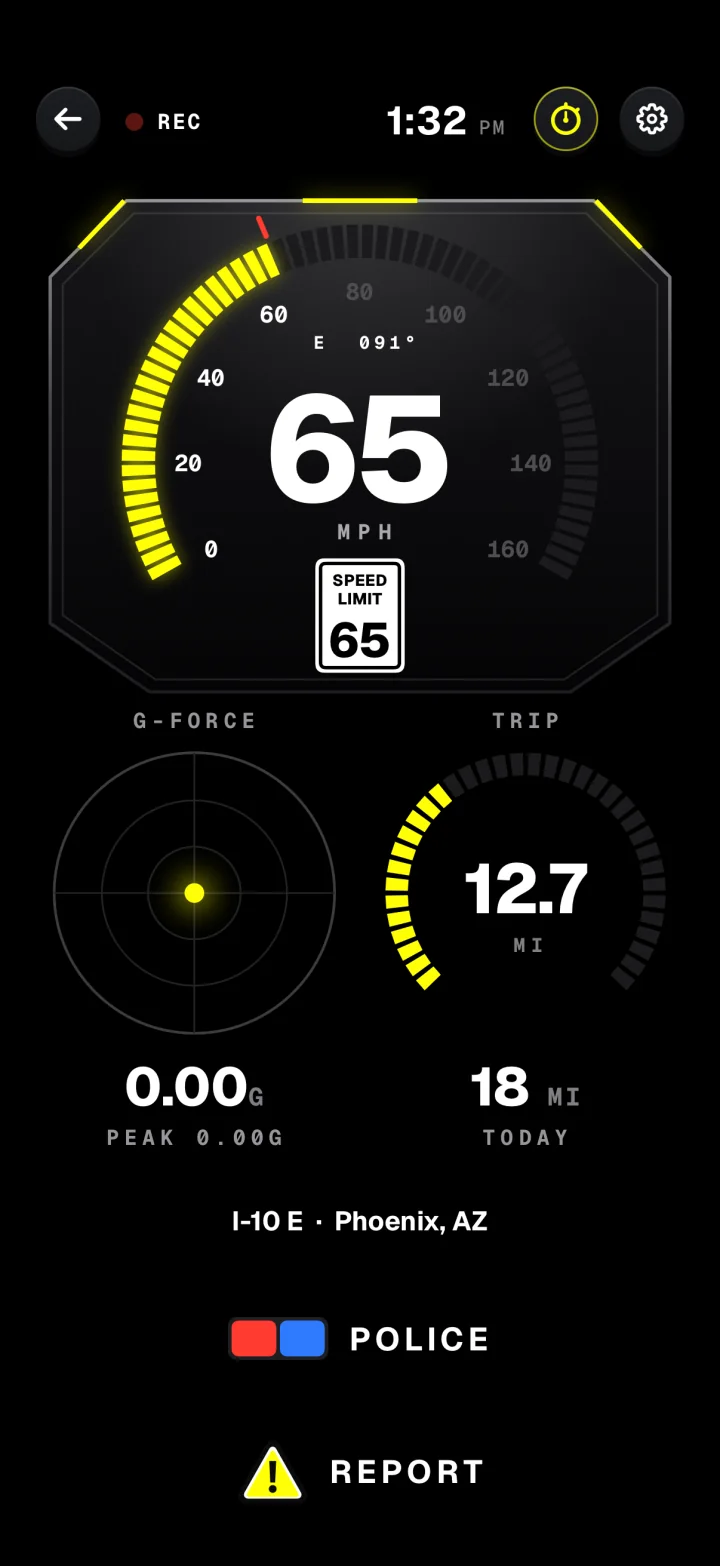
Dashivo's dashboard gauges on iPhone: 65 mph under a 65 mph speed-limit sign on I-10 E in Phoenix, a G-force dial with its peak, trip and today's miles, and POLICE and REPORT buttons.
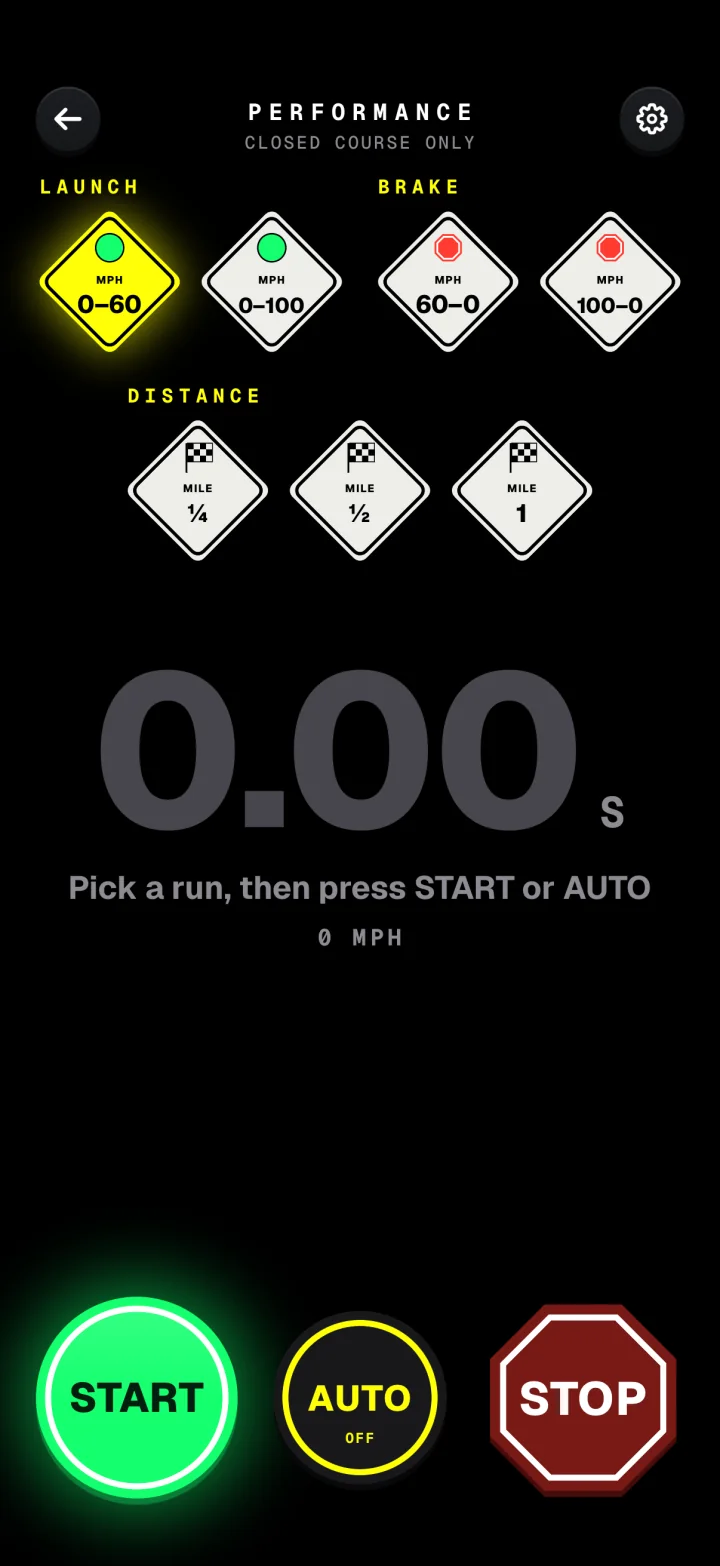
Dashivo's performance stopwatch: runs for 0–60, 0–100, 60–0 and 100–0 braking, a quarter, half and full mile, with START, AUTO and STOP.

05On the roadIn the app today

Reports

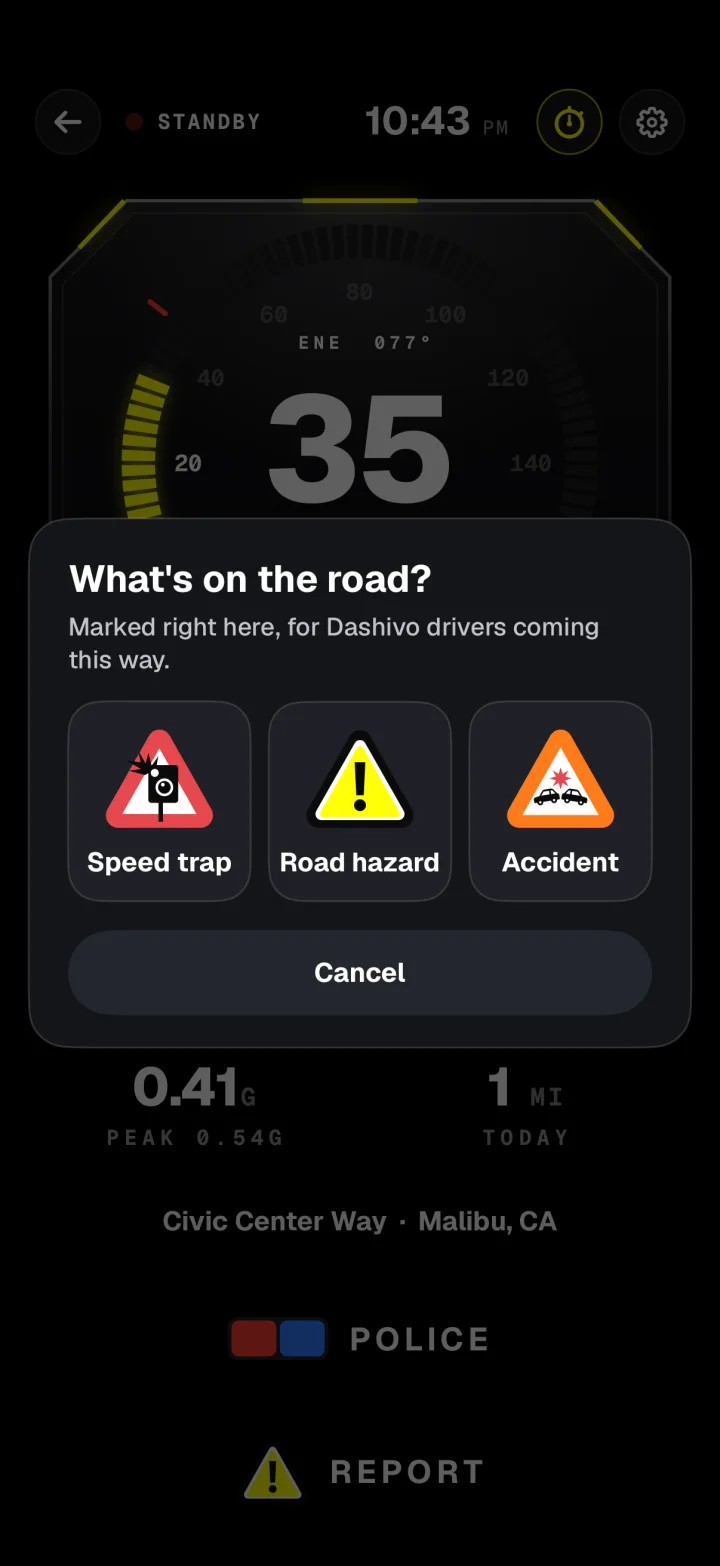
Speed trap, road hazard or accident: one tap marks it where it is.

Report what you see without taking your eyes off the road for long. Each report is saved on your phone with where and when it happened.

  • Speed trap, hazard or accidentToday
  • GPS coordinates of the spotToday
  • Your direction and the timeToday
  • One tap from the HUD or gaugesToday
  • Shared with drivers heading your wayWith Cloud · coming soon
  • Only within a mile aheadWith Cloud · coming soon
Dashivo's Report sheet: What's on the road? Speed trap, Road hazard or Accident.
Dashivo's dashboard gauges on iPhone with big POLICE and REPORT buttons at the bottom.

06For work and tax timeIn the app today

Mileage & trips

Every trip on a map, and every mile ready for tax time.

Made for rideshare, delivery and work driving, with the video to back up every mile.

  • Every trip on a map, coloured by speedToday
  • Start and end places, with its clips and eventsToday
  • Today, this week, the month and a 30 day chartToday
  • Business, commute or personal tagsToday
  • Route history across your phonesWith Cloud · coming soon
  • IRS log with PDF and CSV exportWith Pro
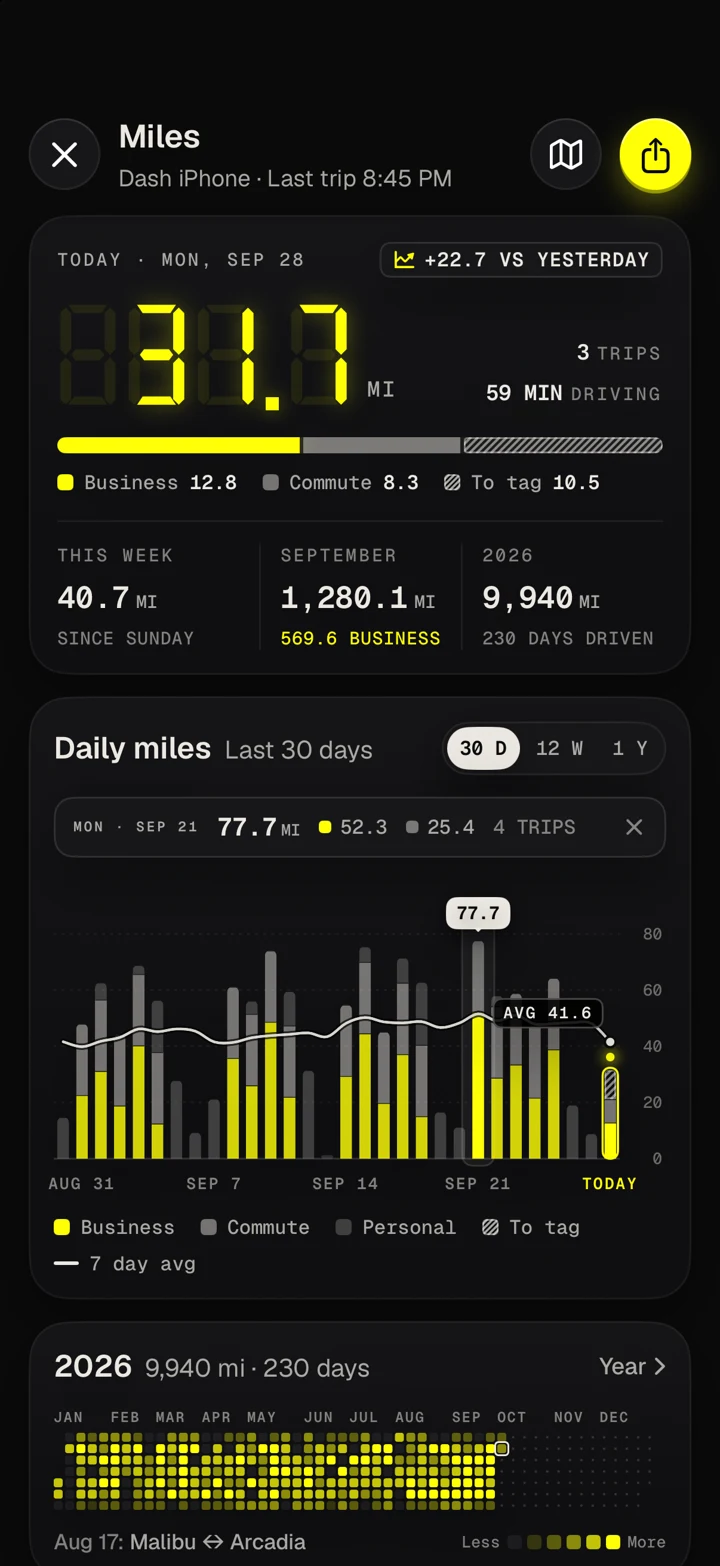
Dashivo's Miles screen on iPhone with simulated drives: today's 31.7 miles split into business, commute and trips to tag, this week, September and 2026, a 30 day chart of daily miles with a 7 day average, and the year at a glance.

The road and the
cabin, at once.

One phone, both cameras. In Dash cam mode the rear camera films the road ahead while the front camera films the cabin and your riders, with sound, each into its own file. Made for rideshare and delivery drivers on Uber, Lyft, DoorDash, Instacart and the rest.

  • Dash cam · Pro
  • Body cam · free
  • Police stop · free
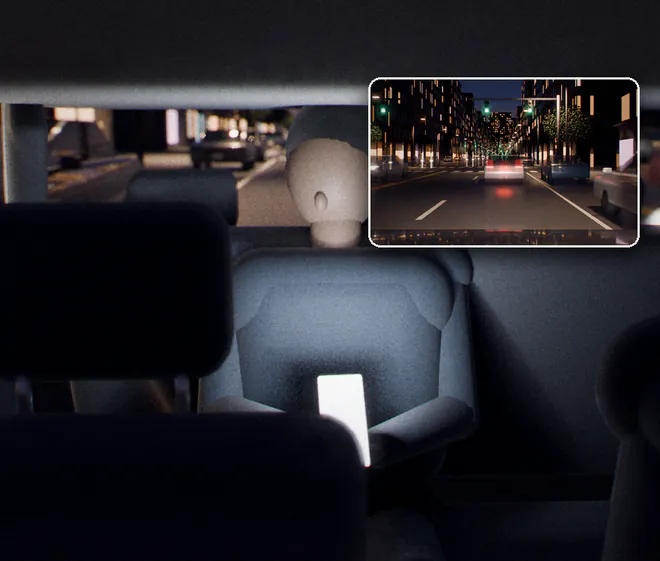
An original 3D cutaway of a sedan at night, seen from behind on the passenger side. The main phone is on a magnetic mount with a bendable arm in the middle of the windshield, just below the rear-view mirror: its rear camera's view in yellow reaches forward to the road, and its front camera's view in white covers the front seats and a rider in the back. A second phone on the rear shelf looks back through the rear window, its view in yellow. Faint outlines on the dashboard and the center console mark the other good spots.
  1. Road aheadThe rear camera, through the windshield. 1080p while both cameras record.
  2. CabinThe front camera, with sound: the front seats and your riders in the back.
  3. Magnetic mountBelow the mirror, where your state allows. It bends, tilts, swivels and rotates; phones without MagSafe take a thin plate.
  4. Second phoneOn the rear shelf or rear window: the road behind. Free, and it records on its own.
  5. USB-C powerKeep it charging, most of all with both cameras on. Each phone needs its own.

Each camera, its own fileNamed to the second, so the road, the cabin and the road behind line up.

  • or on the dash
  • or on the console

An original 3D illustration, not footage. Windshield mounting rules vary by state, so mount where yours allows; the dash or the console is the easy option. What's allowed

Road and cabin Pro
Dash cam mode with Front and rear. The HUD, the speed-limit sign and loop recording carry on as always.
Body cam, free
Body cam mode already records front and rear at once, on foot or in the car.
Which phones
iPhone XS and XR and newer, and many recent Android phones. Which phones work
Riders and sound
Tell riders they're on camera. Check your platform's rules and your state's recording laws.

Uber, Lyft, DoorDash and Instacart are trademarks of their owners. Dashivo isn't affiliated with them.

Inside the app

The real app,
up close.

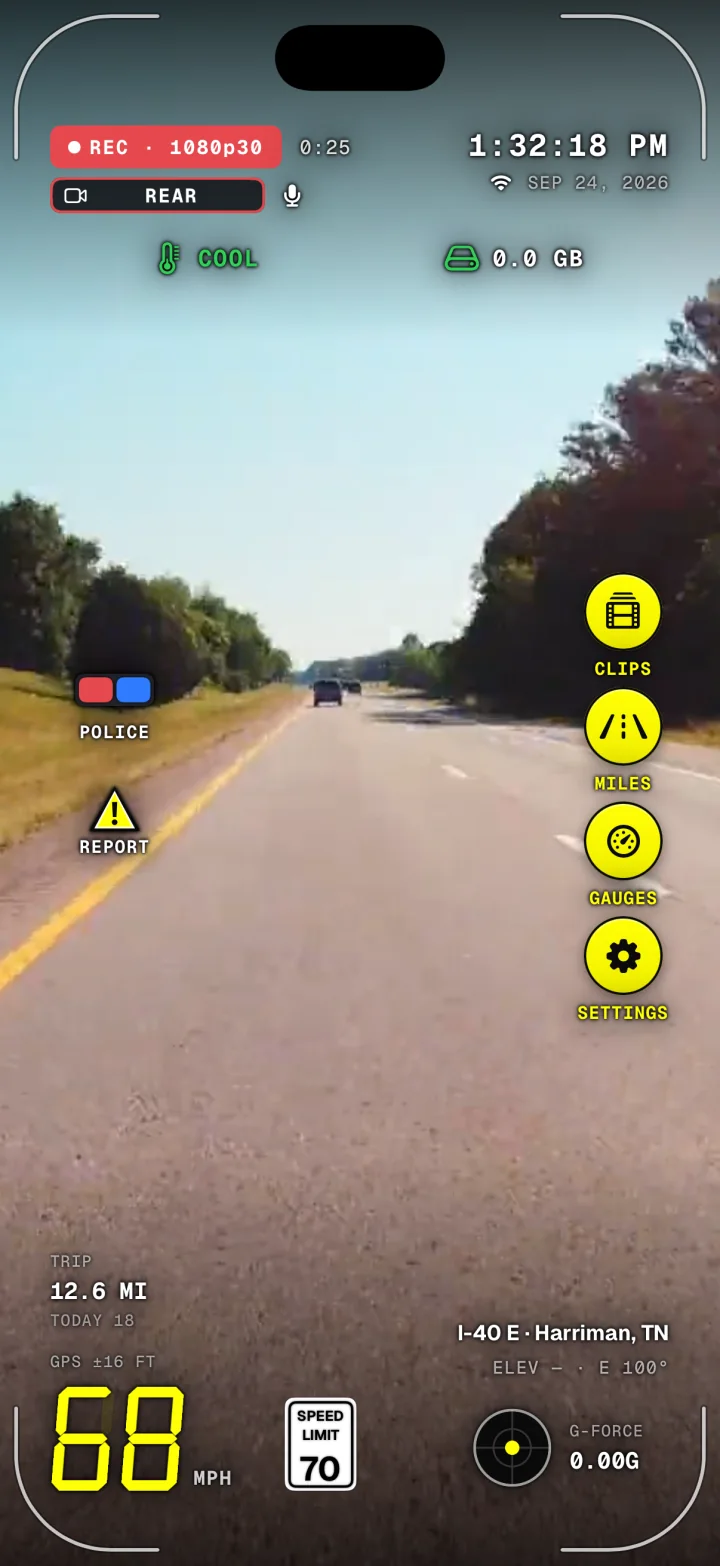
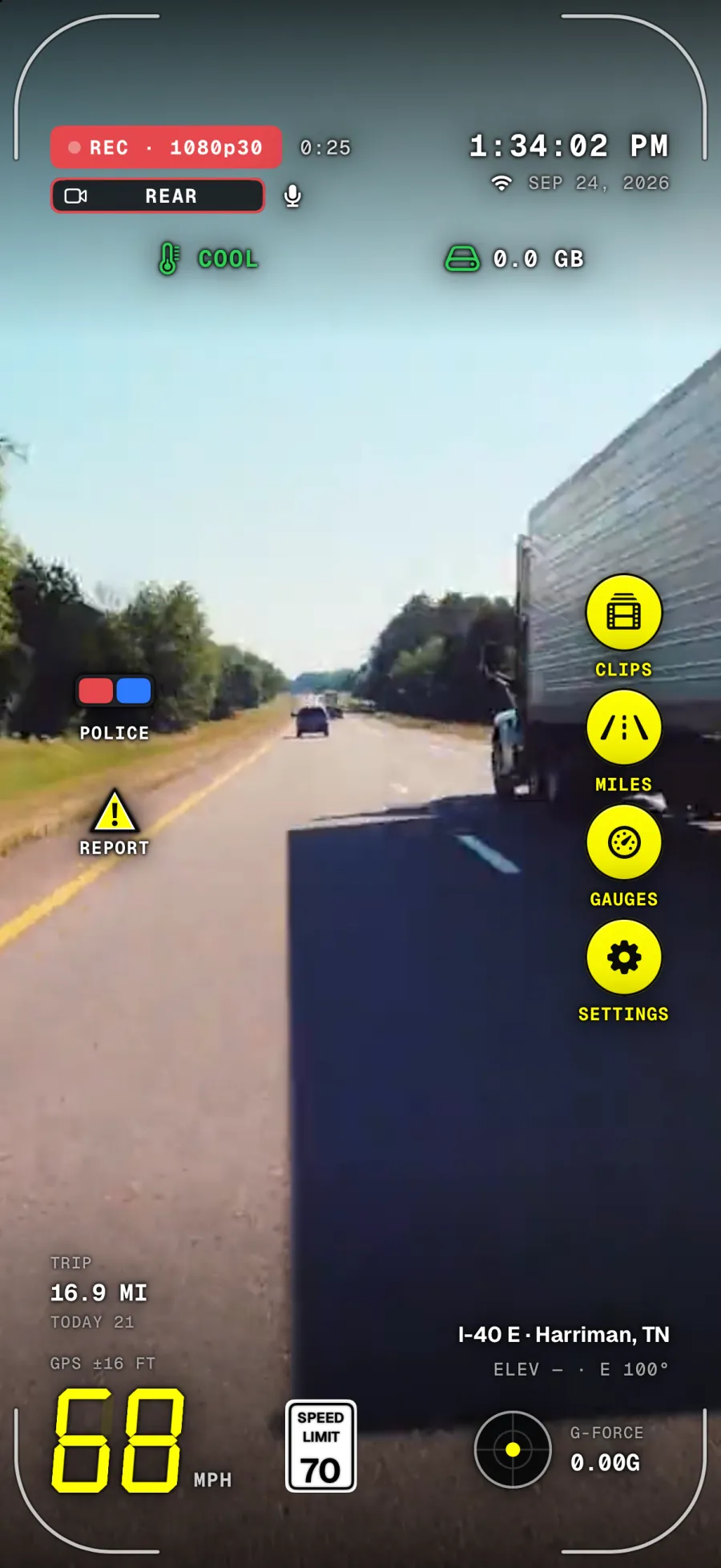
The Dashivo HUD on iPhone recording on I-40 E near Harriman, Tennessee, at 1:32 PM: REC with the clip timer, the REAR camera tag and the mic, the clock and date, COOL heat and storage in the status row, 68 mph under a 70 mph speed-limit sign, trip and today's miles, G-force, and buttons for Police, Report, Clips, Miles, Gauges and Settings.

Clock · to the second

Hub · heat · clips · storage

Speed · trip · street

01

The HUD

Speed, the time, your trip, where you are and the phone's health, around the edge of the screen.

readouts to show or hide
Dashivo's dashboard gauges on iPhone while recording: 65 mph under a 65 mph speed-limit sign on I-10 E in Phoenix, a G-force dial with its peak, trip and today's miles, and Police and Report buttons.

Speed-limit sign · from the map

G-force · peak

02

Gauges

A supercar-style cluster with the posted limit for your road beside the speed. It rings red at 5 mph over.

mph over and the sign rings red
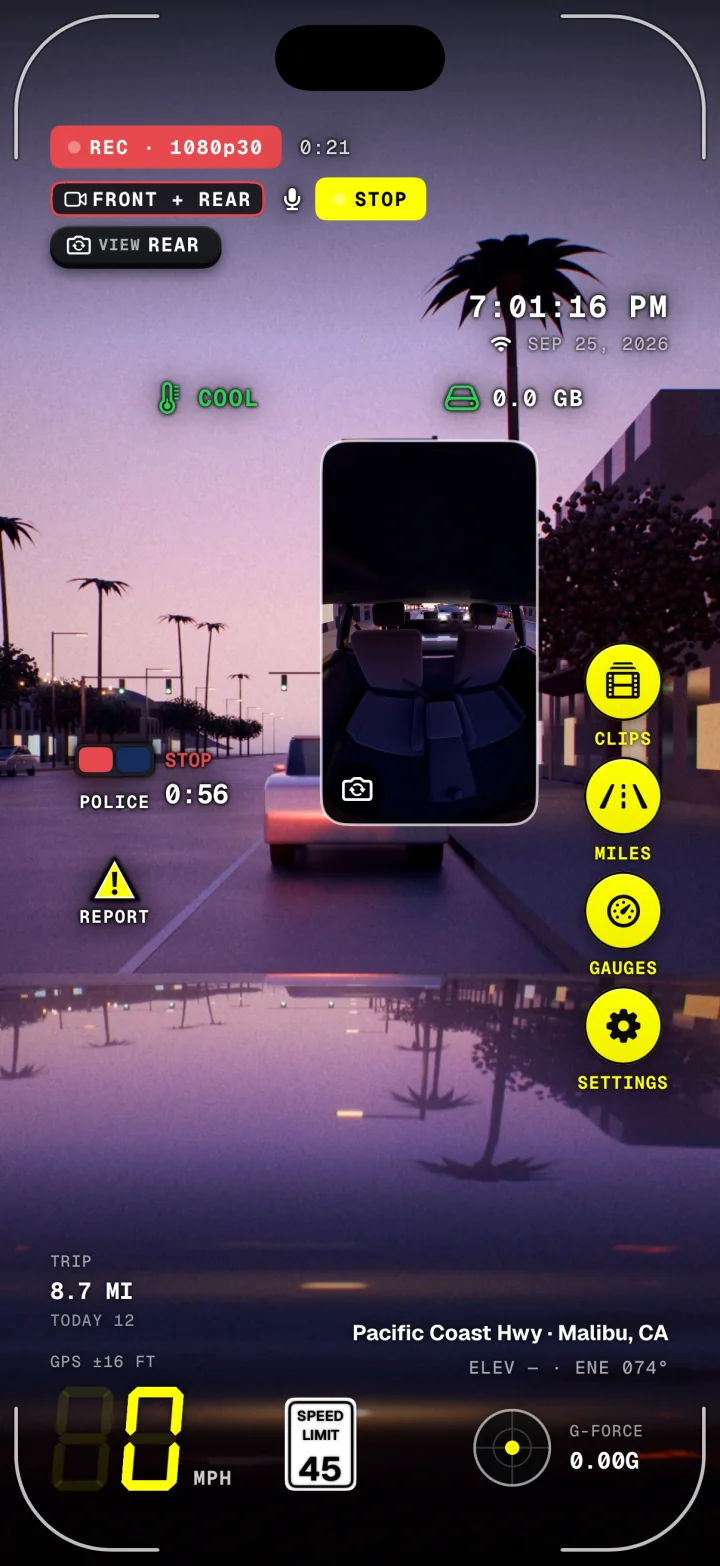
A police stop running in Dashivo on iPhone at dusk: REC, a yellow STOP chip, FRONT + REAR recording, the VIEW REAR swap pill, the cabin camera in a small picture, the stop timer on POLICE, and 0 mph on Pacific Coast Hwy in Malibu.

STOP · front + rear

Ends with one more tap

03

Police stop

One tap, and it records until you end it: front and rear with sound, saved every few seconds, kept safe from the loop with the 10 minutes before.

tap to start · no time limit
Body cam settings in Dashivo: record the front and rear cameras, the rear or the front, choose which camera shows on screen, and show both cameras at once.

2026-09-27_20-41-52_Front.mp4

Front, rear or both

04

Body cam

Front, rear or both at once, with audio, each in its own file. Touch protection means a bump never stops it.

cameras at once
Dashivo's performance stopwatch: 0–60, 0–100, 60–0 and 100–0 braking, a quarter, half and full mile, with START, AUTO and STOP.

Launch · Brake · Distance

AUTO · starts on launch

05

Stopwatch

0–60, the quarter mile, braking and more. AUTO starts the clock the moment you launch. Closed courses only.

runs, in miles or metric
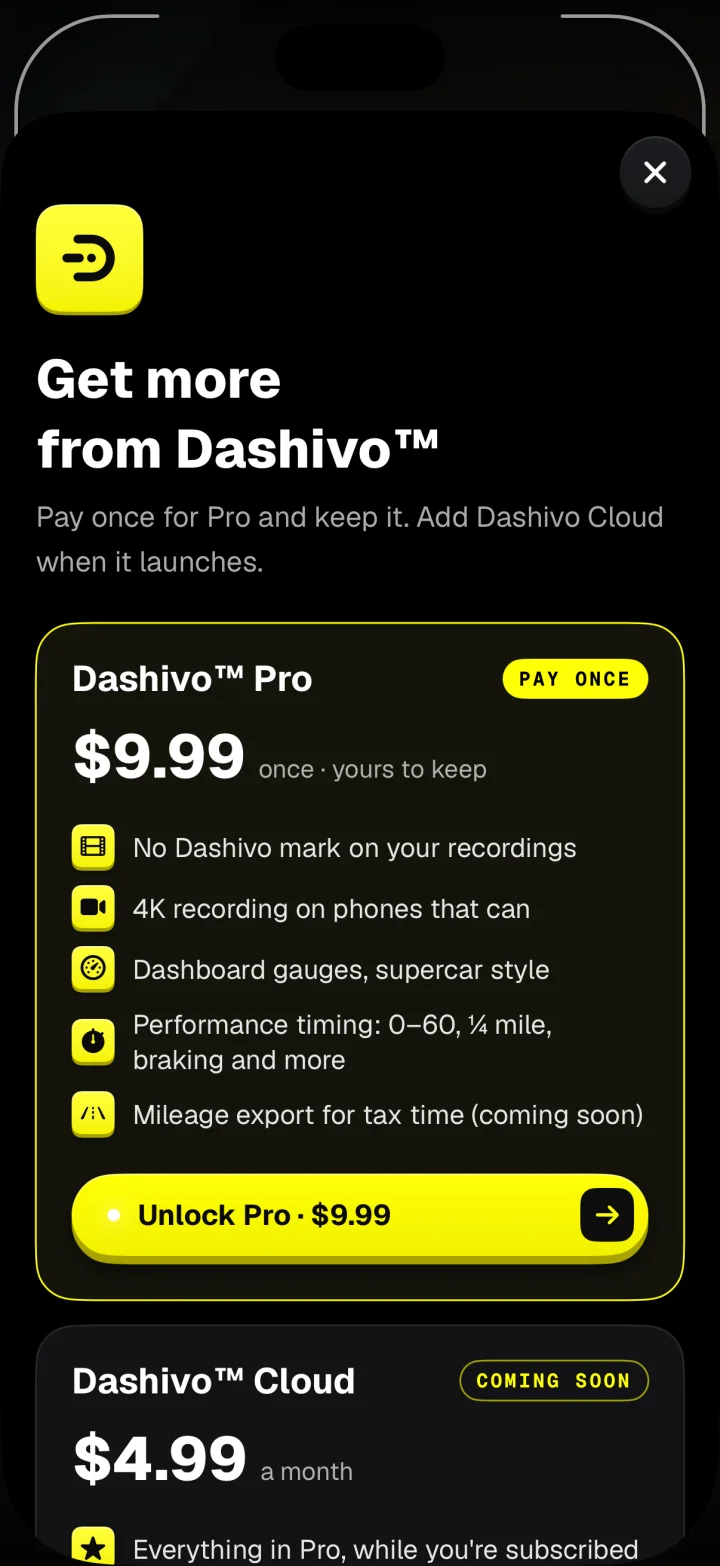
Dashivo's plans screen: Dashivo Pro, $9.99 once, yours to keep, with an Unlock Pro button, and Dashivo Cloud, coming soon.

Pro · pay once

Cloud · coming soon

06

Plans

Free to start. Pro is $9.99 once, bought in the app through the App Store or Google Play.

payment for Pro, yours to keep

Evidence, not just video

Every jolt,
on the record.

Many dash cams record only the picture. Dashivo also records how you were driving. Your speed, braking and cornering force, the exact time and your position are stamped on every frame and logged second by second with each clip, right up to the moment something happens.

Example drive
1 s
speed, force and position, logged every second
0.42G
braking and cornering force, measured
SEP 27
date and time, to the second, on every frame
GPS
street and city, or exact coordinates

Disputes

You braked. Now you can show it.

When another driver says you never slowed down, or a stop is written up as a rolling stop, your recorded braking force and speed show what you actually did, second by second, up to the moment in question.

Insurance claims

More than a picture of the crash.

Rear-ended at a light, or sideswiped in traffic? Your claim can show the impact force, your speed and your exact position at that instant, the kind of detail that helps establish who was at fault.

Your account, backed up

Facts that travel with the video.

The readings are burned into the footage itself and saved beside each clip, so they go wherever the video goes: to your insurer, your attorney or a courtroom.

Readings come from your phone's GPS and motion sensors. How footage and data are weighed is up to insurers and courts; Dashivo gives you the record.

How it works

Three steps and
you're rolling.

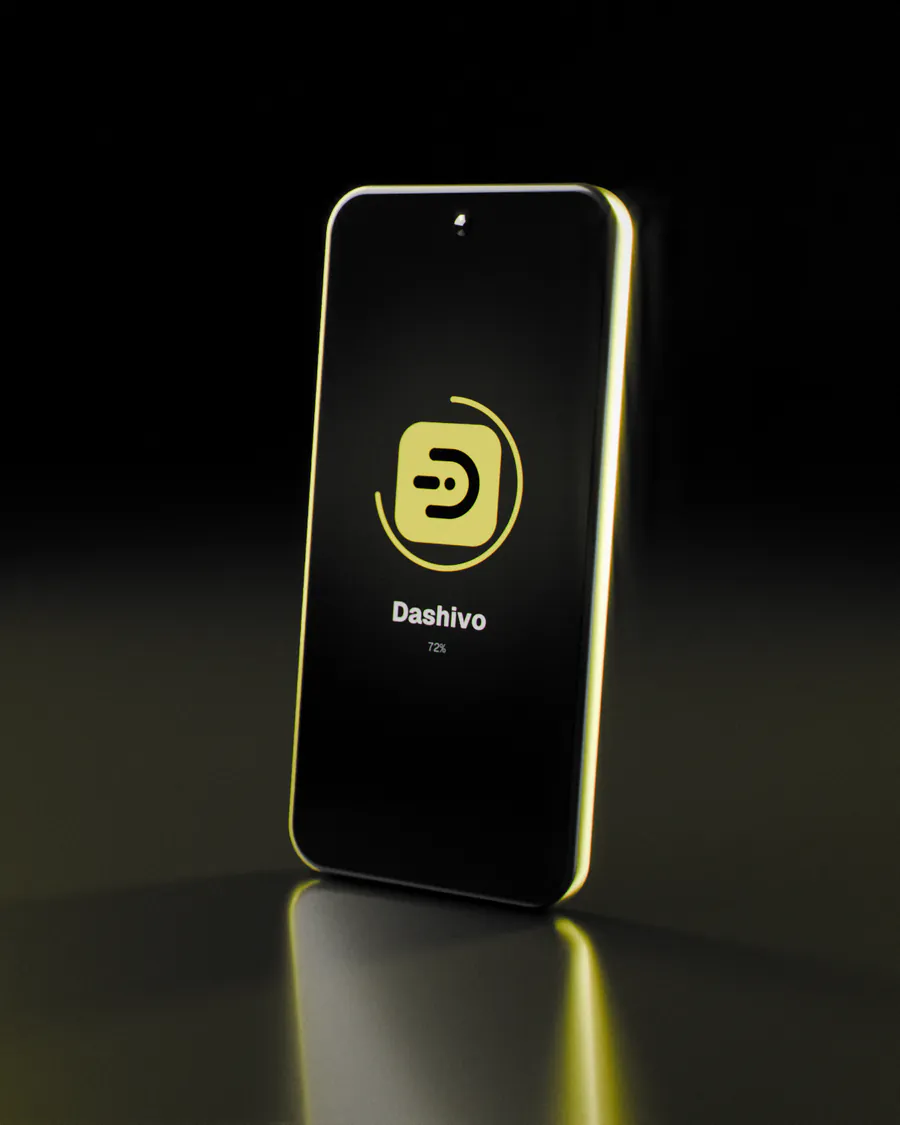
  1. An original 3D render of a phone standing on a dark, glossy floor in a yellow rim light, installing the Dashivo app: its icon on the screen inside a progress ring at 72%.
    Free

    Download

    Get Dashivo for iPhone or Android. It's free to start, with no account to make and nothing new to buy.

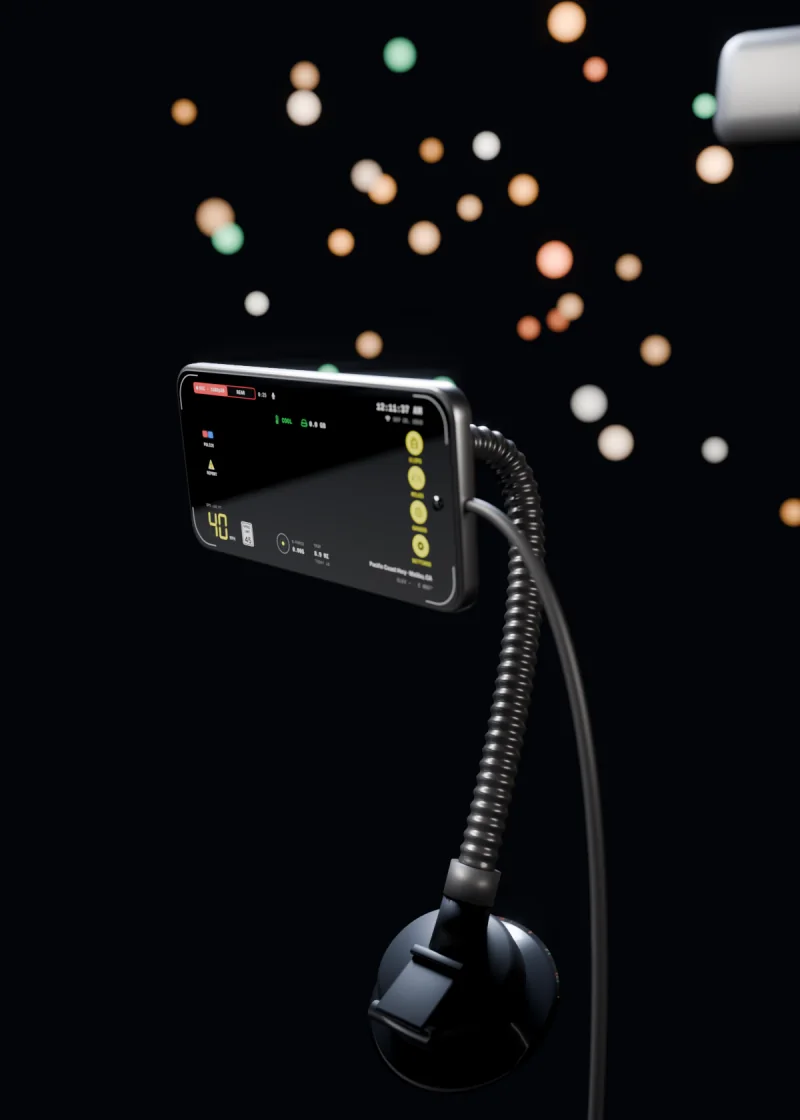
  2. An original 3D render of a phone held sideways on a magnetic mount at night: a suction cup low on the windshield, a ribbed arm that bends up to a square magnetic head, a charging cable, and city lights beyond the glass.
    Magnetic mount

    Mount

    Put the phone on a windshield, dash or console mount, upright or sideways, and plug it in. A magnetic mount with a bendable arm snaps on and aims easily. Set it up before you drive, so you never handle it on the road.

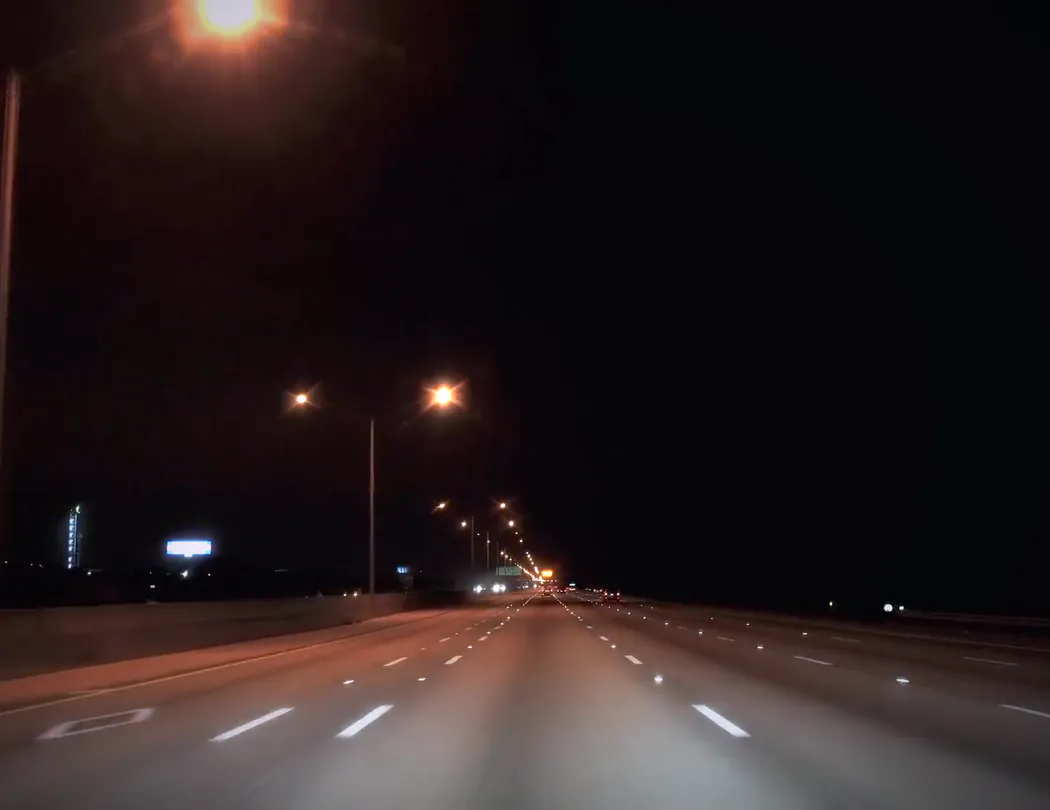
  3. The road at night through the windshield, a highway with street lights and lane markings, under the app's recording overlay: REC, the time, 42 mph with the 45 limit sign, and the place.
    Stamped

    Drive

    Tap record and go. Dashivo records the whole drive, stamps every frame, shows the speed limit and keeps a police stop one tap away.

Works with

Use the phone you
already own.

No new gadget. Dashivo runs on the iPhone or Android phone you already carry, plugged into the car, and saves your clips where you can find them. Here's what it works with today, and what's coming.

Mount it anywhere

Use any phone mount that holds it steady. Mount the phone before you drive, and leave it alone on the road.

  • WindshieldDash cam
  • HandlebarBody cam
  • ChestBody cam

Dashivo™ app

Works today

iPhone

iOS 17 or later. Apple only lets apps use the camera while they're on screen, so keep Dashivo open while it records.

Which phones work

Works with today

  • iOS 17 or later. Apple only lets apps use the camera while they're on screen, so keep Dashivo open while it records.

  • Android 10 or later. The phones page lists the models we've tested ourselves.

  • Save any clip to Photos on iPhone or to the Gallery on Android, or share it straight from the app.

  • Your clips are in the Files app, under On My iPhone › Dashivo, unless you choose to keep them inside Dashivo only.

  • With Pro, Android records straight to a USB-C drive. iPhone apps can't record to USB.

  • The HUD's speed-limit sign comes from OpenStreetMap, looked up with an approximate location. No sign where no limit is recorded.

  • Dashivo runs plugged in, from the car's USB port or a charger. Full quality stays on unless the phone gives its highest heat warning.

Coming soon

  • End-to-end encrypted copies of the clips that matter, route history and sharing. Your account at dashivo.app/account/ works today.

  • Private, offline storage hidden in the car, with a copy of every clip over its own Wi-Fi. The Custom is on preorder, shipping in Q4 2026.

  • A bump while you're parked sends an alert to your phone. It comes with Dashivo Cloud or the Hub.

  • Speed traps, hazards and accidents that other drivers report near you, with Dashivo Cloud. You can already mark your own.

A copy away from the phone

Keep a copy
out of reach.

Your phone keeps everything it records. For a copy no one at the scene can delete, there's Dashivo Cloud online and the Dashivo Hub hidden in your car. On Android, a USB-C drive works today.

In your browser

Dashivo™ Cloud

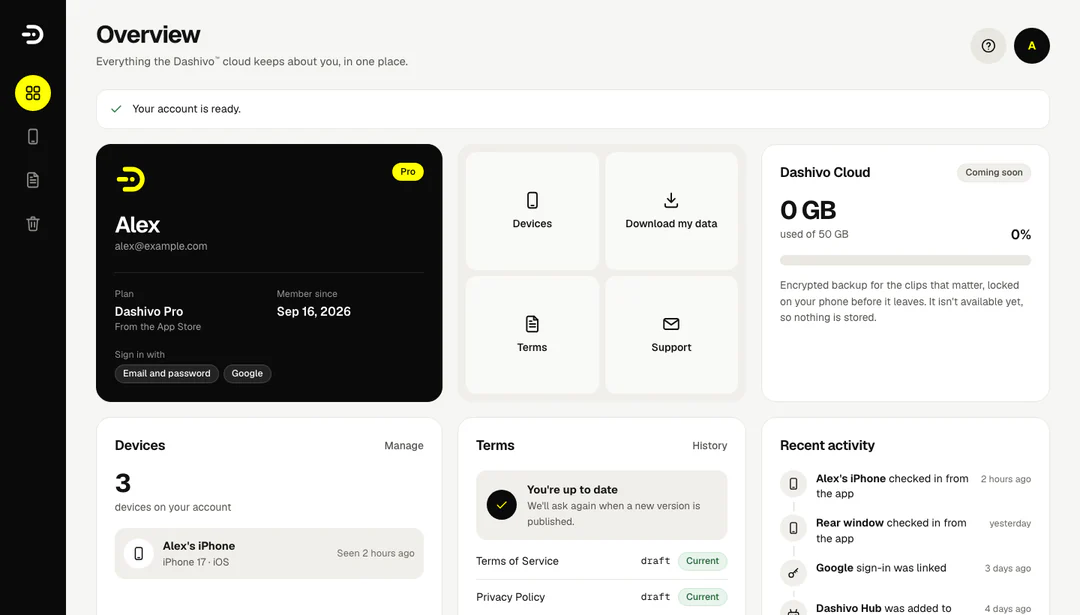
Your Dashivo account online, at dashivo.app in any browser. No hardware.

The Dashivo account overview in a browser, with sample data: the plan, the phones on the account, the terms and Dashivo Cloud storage marked Coming soon.
  • TodayMake your account, then see your plan, your phones and the terms you accepted, and download or delete your data whenever you like.
  • Coming soonCloud and Cloud+ plans: end-to-end encrypted copies of the clips that matter, route history, sharing with people you trust, and up to four phones on one account.
Preorder

Dashivo™ Hub

Your own private, offline storage, hidden in your car, away from anyone who might want your footage gone.

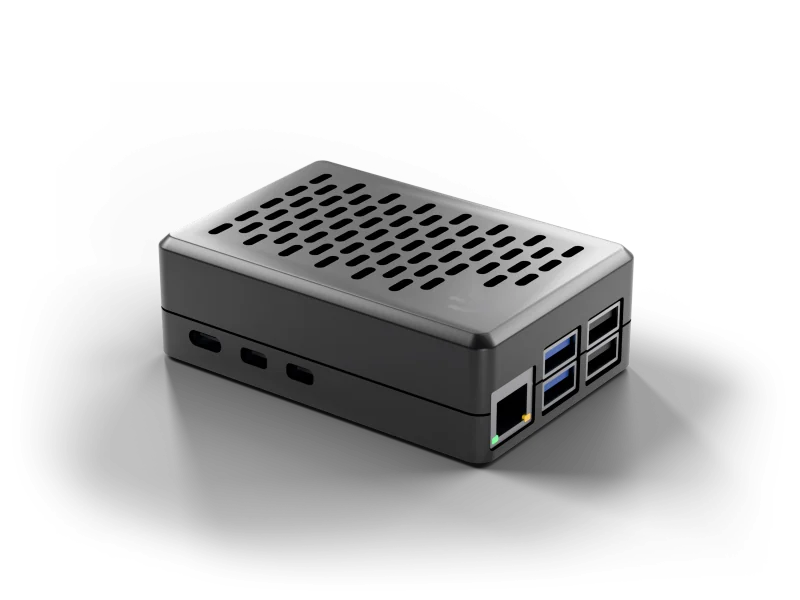
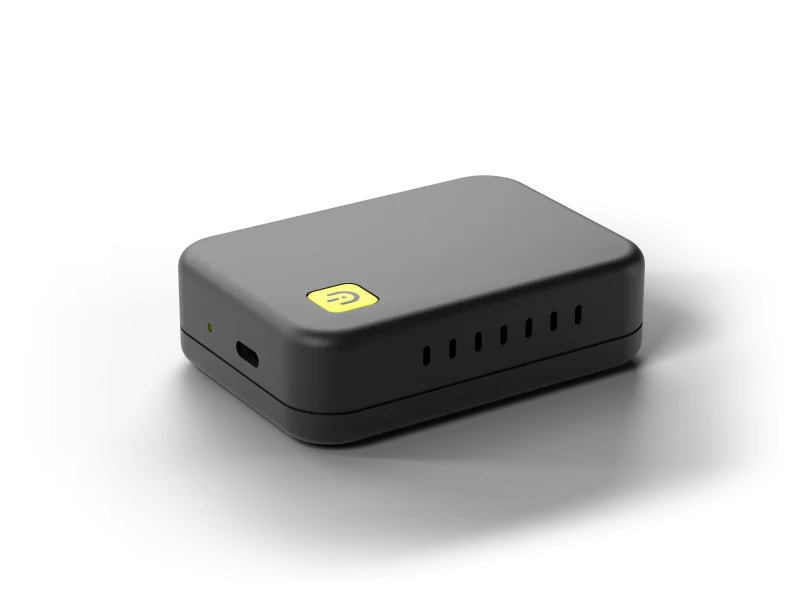
The Dashivo Hub Black Box: a black case with cooling slots on top and its ports on the side. The Dashivo Hub Custom: a compact matte black box with a small yellow Dashivo badge, one USB-C port and a status light.
  • OfflineNo internet and no subscription. Copies of every clip land on it over its own Wi-Fi.
  • Out of reachThe footage survives even if the phone is taken, damaged or wiped.
  • PreorderThe Hub Custom from $269, with storage and power as add-ons and free US shipping. It ships in Q4 2026. Or reserve a Black Box, free.

Both keep a copy away from the phone. The Hub keeps it offline, in your car. A Cloud plan keeps it online, encrypted on your phone before it leaves. The Hub Custom is on preorder for Q4 2026, Cloud storage is coming soon, and your account is open today.

Example scenarios

Built for the
moments that matter.

Four everyday situations, and what your phone has already captured by the time you need it. One phone is all it takes.

Read the FAQ

Example scenarios · original 3D renders, not real footage or customers

And the rest

Everything else,
built in.

The small things that make a dash cam you never have to think about.

The speed limit, on screen

The posted limit for the road you're on, beside your speed. It rings red when you're more than 5 mph over, and roads without a known limit show no sign, never a guess.

A stamp on every frame

The date and time, your speed, where you were, G-force and your trip are burned into the video itself, so they show in any player and every clip you share.

Keeps cool, keeps recording

Full quality until the phone itself gives its highest heat warning. Then Dashivo lowers the resolution until it cools, and a one-tap dark screen helps it along.

Night mode

When the light drops, Dashivo switches to the camera that sees best in the dark and cleans up the grain, then switches back at dawn. Automatic, and yours to turn off.

The wide lens

Where your phone has an ultra-wide camera, pick Extra wide to catch the lanes and the sidewalk beside you. Dashivo only offers what your phone has.

Touch protection

In a pocket or on a chest mount, touch protection ignores accidental taps until you hold the button, and Screen off goes dark while the recording carries on.

Spec sheet

Everything it
records.

The spec sheet, straight from the app on iPhone and Android.

clips sent to us. Without a Cloud plan, your footage never leaves your phone.

Dash camVideo
Full HD free; 4K and road + cabin with Pro
Body camVideo
Front, rear or both at once, with audio
ClipsRecording
Continuous loop that never fills the phone
StorageWhere
Phone, Photos or Gallery; USB-C on Android (Pro)
SignalHUD
Wi-Fi and cellular by the clock
G-forceStamp
On every frame, like 0.42G
Speed limitHUD
Your road's posted limit, red at +5 mph
Police stopOne tap
No time limit; the 10 minutes before kept too
StopwatchPro
0–60, ¼ mile, braking and more
CloudAccount
dashivo.app; Cloud plans coming soon
HeatProtection
Full quality until the phone's highest heat warning
LockBody cam
Lock and Screen off
PrivacyData
Footage stays on your phone
PhonesWorks on
iPhone iOS 17+, Android 10+

Questions

Questions,
answered.

Email only · replies within two working days

Still have a question?

Write to the people building Dashivo at [email protected], or use the contact form.

Email us
  • No. You already carry one. Dashivo turns the phone in your pocket into a dash cam and a body cam: put it in any mount, plug it in and tap record. There's nothing else to buy.

  • iPhones with iOS 17 or later, and Android phones with Android 10 or later. Recording front and rear together (free in body cam mode, with Pro in dash cam mode) needs a phone that can run both cameras at once (on iPhone, the XS or XR and newer). See which phones work.
  • You don't need one. Dashivo is free to download and record with. Dashivo Pro is a one-time $9.99. Dashivo Cloud ($8 a month) and Cloud+ ($20 a month) are optional and coming soon. Everything is bought inside the app through the App Store or Google Play, and subscriptions are managed and cancelled there.

  • Apple only lets apps use the camera while they're open on screen. So on iPhone, Dashivo has to stay on screen to record: switch apps or lock the iPhone and recording stops until Dashivo is back, and Dashivo warns you when that happens. You can turn Dashivo's own screen dark while it keeps recording, and Guided Access can keep it on screen.

  • Without a Cloud plan, your footage stays on your phone (and on your own hub, when it arrives), and the app sends Angry Owl Labs nothing but update checks: no location, no footage, no tracking. Two lookups go straight from your phone to public services, not to us: the speed-limit sign asks OpenStreetMap's public servers for the roads around you, using an approximate location, and street and city names come from your phone's own map service. With Cloud, clips are encrypted on your phone before they leave it, and we can't watch them.

  • Recording video on public roads is generally allowed in the US, and in many places you may record police officers doing their job in public. Sound is different: some states require everyone in a conversation to agree before it's recorded. Dashivo records sound with every video unless you turn it off (Video › Record sound), so turn it off wherever the law requires everyone's consent. Windshield mounting rules vary too. Mount the phone before you drive and don't handle it on the road, and check the laws where you are. This isn't legal advice.

  • On the phone alone, whoever holds the phone can. That's why Dashivo gives you ways to keep a copy away from it: save clips to Photos or the Gallery, record to a USB-C drive (Android, with Pro), and soon Dashivo Cloud and the Dashivo Hub (Coming Soon), which keep a copy nobody at the scene can reach.

  • Yes. Use Dashivo on as many phones as you like; each one records on its own. Pro works on every phone signed in to the same Apple ID or Google account; a phone on the other platform or another store account buys Pro once there. Cloud (coming soon) covers 2 phones on one account and Cloud+ up to 4, like a 4-channel dash cam.

  • Keep the phone plugged in while you drive. Dashivo keeps full quality until the phone itself gives its highest heat warning, then lowers the resolution until it has cooled. Balanced quality and a dark screen keep it cooler, and mounting it out of direct sun helps most. Tips to keep your phone cool.

  • An optional box hidden in your car: private, offline storage that copies every clip over its own Wi-Fi, so the footage survives even if the phone is taken, damaged or wiped. The Hub Custom is on preorder from $269, shipping in Q4 2026, and you can reserve a Black Box for free. You don't need one: the app works on its own. About the Hub.

Download

Drive with a
witness.

Dashivo™ is free for iPhone and Android. Get the app, mount your phone, and your next drive is on the record.

Nothing new to buy · No account needed · Footage stays on your phone