Skip to content

Download · iPhone & Android

Put Dashivo™ on
your phone.

It's free for iPhone and Android, with no account to make and nothing new to buy. It's on its way to the App Store and Google Play: each badge becomes a link the day its listing goes live.

Download on the App StoreComing soonGet it on Google PlayComing soon

Free to download · Pro and Cloud are bought inside the app · The HubPreorder

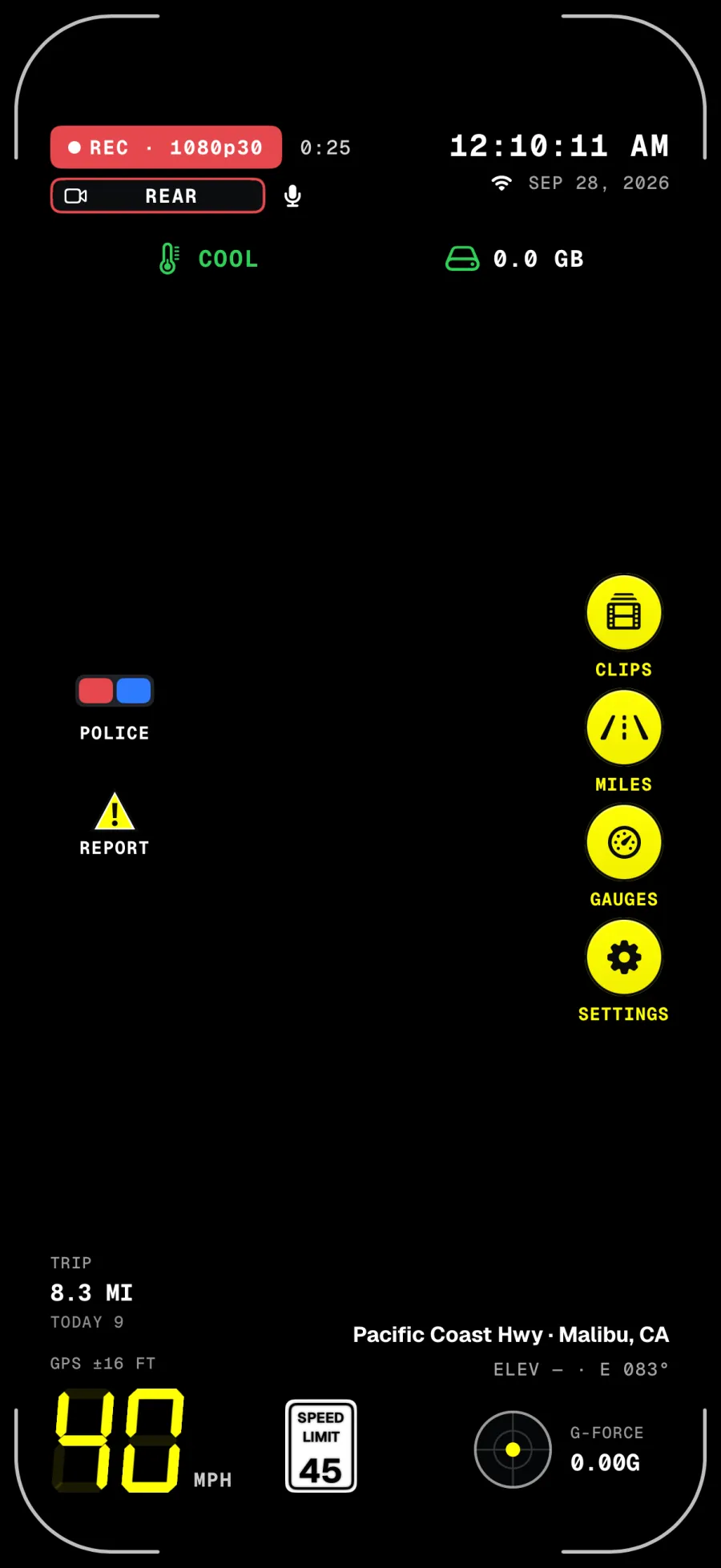
The Dashivo HUD on iPhone, recording: the time and date, 40 mph beside a 45 mph speed-limit sign, trip miles, G-force, the street and city, and buttons for Police, Report, Clips, Miles, Gauges and Settings.
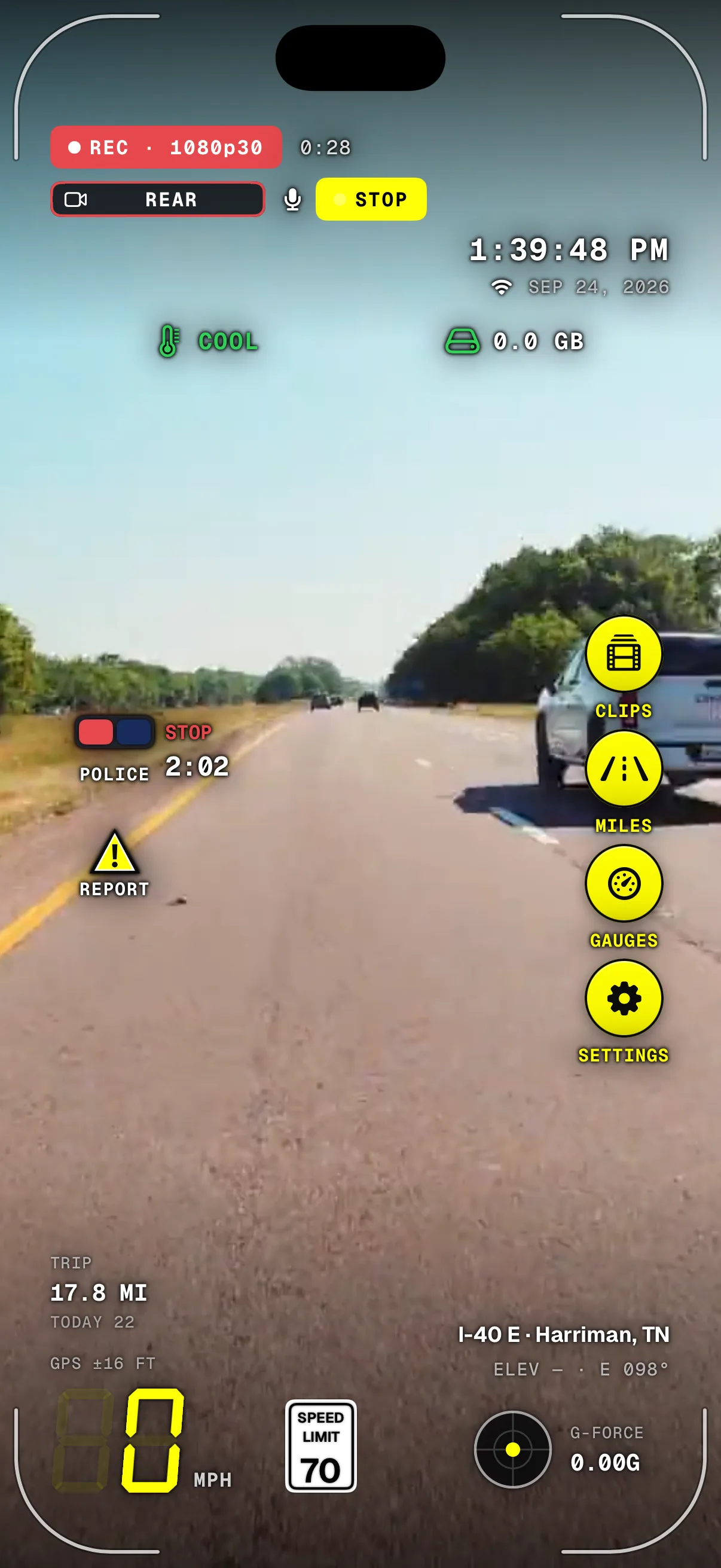
A police stop running in Dashivo on iPhone over the road: REC with STOP beside it, the clock and date, the POLICE button showing STOP and 2:02, and 0 mph under a 70 limit sign.
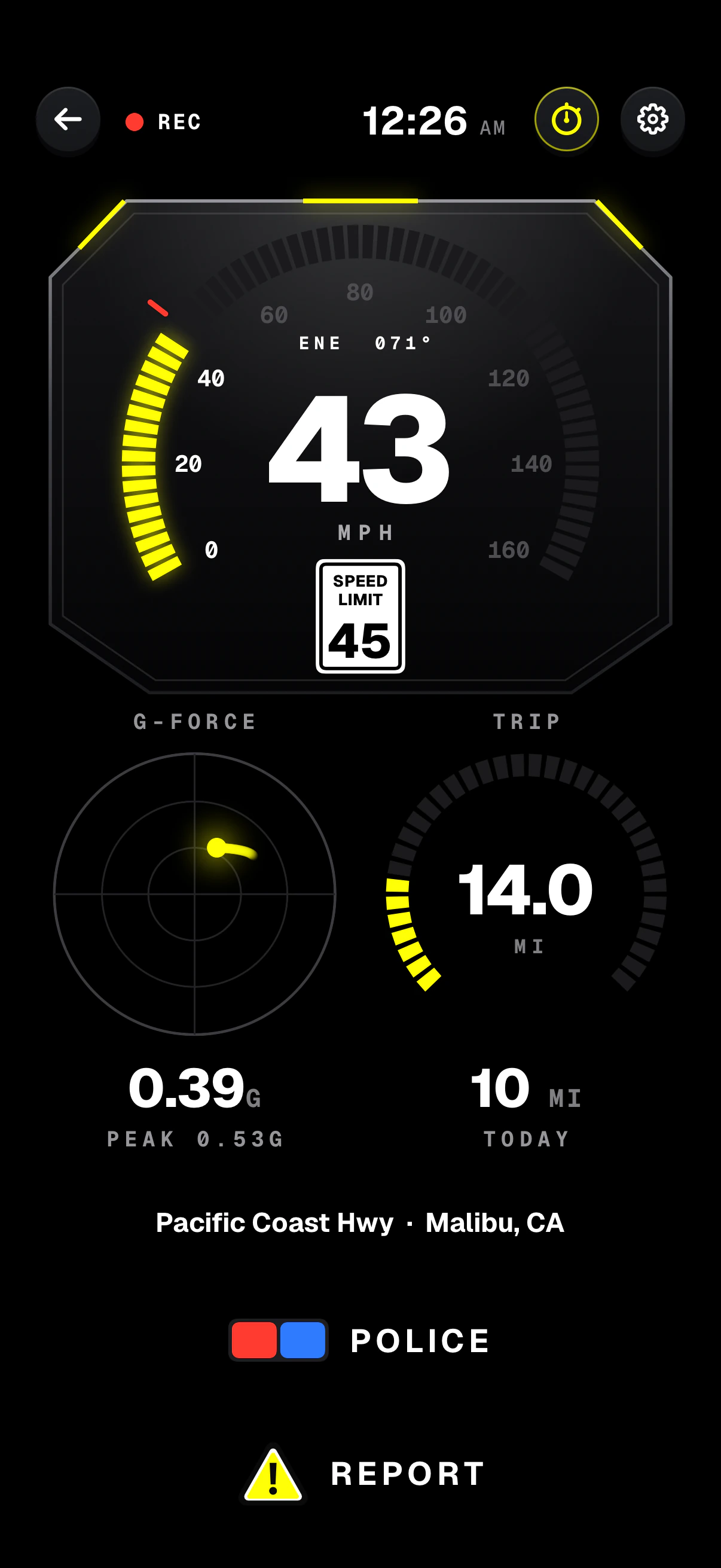
Dashivo's Dashboard gauges on iPhone: 43 mph on a speed sweep under a 45 mph speed-limit sign, a G-force dial with its peak, trip and today's miles, and POLICE and REPORT buttons.

For iPhone

Dashivo for iPhone

Needs
iOS 17 or later
Body cam, front + rear
iPhone XS, XR or newer
While recording
Keep Dashivo on screen: Apple only lets apps use the camera while they're open
Pro and Cloud
Bought in the app, through the App Store
Download on the App StoreComing soon
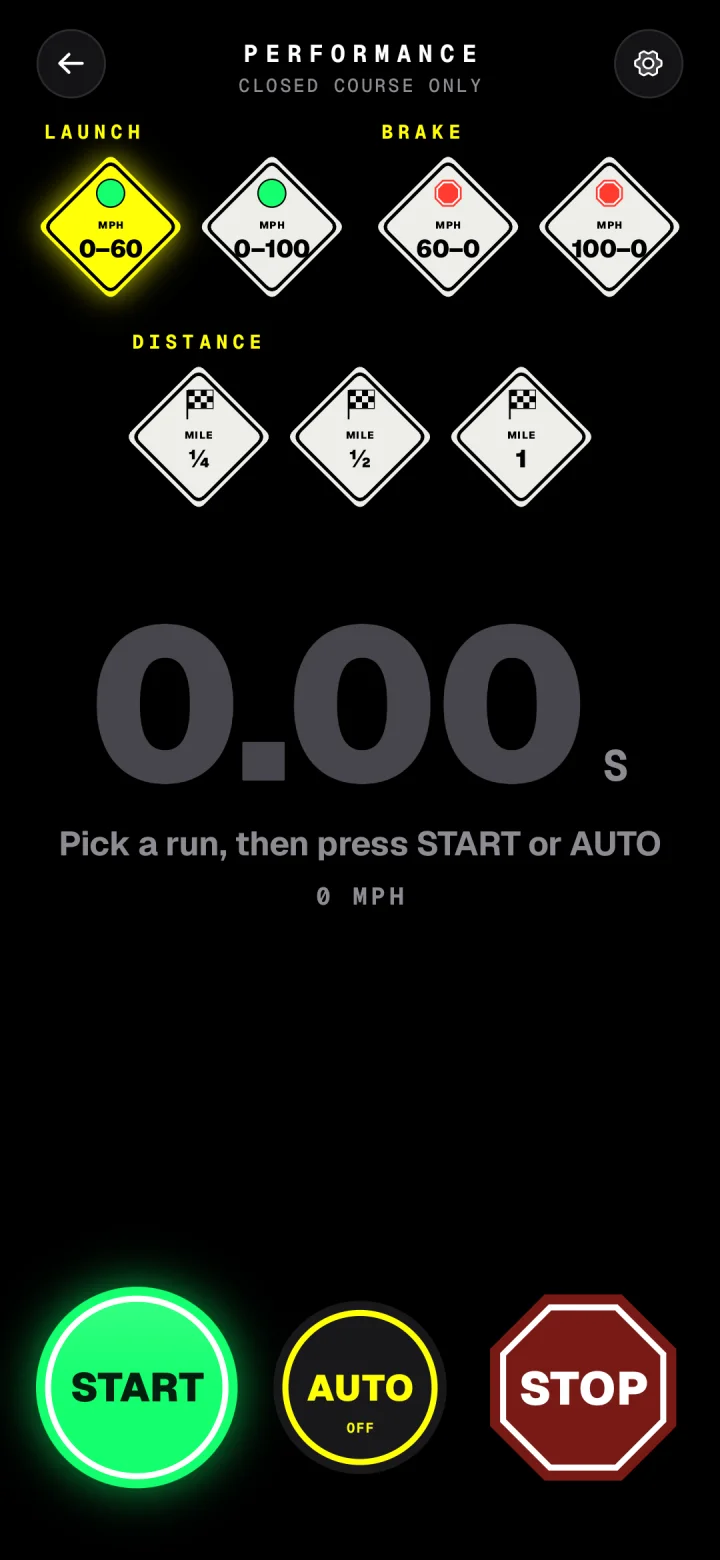
Dashivo's performance stopwatch on an Android phone: 0–60, 0–100, 60–0 and 100–0 braking, a quarter, half and full mile, with START, AUTO and STOP.
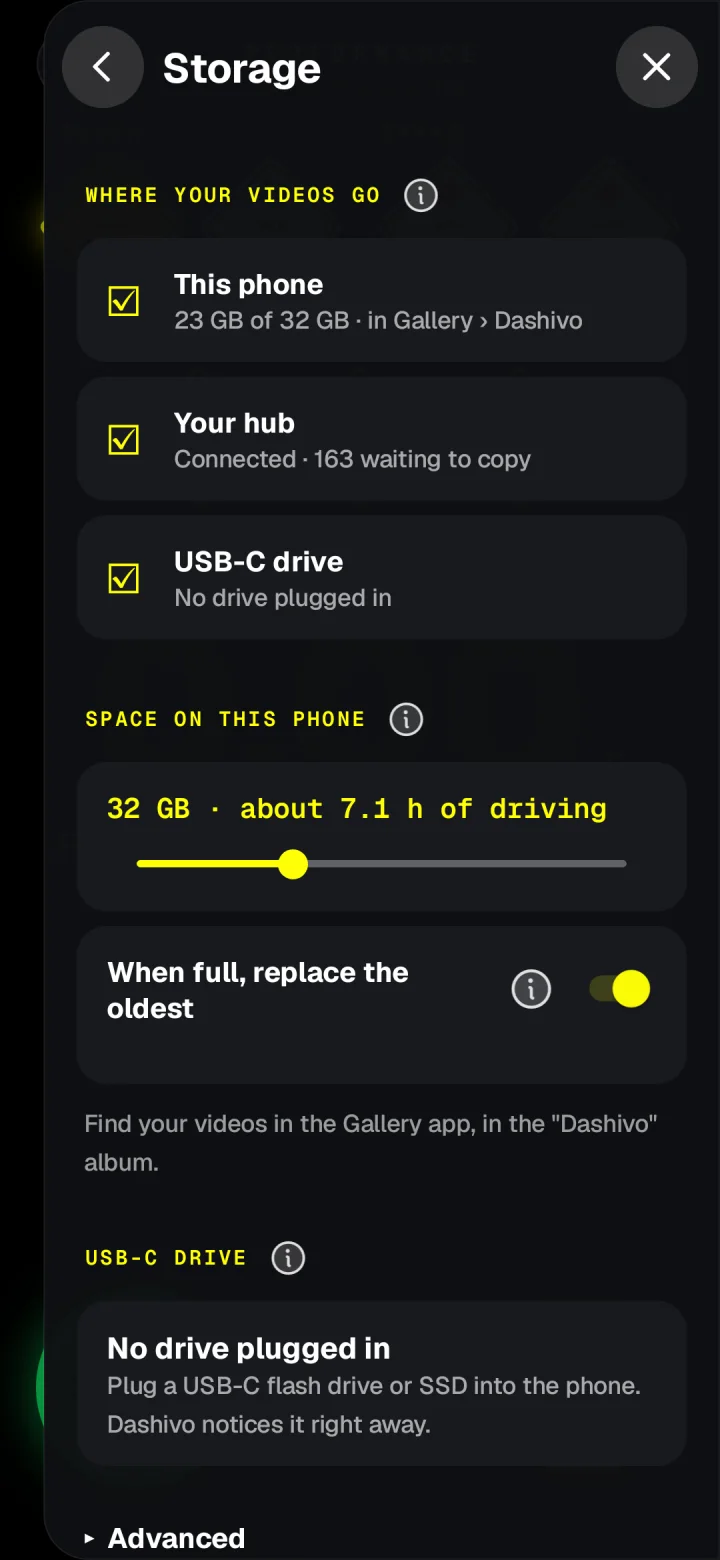
Storage settings in Dashivo on Android: keep videos on this phone, your hub or a USB-C drive, how much space to use, and replace the oldest when full.

For Android

Dashivo for Android

Needs
Android 10 or later
Body cam, front + rear
Phones that can run both cameras at once
USB-C drive
Record straight to a flash drive or SSD with Pro
Pro and Cloud
Bought in the app, through Google Play
Get it on Google PlayComing soon

Which phones work best? See the phone list →Questions before you download? Read the FAQ →

What's free, what's extra

Start
free.

  • FreeDash cam in Full HD, body cam, the one-tap police stop, the HUD with the speed-limit sign, Report, Clips and Miles. As many phones as you like.
  • Pro · $9.99 once4K, the road and the cabin at once in dash cam mode, no Dashivo mark on your videos, the dashboard gauges and the stopwatch, and recording to a USB-C drive on Android. On every phone signed in to the same Apple ID or Google account.
  • Cloud · $8 a month Coming soonImportant clips kept online for 30 days, route history, sharing and stop footage that uploads as the stop starts. End-to-end encrypted, for up to 2 phones.
  • Cloud+ · $20 a month Coming soon60 days and 500 GB, up to 4 phones, and your stop footage and location sent to the people you choose if you're detained. Need more? Cloud+ can grow to 1 TB on request. Fleet add-on, +$5 a month: device management for every phone and Hub on the account. Coming soon

Everything is bought inside the app, through the App Store or Google Play. Subscriptions are managed and cancelled there. See every plan

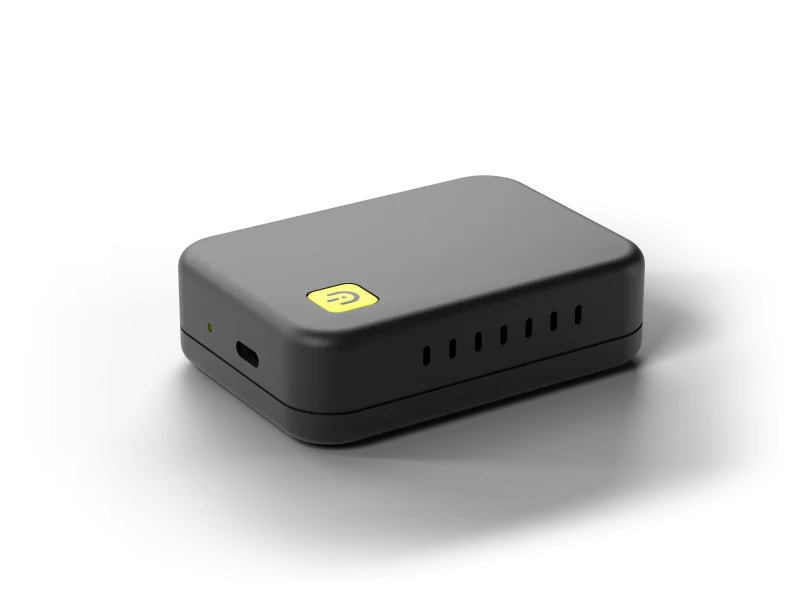
The Dashivo Hub Custom: a compact matte black box with a yellow Dashivo badge.

Preorder

The Dashivo™ Hub

A small private storage box you hide under a front seat. Your phones copy every clip to it over its own Wi-Fi, so the footage stays in the car even if someone takes or wipes your phone. The Custom is from $269, with storage and power as add-ons and free US shipping, and ships in Q4 2026; cancel any time before it ships for a full refund. It's optional: the app works on its own.

Questions

Questions,
answered.

Email only · replies within two working days

Still have a question?

Write to the people building Dashivo at [email protected], or use the contact form.

Email us
  • No. You already carry one. Dashivo turns the phone in your pocket into a dash cam and a body cam: put it in any mount, plug it in and tap record. There's nothing else to buy.

  • iPhones with iOS 17 or later, and Android phones with Android 10 or later. Recording front and rear together (free in body cam mode, with Pro in dash cam mode) needs a phone that can run both cameras at once (on iPhone, the XS or XR and newer). See which phones work.

  • You don't need one. Dashivo is free to download and record with. Dashivo Pro is a one-time $9.99. Dashivo Cloud ($8 a month) and Cloud+ ($20 a month) are optional and coming soon. Everything is bought inside the app through the App Store or Google Play, and subscriptions are managed and cancelled there.

  • Apple only lets apps use the camera while they're open on screen. So on iPhone, Dashivo has to stay on screen to record: switch apps or lock the iPhone and recording stops until Dashivo is back, and Dashivo warns you when that happens. You can turn Dashivo's own screen dark while it keeps recording, and Guided Access can keep it on screen.

  • Without a Cloud plan, your footage stays on your phone (and on your own hub, when it arrives), and the app sends Angry Owl Labs nothing but update checks: no location, no footage, no tracking. Two lookups go straight from your phone to public services, not to us: the speed-limit sign asks OpenStreetMap's public servers for the roads around you, using an approximate location, and street and city names come from your phone's own map service. With Cloud, clips are encrypted on your phone before they leave it, and we can't watch them.

  • Recording video on public roads is generally allowed in the US, and in many places you may record police officers doing their job in public. Sound is different: some states require everyone in a conversation to agree before it's recorded. Dashivo records sound with every video unless you turn it off (Video › Record sound), so turn it off wherever the law requires everyone's consent. Windshield mounting rules vary too. Mount the phone before you drive and don't handle it on the road, and check the laws where you are. This isn't legal advice.

  • On the phone alone, whoever holds the phone can. That's why Dashivo gives you ways to keep a copy away from it: save clips to Photos or the Gallery, record to a USB-C drive (Android, with Pro), and soon Dashivo Cloud and the Dashivo Hub (Coming Soon), which keep a copy nobody at the scene can reach.

  • Yes. Use Dashivo on as many phones as you like; each one records on its own. Pro works on every phone signed in to the same Apple ID or Google account; a phone on the other platform or another store account buys Pro once there. Cloud (coming soon) covers 2 phones on one account and Cloud+ up to 4, like a 4-channel dash cam.

  • Keep the phone plugged in while you drive. Dashivo keeps full quality until the phone itself gives its highest heat warning, then lowers the resolution until it has cooled. Balanced quality and a dark screen keep it cooler, and mounting it out of direct sun helps most. Tips to keep your phone cool.

  • An optional box hidden in your car: private, offline storage that copies every clip over its own Wi-Fi, so the footage survives even if the phone is taken, damaged or wiped. The Hub Custom is on preorder from $269, shipping in Q4 2026, and you can reserve a Black Box for free. You don't need one: the app works on its own. About the Hub.