For iPhone & Android
App
09Every drive
Mileage & trips
Every trip and every day's miles, added up while you record.
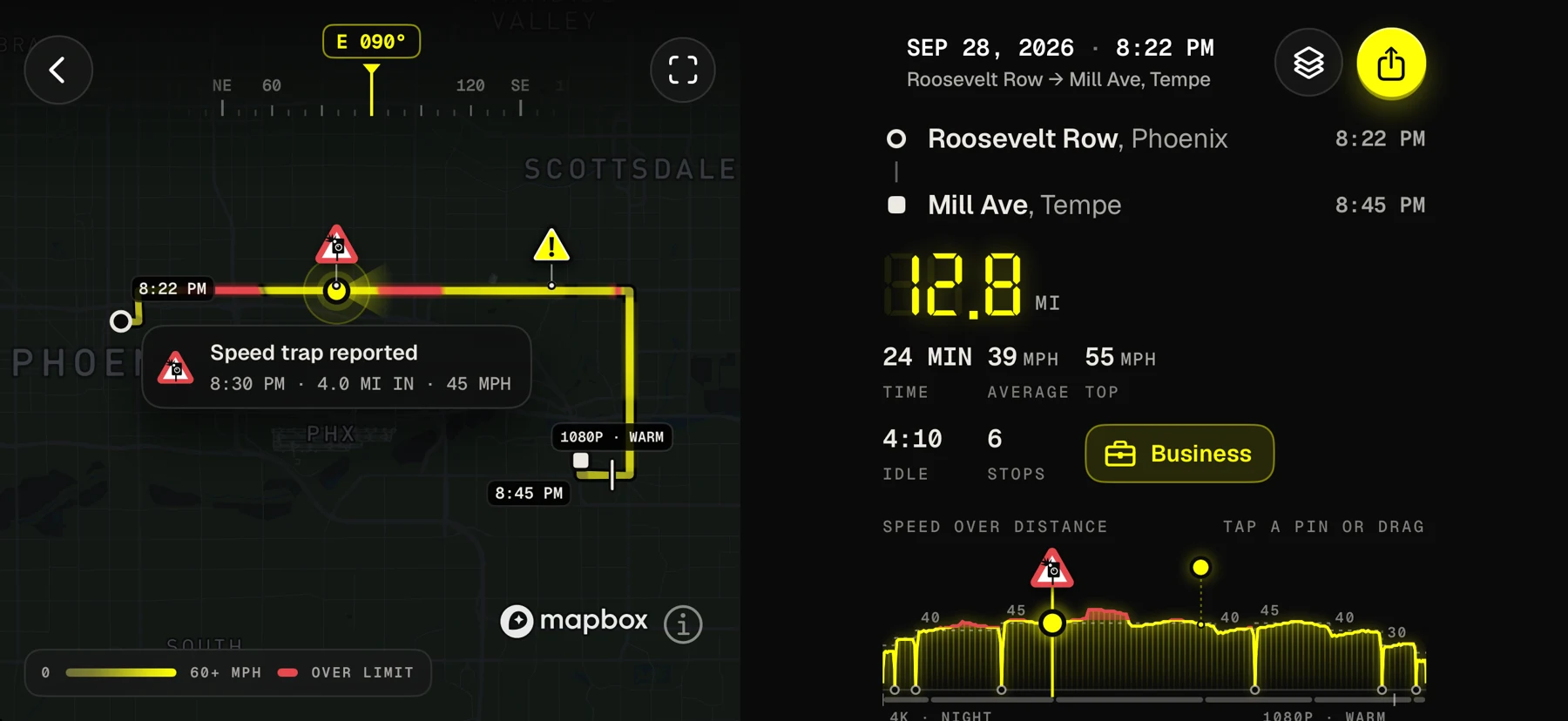
Dashivo™ logs each drive from the phone's GPS: when it started and ended, how far you went and how long it took. The HUD shows this trip and today as you go, and the Miles screen puts every trip on a map, with today, the week, the month, a 30 day chart and your recent trips.
What each trip records
- Start
- The time you pulled away, and where (from GPS).
- End
- The time and place you stopped. A trip ends after five minutes parked.
- Distance
- Measured from GPS, in miles or kilometres. Jumps and poor fixes are ignored.
- Time
- How long the drive took, in minutes, filed under the local day, even across a time zone.
- On video
- Trip distance can be stamped on every frame, with the time, place and speed.
- Route
- Every trip on a map, coloured by speed, with its clips and events. History across your phones comes with Dashivo Cloud. Coming soon
Moves shorter than a tenth of a mile don't count as trips. Trips stay on your phone; nothing is sent to us.
How it works
- 01
Drive with Dashivo recording. A trip starts when the car moves and ends after five minutes parked.
- 02
The HUD shows this trip and today's miles as you go, and the Dashboard gauges show them too.
- 03
Open Miles for today, the week, the month, the 30 day chart and every trip on a map.
For business and tax mileage
If you drive for work, deliver or rideshare, the miles add up to money at tax time. Dashivo keeps an honest record of how far you drove, with the video to back it up. Tag each trip business, commute or personal, and with Pro export the IRS log as a PDF or CSV for your accountant.
Miles are measured from GPS as a record of your driving. Keep what your accountant or the IRS asks for; this isn't tax advice.
Works today
- Trips and daily miles, logged while you record
- This trip and today on the HUD
- The Miles screen: every trip on a map, the week, the month and a 30 day chart
- Business, commute or personal tags and the mileage log
- PDF and CSV export of the log (Pro)
Coming soon
- Route history across your phones (Cloud)
Dashivo Hub Coming Soon
- The full log: tag trips business, commute or personal, and export a CSV or a printable log
In the app today
The Miles
screen.
Tap Miles on the HUD: today, the week, the month and every trip on a map, on one screen.
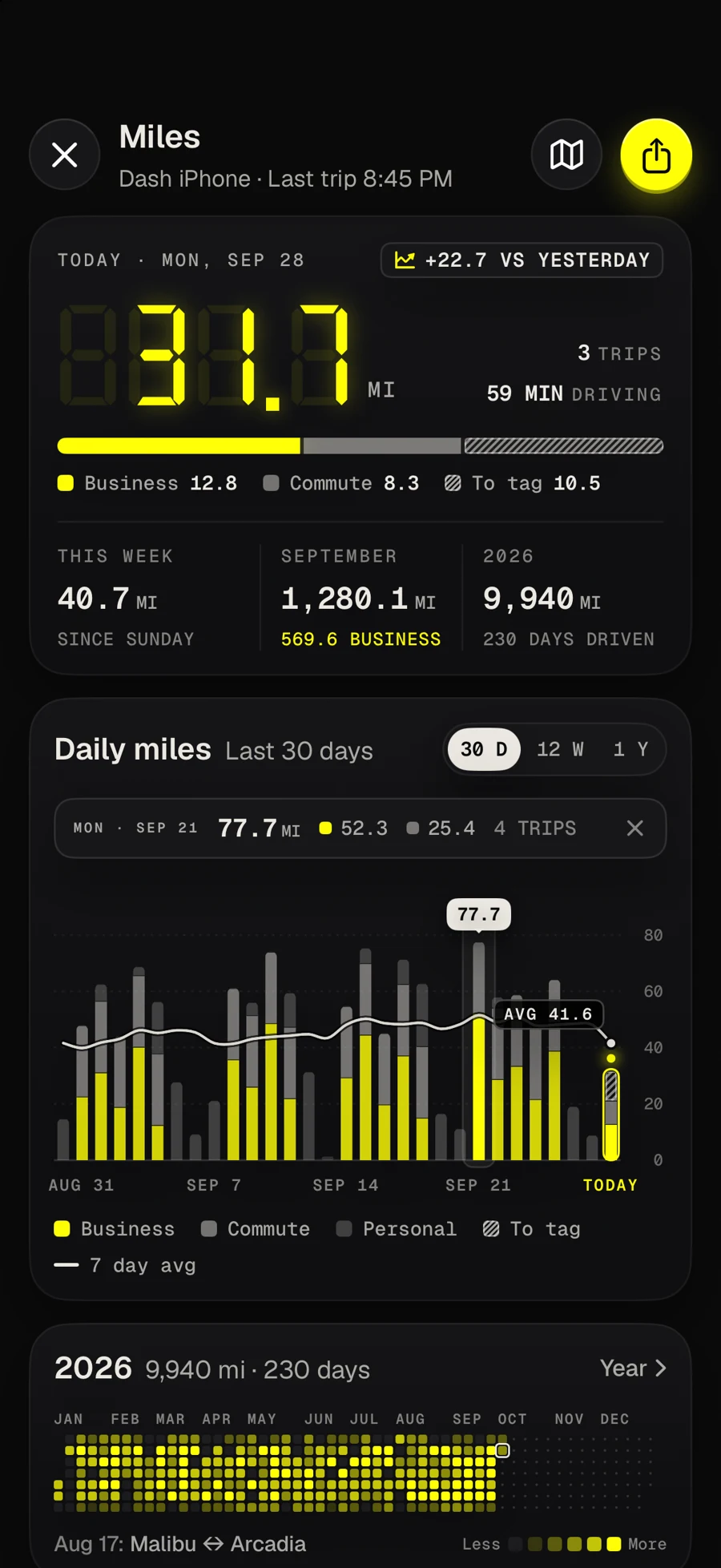
- Today's milesThe big number, split into business, commute and trips to tag.
- Week, month, yearThis week, the month and 2026 so far.
- 30 day chartA bar a day by tag, a smooth 7 day average; tap a day.
- The year at a glanceEvery day of 2026, brighter for more miles.
Download
Drive with a
witness.
Dashivo™ is free for iPhone and Android. Get the app, mount your phone, and your next drive is on the record.
Nothing new to buy · No account needed · Footage stays on your phone