For iPhone & Android
App
Body cam
Front and rear cameras at once, with sound.
For when you're on foot, on a bike or giving rides. Dashivo™ records the camera facing out and the camera facing you at the same time, with sound, each into its own video. Touch protection keeps a pocket, a strap or a stray hand from stopping anything.

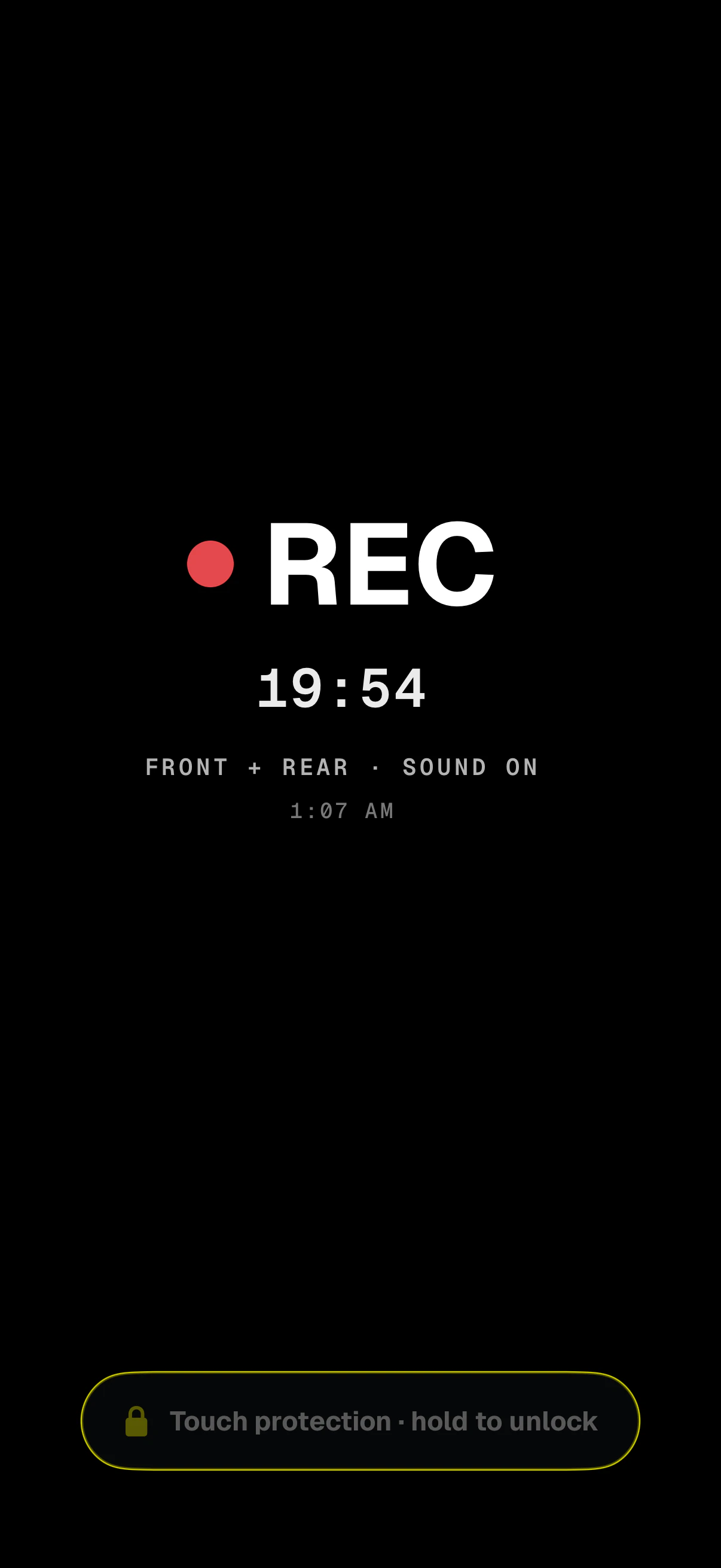
- Still recordingA big REC and how long it's been running, so you can check at a glance.
- Front + rear, sound onWhat's recording: both cameras, each into its own file, with sound.
- Hold to unlockEvery touch is ignored until you hold the pill for a second and a half.
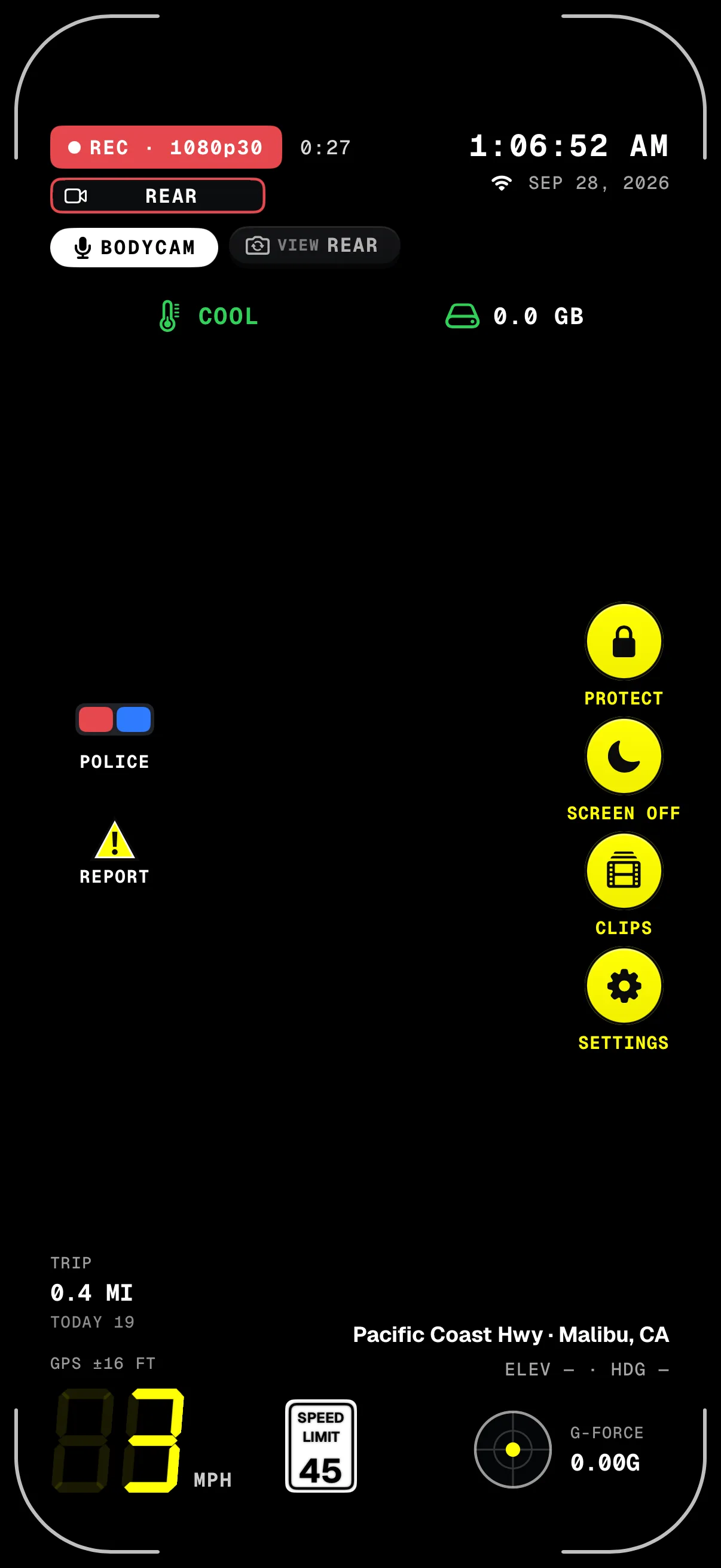
- BODYCAM · REARSound on; tap REAR to switch the camera you see. Both keep recording.
- ProtectTurns on Touch protection whenever you want it.
- Screen offFully black at its lowest brightness, still recording.
- Where you areStreet and city on screen; coordinates stamped on the video.
Screens from the iPhone app in body cam mode, on a simulated walk.
What it records
- 2 cameras
- Front and rear at the same time on iPhone XS and XR and newer. On Android it depends on the phone; the app checks yours.
- Sound
- Recorded with the video from the phone's microphone. You can turn it off.
- Its own file
- Each camera saves its own video, named with the date, the time to the second and the camera.
- 1080p each
- Two cameras at once can't go higher. Record just the front or the rear camera if you'd rather.
- On the stamp
- Each file's stamp says which camera it is, REC · FRONT or REC · REAR, with the time, place and speed.
- Your view
- Pick the camera you see, or add the other as a small picture. Both keep recording either way.
Front and rear in body cam mode is free. Driving? With Pro, Dash cam mode records the road and the cabin at once and keeps the HUD, speed limits and loop recording. Which phones can record both cameras: see which phones work. On iPhone, Dashivo stays on screen to record: don't press the side button, because Apple stops the camera while the iPhone is locked. Screen off gives you a black screen instead.
How it works
- 01
In Settings, switch Mode to Body cam, and choose the cameras: Front and rear, Rear or Front.
- 02
Tap record. The cameras record at once, with sound, each into its own file.
- 03
A few seconds after REC appears, Dashivo offers Touch protection, or turns it on by itself, or never asks: your choice.
- 04
Hold the pill for a second and a half to unlock. Recording never stops.
Where it stands
Works today
- Front and rear at once on iPhone XS and XR and newer, and Android phones that can
- Sound, Touch protection and Screen off
- Police stop in body cam mode
Coming soon
- Copies of the clips that matter in Dashivo Cloud
Hold to
unlock.
This screen works like the one in the app: hold the pill for a second and a half to unlock. A tap anywhere else only wakes the pill; nothing else happens.
Try it: press and hold the pill on the screen.
When recording starts
In a pocket, on a strap or on a vest, the screen gets pressed by accident. Touch protection keeps recording, turns the screen black and dim, and ignores every touch until you hold the pill.
- Ask
A few seconds after REC appears, so you can see the camera first, Dashivo asks whether to turn it on.
The default - Always
It turns on by itself after a 3-second countdown you can cancel.
- Never
It never asks. Tap Protect on the right edge when you want it.
Screen off goes fully black at its lowest brightness while recording carries on. Hold a finger anywhere on it for a second and a half to bring back Touch protection.
Worn, held
or mounted.
Pick the camera that faces what matters. Front and rear together suits a handlebar mount or holding the phone.
- On your chest
In a chest harness, on a strap or in a vest pocket with the camera clear. The camera facing you sees only your shirt, so choose the one facing out, or record both and sort it out later.
- On a bike
On a handlebar mount, record front and rear: the rear camera sees the road ahead and the front camera sees you and what's behind.
- In a rideshare
Body cam works, and it's free. For driving, the Dash cam's road and cabin (Pro) records both cameras too and keeps the HUD, the speed-limit sign and loop recording. Either way, tell riders they're being recorded: some states require everyone in a conversation to agree before sound is recorded.
Audio consent laws vary by state. Read the recording laws overview and check the law where you are. This isn't legal advice.
Download
Drive with a
witness.
Dashivo™ is free for iPhone and Android. Get the app, mount your phone, and your next drive is on the record.
Nothing new to buy · No account needed · Footage stays on your phone