Your own phones, or your company's fleet. Each has its own account.
New to Dashivo Pro? Talk to us and we'll set up your company.
Pricing for the Dashivo dash cam app
$9.99 once. Every feature included.
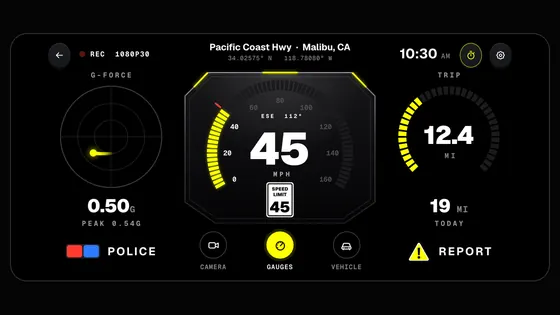
Dashivo™ is a paid app on Google Play, and coming soon to the App Store. One purchase unlocks everything: 4K, front and rear cameras at once, the police stop, the gauges and the Stopwatch. No subscription and no upgrades inside the app. Cloud storage is the one add-on, and it's available now.
$4.99 a month includes the Cloud portal and 100 GB. Each extra 100 GB is $4.99 a month. Pay annually at any size: $49.99 a year per 100 GB (2 months free). It brings your clips, events and Miles to the web, alerts between your phones and Trusted Contacts, all locked on your phone first, and only you can view them. With Cloud you can also stream a police stop live to your Trusted Contacts or your own YouTube, and copy clips to your own Google Drive, or to your iCloud Drive on iPhone. Add space as you need it, up to 1 TB, shared by up to 4 phones or tablets on one account. Your storage is capped at the size you choose: when it's full, the oldest footage is replaced, so there's never an overage. More than 4 phones or tablets? Talk to us about Dashivo Pro.
Cloud is available in the US, Canada, Mexico, Australia, New Zealand, Taiwan, Hong Kong, Singapore and the UAE. Buy it in your account on dashivo.app (web checkout in the USA).
$4.99 a month
$49.99 a year
Or $49.99 a year with Annual (2 months free)2 months free: $9.89 less than paying monthlyAbout 22 hours of 1080p videoUp to 4 phones or tablets on one account
Private, offline storage hidden in your car, on your own Arduino UNO Q. Needs an active Cloud plan. About Black Box OS
Included with Cloud
Dashivo™ Pro
Dispatch, maps and messaging for companies, billed per device. Pro pricing
$20 a device
Prices in US dollars; the App Store and Google Play show yours, which can differ by a few cents. The app is a one-time purchase, on every phone signed in to the same Apple ID or Google account. Cloud storage needs a free Dashivo account and renews each month, or each year on Annual, until you cancel.
Keep a copy out of reach.
A copy no one at the scene can delete. Dashivo Cloud today, Black Box OS (Beta) for Cloud subscribers; a USB-C drive works on Android too.
In your browser
Dashivo™ Cloud
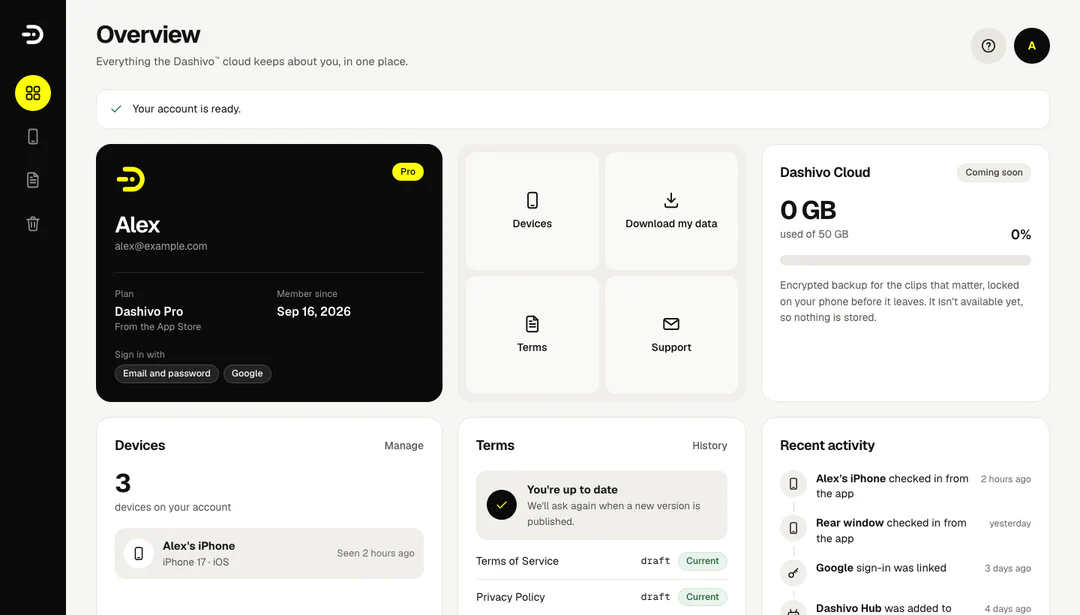
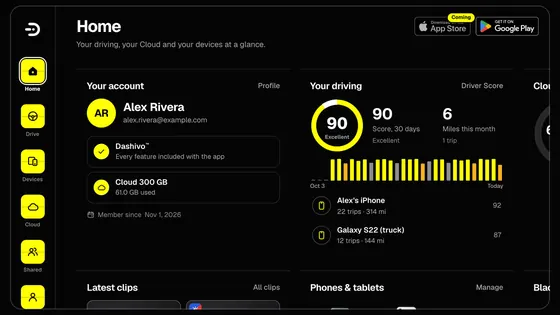
Your Dashivo account online, at dashivo.app in any browser. No hardware.
dashivo.app/account/
TodayMake your account, then see your plan, your phones and the terms you accepted, and download or delete your data whenever you like.
With CloudCloud storage, $4.99 a month per 100 GB up to 1 TB, for up to 4 phones or tablets on one account: copies of the clips that matter, locked on your phone first, route history, sharing with people you trust, and copies to your own Google Drive, or iCloud Drive on iPhone.
Both keep a copy away from the phone. The Black Box keeps it offline, in your car. Cloud storage keeps it online, encrypted on your phone before it leaves. Black Box OS (Beta) is a download in your account, open to every Dashivo Cloud subscriber; Cloud storage and your account are open today.
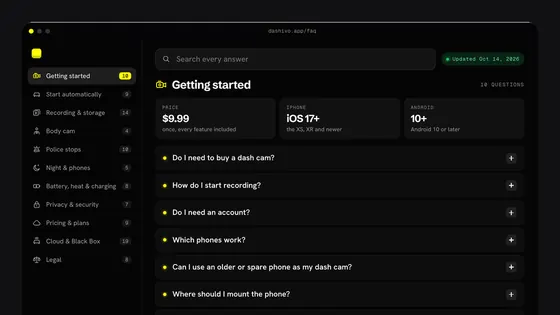
Questions, answered.
Still have a question?
Write to the people building Dashivo at [email protected], or use the contact form. We reply within two working days.
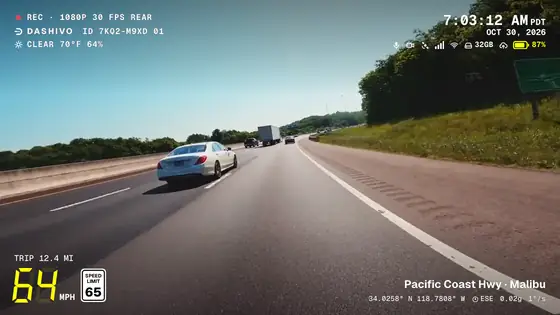
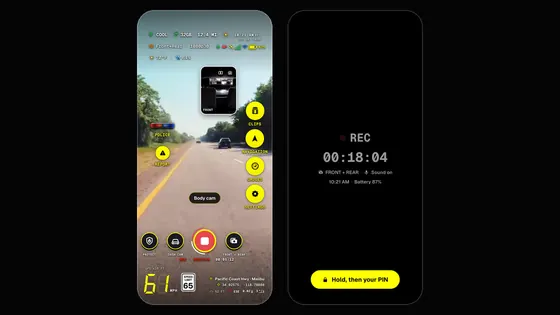
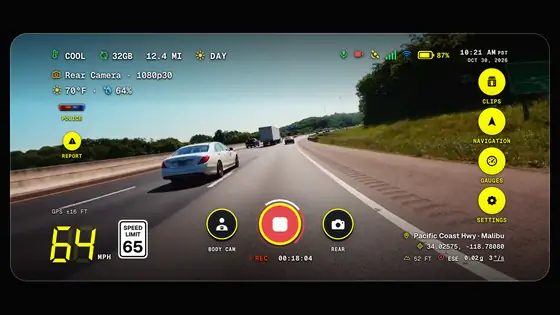
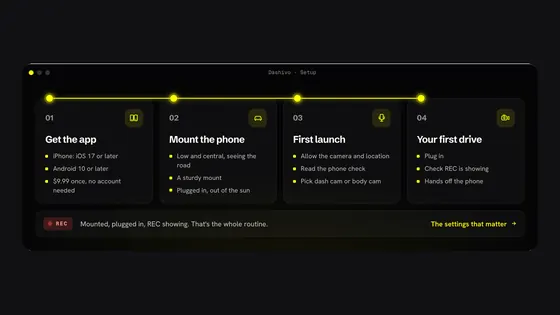
No. You already carry one. Dashivo turns the phone in your pocket into a dash cam and a body cam: put it in any mount, plug it in and tap record. There's nothing else to buy.
iPhones with iOS 17 or later, and Android phones with Android 10 or later. Recording front and rear together (in dash cam, body cam and police stops) needs a phone that can run both cameras at once (on iPhone, the XS or XR and newer). See which phones work.
Not for the app. Dashivo is $9.99 once on the App Store and Google Play (App Store coming soon), with every feature included: no upgrades inside the app. Dashivo Cloud is the one optional add-on, $4.99 a month or $49.99 a year per 100 GB, up to 1 TB, for up to 4 phones or tablets on one account. It's on sale now in your Dashivo account on dashivo.app (in the USA to start), where you also change or cancel it. It's capped at the size you choose, so there's never an overage. See pricing.
iPhone apps may only use the camera while they're open on screen. This is Apple's rule for every app on the App Store, not a Dashivo choice. So on iPhone, Dashivo has to stay on screen to record: switch apps or lock the iPhone and recording pauses, then starts again by itself when you're back in Dashivo, and Dashivo tells you when that happens. You can turn Dashivo's own screen dark while it keeps recording, and Guided Access can keep it on screen. With the app closed, Dashivo still logs your drives and keeps accident detection on, without video.
Without Cloud storage, your footage stays on your phone (and on your own Black Box, with Cloud, when it arrives): no footage, no audio and no tracking reach us. To show weather and speed limits, the app sends our servers an approximate position that is never stored or linked to you. Beyond that, only update checks, your account if you sign in, and diagnostics when you choose to send them. Crash reports are optional too: off until you turn them on, and they carry only what went wrong, never your location, video, sound or account. With Cloud, clips are encrypted on your phone before they leave it, and only you can view them; with Maximum privacy, not even Dashivo can open them.
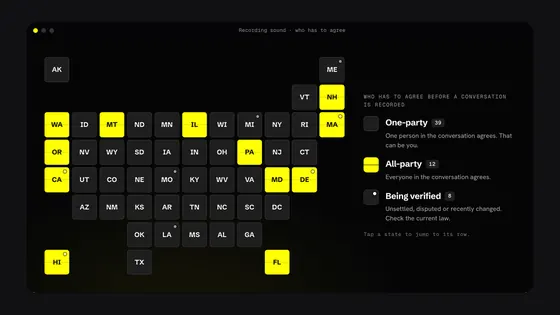
Recording video on public roads is generally allowed in the US, and in many places you may record police officers doing their job in public. Sound is different: some states require everyone in a conversation to agree before it's recorded. Dashivo records sound with every video unless you turn it off (Settings › Dash cam › Record sound), so turn it off wherever the law requires everyone's consent. Windshield mounting rules vary too. Mount the phone before you drive and don't handle it on the road, and check the laws where you are. This isn't legal advice.
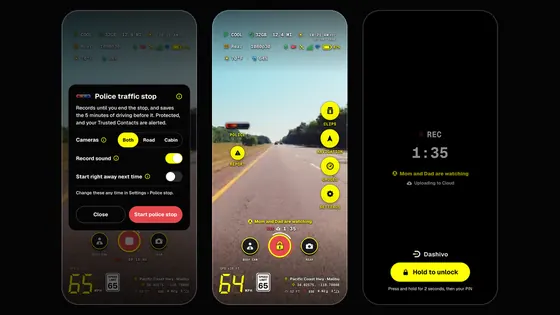
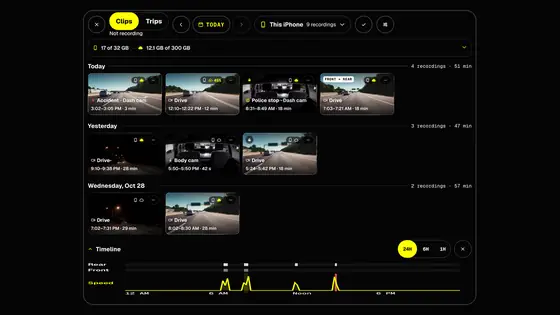
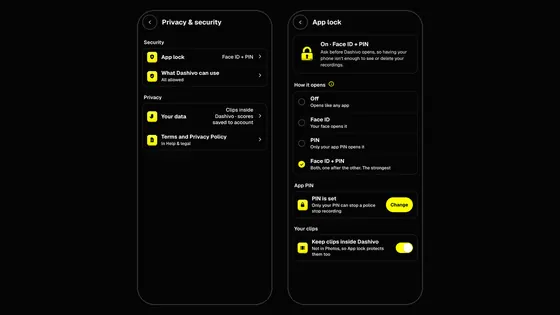
Clips stay inside Dashivo behind the app lock, so unlocking the phone isn't enough, and police stop and accident clips can't be deleted in the app. Without Cloud they stay only on your phone. To keep a copy away from the phone: save clips to Photos, the Gallery or Files, record to a USB-C drive (Android), keep an encrypted copy in Dashivo Cloud (a police stop uploads as it records, and protected clips can be deleted only on dashivo.app), or use a Black Box with Black Box OS (Beta): a copy nobody at the scene can reach.
Yes. Use Dashivo on as many phones as you like; each one records on its own. With Dashivo Cloud, up to 4 phones or tablets on one account share one Cloud and tell each other when Parked Guard notices something; a 5th phone still records, but its uploads wait. One purchase covers every phone signed in to the same Apple ID or Google account; a phone on the other platform or another store account buys the app once there.
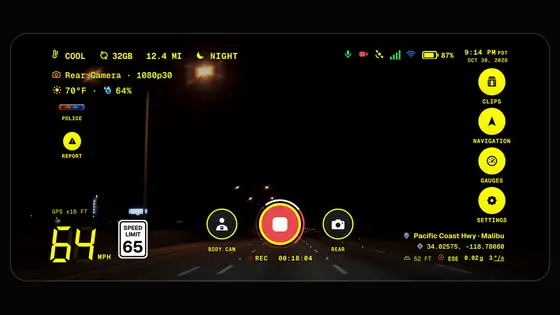
Keep the phone plugged in while you drive. Dashivo records in 1080p by default, which runs cool. In 2K or 4K, if the phone gives its highest heat warning, Dashivo records in 1080p until it has cooled down. A dark screen keeps it cooler too, and mounting it out of direct sun helps most. Tips to keep your phone cool.
Our software for your own Arduino UNO Q. It turns the board into an optional Black Box hidden in your car: private, offline storage that copies every clip over its own Wi-Fi, so the footage survives even if the phone is taken, damaged or wiped. We don't sell the hardware. Black Box OS (Beta) is included with Dashivo Cloud, and it's a download in your Dashivo account, open to every Dashivo Cloud subscriber. You don't need one: the app works on its own. About Black Box OS.
 Coming