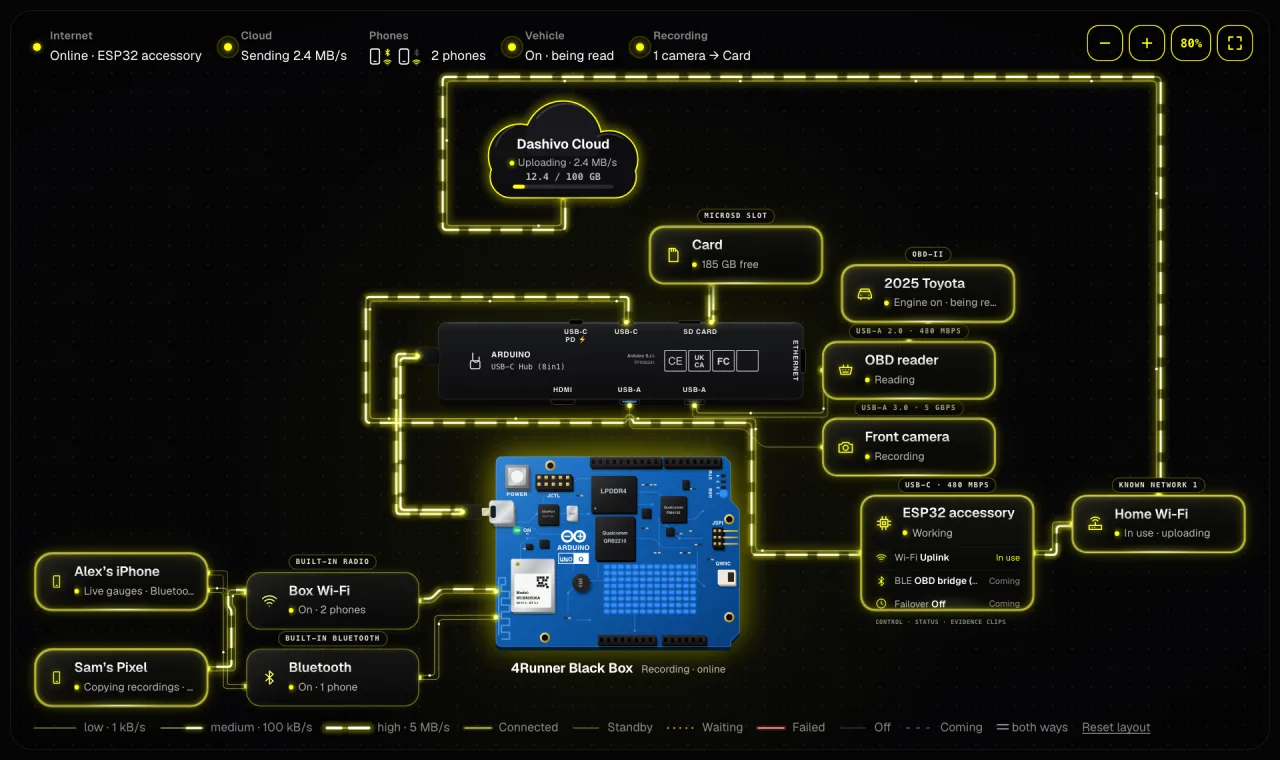
Everything on the hub, live
Each part on its own port, the way out to Dashivo Cloud and the data rate on every link. Point at a part to trace its path.
Try the live demoYour own phones, or your company's fleet. Each has its own account.
New to Dashivo Pro? Talk to us and we'll set up your company.
Your own board.
Our Black Box OS.
Put Black Box OS (Beta) on your own Arduino UNO Q and hide it under a seat. Your phones copy every clip to it over its own Wi-Fi, and it's included with Dashivo Cloud: no separate charge, and it needs an active Cloud plan. It's a download in your Dashivo account, open to every Dashivo Cloud subscriber.
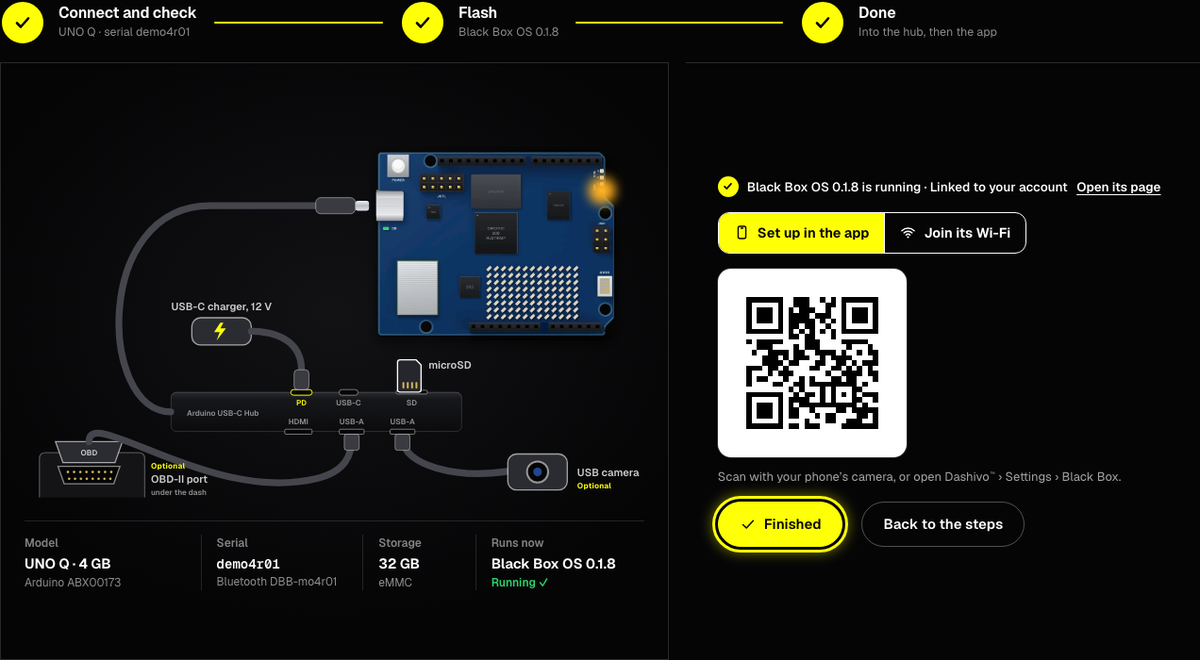
Black Box OS (Beta)Included with Dashivo Cloud
We don't sell Black Box hardware. You get the parts, and Black Box OS turns them into a Black Box.
An Arduino UNO Q, the Arduino USB-C hub, a microSD card or USB flash drive and your cameras. We'll list exactly which ones work.
(Beta) Open to every Dashivo Cloud subscriber, from your Dashivo account, onto your own board.
Scan its code in the Dashivo app and pick your car. Your clips go to it. Black Box OS is included with Dashivo Cloud, so it needs an active Cloud plan on your account.
The real Black Box OS (Beta) pages from a Dashivo account, on sample data: two cars and two phones. Nothing to sign up for.
Each part on its own port, the way out to Dashivo Cloud and the data rate on every link. Point at a part to trace its path.
Try the live demo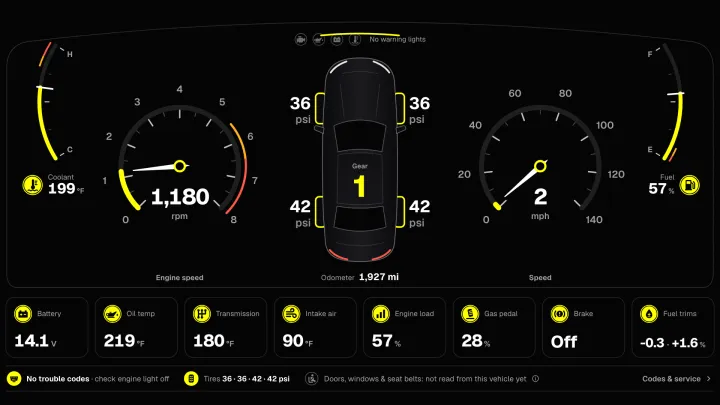
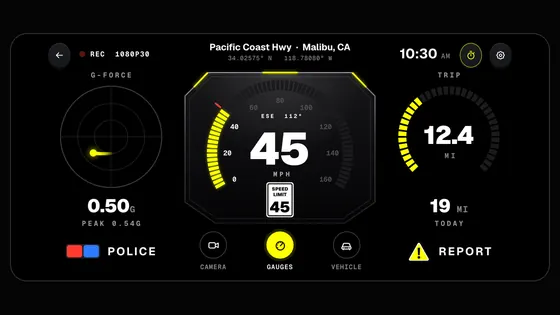
Speed, RPM, gear, temperatures and tires from the OBD reader, live while you drive.
Try the live demo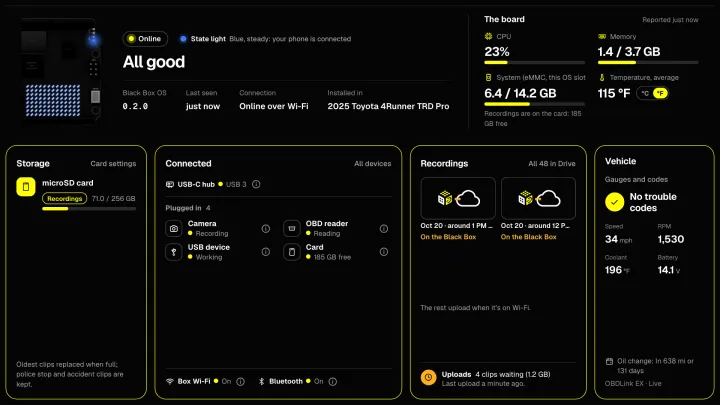
Its health, the board's lights, the card and what is plugged in, in one screen.
Try the live demo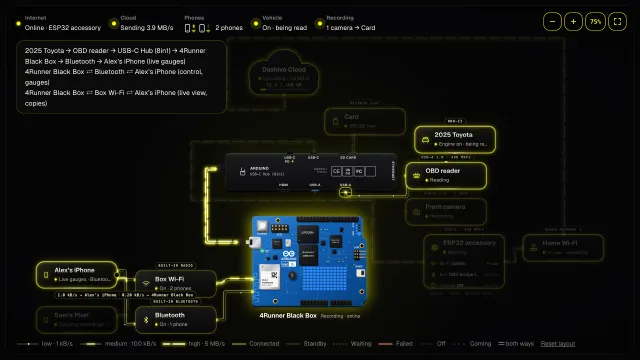
Which phone is on Bluetooth or the Black Box's Wi-Fi, and what each one is doing.
Try the live demoWe made you a parts cart. Add or remove what you need, then send it to Amazon's cart in one go.
If Amazon shows it unavailable, it's also at the Arduino Store
If Amazon shows it unavailable, it's also at the Arduino Store
As an Amazon Associate we earn from qualifying purchases. Buy the parts anywhere: Black Box OS works with the same parts from any store.
Out of sight and out of the sun. Under a front seat is the coolest hidden spot in a parked car, so that's where the Black Box goes: never on the dash or the rear shelf.
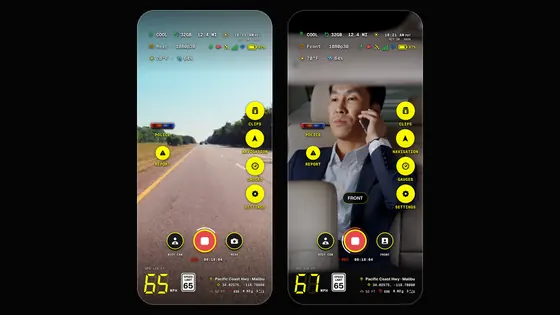
Records as it does today. A second phone, facing back or into the cabin, copies to the same Black Box.
Hidden, and out of reach of anyone at the scene.
Your phones join it and copy each clip to it as it's saved. Their mobile data stays free for everything else.
A USB-C car charger on power that turns off with the car, from a socket or a fuse tap. It runs while you drive and never drains the battery.
Parked at home, the Black Box joins your home Wi-Fi and uploads overnight.
An encrypted copy away from the car, for the day the car itself is gone.
Three places, each covering a different failure: the phone in your hand, the Black Box hidden in the car, and the Cloud away from both.
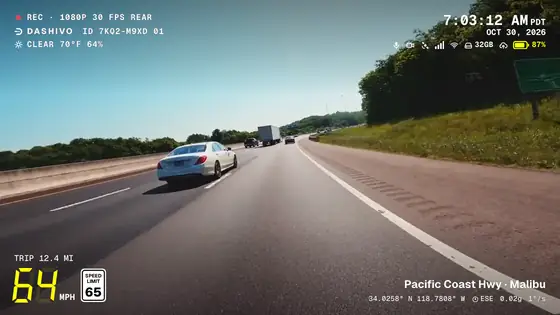
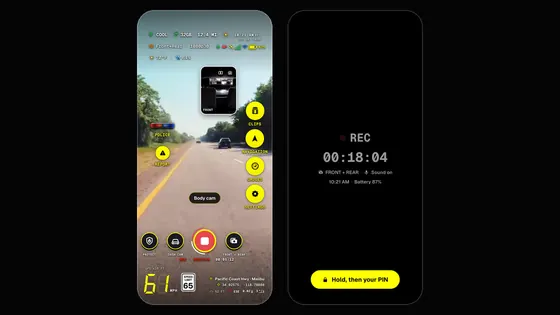
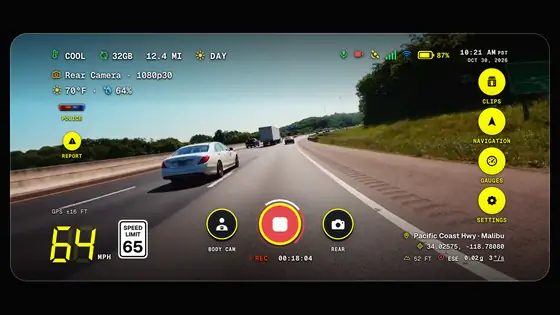
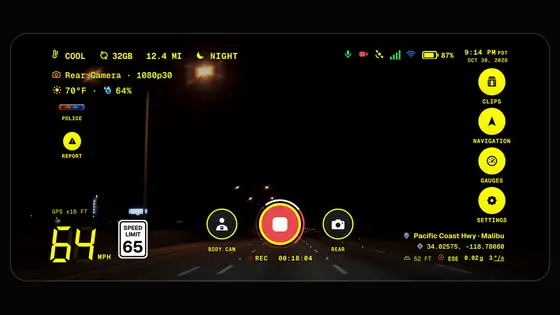
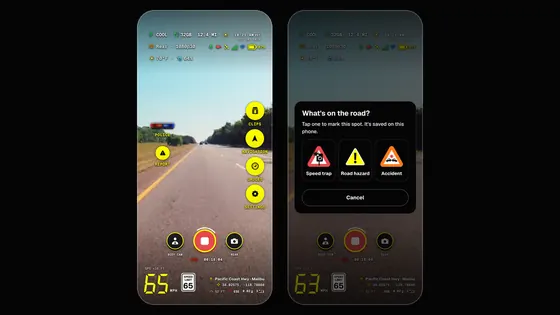
Works today. Dash cam, body cam or a police stop, stamped with the time, speed and place, and kept on the phone.
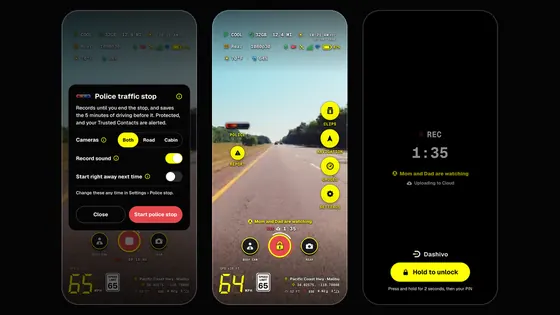
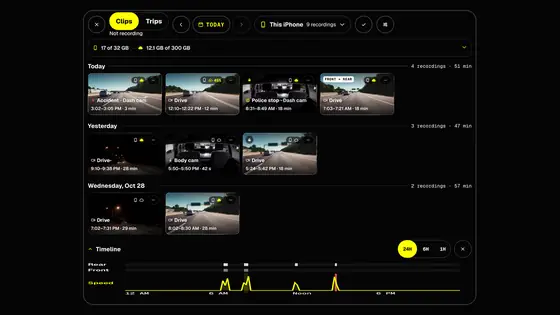
With a Black Box. Each clip goes to the Black Box over its Wi-Fi as soon as it's saved. A police stop copies every few seconds, so a phone that's grabbed or wiped doesn't take the footage with it.
(Beta) Parked at home, the Black Box joins your home Wi-Fi and uploads the clips that matter overnight, encrypted, to Dashivo Cloud.
(Beta)Urgent clips don't wait. A police stop or an impact goes to Dashivo Cloud right away, over cellular if you've allowed it. Everything else waits for Wi-Fi.
Write to [email protected], or use the contact form. We'll tell you straight what's ready and what isn't, within two working days.
Email usNo. We don't sell Black Box hardware. You buy a supported Arduino UNO Q, the Arduino USB-C hub, a microSD card and cameras yourself, and put Black Box OS on them. We sell the app and Dashivo Cloud, not the box.
Black Box OS (Beta) is a download in your Dashivo account, open to every Dashivo Cloud subscriber. The download is under Devices › Black Boxes, with the list of hardware it supports.
So each Black Box belongs to one account, gets our signed updates, and can't be taken over by someone else. Sign up with Apple, Google or your email. The app itself never needs an account.
Put Black Box OS on the board from your Dashivo account on a computer, and keep the board plugged in while it starts for the first time: the page adds it to your account over the USB cable. Then set it up with your phone next to it, before it goes into the vehicle: in the Dashivo app, Settings › Black Box › Set up connects over Bluetooth and gives it its Wi-Fi and a name. If the page can't reach it, it shows a setup QR code: scan that in the Dashivo app, version 1.1.3 or later, with your phone next to the Black Box. The Black Box needs no internet to be set up.
Through the Wi-Fi networks you save for it, up to 3: home, office or a phone's hotspot (a USB Ethernet adapter or cellular modem works too). When the car is near one, the Black Box joins it by itself to upload to Dashivo Cloud, report to your Dashivo account and get updates. Its own Wi-Fi is only for your phone in the car. Our servers never connect to the Black Box: it reaches out by itself.
Yes. Black Box OS is included with Dashivo Cloud, with no separate charge, and it needs an active Cloud plan on your Dashivo account. In the car the Black Box keeps your clips without internet; Cloud adds an encrypted copy away from the car, for the day the car itself is gone.
A car parked in the sun can reach 60 to 80 °C inside, which is why the Black Box goes under a front seat, the coolest hidden spot, and never on the dash or the rear shelf. The UNO Q is fanless and runs cool. Pausing writes when it's too hot and picking up again as it cools is part of Black Box OS (Beta).
No. Power it from a socket or fuse that turns off with the car, so it runs only while you drive and draws nothing when the car is off.
It's hidden under the seat, so it's hard to find in a hurry, and your phones still keep their own copies. Encrypting the Black Box's card is part of Black Box OS (Beta): a stolen Black Box shows nothing to whoever took it. Flashing it again doesn't help either: its card stays locked to your account, and the Black Box can't be added to anyone else's account.
The clips it recorded are already on the Black Box: each one is copied as soon as it's saved, and a police stop copies every few seconds. Taking, breaking or wiping the phone doesn't touch the Black Box's copy.
Then the Black Box goes with it. That's what Dashivo Cloud is for: your phones upload police stops and accidents right away, locked on the phone first. Uploads from the Black Box itself, from your home Wi-Fi, are part of Black Box OS (Beta).
No. It's optional: the app records, stamps and keeps your footage on its own. The Black Box adds a copy hidden in the car, away from the phone. The Black Box switches are already in the app, in Settings › Black Box.
Normally the setup page puts the board into flash mode by itself: a board with a factory Arduino image, another system the page can reach, or a board running Black Box OS that is on no account (the page asks you to confirm first). The flash jumper is only for when the page can't reach the board. On dashivo.app open Set up a Black Box, then Nothing in the list?, then Use the flash jumper: it shows where the JCTL pins are. Put the jumper on the two JCTL pins, unplug the board and plug it back in, then choose it again; it shows up in flash mode. After the flash, the page tells you to take the jumper off; then unplug the board and plug it back in. Never move the jumper while the board has power. A board that is on an account must be removed from that account in the Dashivo app before it can be flashed again over USB.
Your phone may still remember the board's old Bluetooth pairing, so adding it fails with "the Bluetooth connection dropped". Forget the pairing, then add the board again. The board's name is DBB- plus 6 characters, shown on the setup page and in the Dashivo app. On an iPhone: Settings › Bluetooth, tap the (i) next to DBB-xxxxxx, then Forget This Device. On Android: Settings › Connected devices (or Bluetooth), tap the gear next to DBB-xxxxxx, then Forget (or Unpair). Then add it again in the Dashivo app under Settings › Black Box.
 Coming