Your own phones, or your company's fleet. Each has its own account.
New to Dashivo Pro? Talk to us and we'll set up your company.
What changed, and when.
Every Dashivo™ release so far, newest first, by its real version: the Dashivo app, Black Box OS (Beta) for your own board, and dashivo.app by date. Each change is tagged New, Improved or Fixed, so you can see exactly what works today.
ImprovedHome's Your driving card shows your score once, with its grade beside it, each phone's score as a small dial, and your miles and trips for the same 30 days as your score.
ImprovedDistances on Home's Your driving card follow your units: kilometres or miles, as set in your profile or for your country.
ImprovedThe Driver Score page follows your units too: distances, braking and turning rates per 1,000 km or miles, and the speeding tip in km/h or mph.
Black Box OS (Beta)0.2.8
Fixed
Updates over its own Wi-Fi again
FixedA Black Box connected to Wi-Fi through its own built-in radio, while its hotspot is on, downloads its updates again. Before, it could wait for Wi-Fi that it already had.
Black Box OS (Beta)0.2.7
NewImproved
Safely remove, and the card over Bluetooth
NewSafely remove a card or drive from its page on dashivo.app: your Black Box finishes the recording it is saving, stops writing to it, and tells you when it is safe to take out. Nothing is erased.
NewIf it was recording to that drive, it records to another one when one is plugged in; otherwise recording waits until a drive is back.
ImprovedYour Black Box can unlock its card over Bluetooth after a restart, so it records again without your phone joining its Wi-Fi. The Dashivo app uses this from its next update.
Black Box OS (Beta)0.2.6
NewImprovedFixed
The best connection, by itself
ImprovedYour Black Box now uses the connection that really reaches the internet: Ethernet first, then your saved Wi-Fi networks in your order, then a phone's hotspot. It switches within seconds when one drops, and back when a better one returns.
NewIts page on dashivo.app shows the name of the Wi-Fi network it is using, or the wired network's name. Wi-Fi passwords never leave your phone and your Black Box.
ImprovedIt reports to dashivo.app within seconds when it first gets internet, comes back home, or its card changes, instead of at its next 5-minute report.
ImprovedOnly the Owner can erase a card the Black Box is holding for its owner, or record to it. This now applies on the Black Box's own Wi-Fi too, as on dashivo.app.
FixedUSB flash drives are shown as USB drives, not as SD cards or SSDs.
FixedIf its recording service stops answering after it starts, the Black Box restarts it by itself.
FixedA card from before the board was flashed again waits for its Owner with a blue light, instead of showing an error.
dashivo.appNov 2
NewImprovedFixed
Your Black Box, clearer
NewA Black Box's Connection map gives every part one clear card with Status, Settings and Details, and shows your Wi-Fi networks next to the radio that carries them. The map shows even before the board is on its USB-C hub, with the hub as the next step.
ImprovedA Black Box's Settings are in sections that each fit the screen, and every confirmation, such as Remove, now appears right where you are looking.
FixedFlashing a Black Box that is already on your account again sets it up again as the same Black Box, with one card, its name and its settings.
NewA Black Box's card shows what is on it: its size, free space and recordings by day, linked to Clips.
ImprovedA Black Box's page names the Wi-Fi network it is online through, and its Wi-Fi and Bluetooth names carry their icons.
FixedA card from before the board was flashed again is described plainly, instead of "The card can't be written".
ImprovedClips: an account with no clips yet shows the usual Clips page with one short line about uploads.
ImprovedThe sign-in and sign-up pages are simpler, with a one-line footer.
NewThe parts list adds the Arduino UNO Media Carrier as coming soon.
dashivo.appOct 31
NewImprovedFixed
Trusted Contacts see where you are
NewA Trusted Contact watching your live stream on dashivo.app sees a map that follows you, and your last position if the stream stops.
ImprovedDuring a police stop, each Trusted Contact gets one alert, and it opens your live stream directly.
ImprovedAccount emails such as Cloud plan renewal reminders are sent more reliably.
FixedA recording in Clips no longer stops at the start of a part in Chrome. Recordings uploaded before this update play through too.
ImprovedYour account pages are simpler. Profile & sign-in, Security, Privacy & data and Help are each a few groups of rows: what each one is set to and one button, with the longer explanations behind Learn more.
ImprovedWhen you remove a Black Box, its transfer code now has a Why a code? note: only someone you give the code to can add the Black Box as it is, and your recordings stay private.
NewIf someone tries to add a Black Box you removed without its transfer code, dashivo.app tells you in your notifications and by email, so you can give them the code if you know them.
NewChoose whether a car is gas, diesel, hybrid, plug-in hybrid or electric under Devices › Cars, or let its Black Box detect it. The Black Box's Vehicle & engine page then shows the readings that fit: an electric car gets its charge, power, battery and range instead of engine readings.
dashivo.appOct 30
NewImproved
Set up a Black Box right after flashing it
NewAfter you put Black Box OS on a board while signed in, dashivo.app adds it to your account over the USB cable and lists the Wi-Fi networks the board can see. Pick one and type its password; the password goes only to the board.
NewThe page also shows the Black Box's own Wi-Fi name and password, with the password hidden until you tap the eye.
ImprovedFor 30 days after you flash a board, only the account that flashed it can add it.
ImprovedA recording plays in Clips as one continuous video, with no pause where one part ends and the next begins.
ImprovedIn Clips, a recording that is still uploading shows a progress dial on its tile, and is called Recording or Evidence until its first part arrives.
NewAn account holds up to 4 phones and tablets. To add another, remove one on dashivo.app under Devices › Phones; nothing is ever removed for you.
ImprovedWhen a phone that uploads to Cloud is turned off or removed, its place goes to the most recently used phone that is waiting.
ImprovedWhen we update your Dashivo account pages while you have one open, a small note at the bottom says a new version is available. Reload brings it in and keeps you on the same page; Later hides the note.
Black Box OS (Beta)0.2.4
NewImproved
A flashed board you can add
NewA board you flash can now be added to your account straight away, over its USB cable from dashivo.app, with no QR code to scan.
ImprovedThe Black Box's own Wi-Fi and its Bluetooth now share one name: DBB- followed by the last 6 characters of its short serial.
ImprovedThe setup QR code stays as a backup. Setup no longer needs the JCTL jumper, which is now only for troubleshooting.
NewThe Black Box reads whether your vehicle is gas, diesel, hybrid or electric, and an electric car's charge, power, battery and range when the vehicle reports them.
dashivo.appOct 29
NewFixed
Black Box OS (Beta) for every Cloud subscriber
NewBlack Box OS (Beta) is now a download in your Dashivo account for every Dashivo Cloud subscriber, under Devices › Black Boxes.
FixedChoosing Ask me first for a Black Box's updates, in the app or on its Settings page, now takes effect: the Black Box waits for your OK before it installs an update.
FixedThe Black Box help button in the iPhone app opens the Black Box OS page again.
Black Box OS (Beta)0.2.3
NewImproved
Follows your account's Cloud keys
NewThe first Stable release, for every Dashivo Cloud subscriber. A Black Box that updates over the air gets it automatically, or after your OK if you chose Ask me first.
ImprovedWhen your account's Cloud keys change, the Black Box now follows them, so your phones keep opening its recordings.
ImprovedSteadier setup for ESP32 accessory boards.
dashivo.appOct 28
ImprovedFixed
Black Box remote support, only with your OK
ImprovedPrivacy Policy and Terms 1.25: Dashivo support can ask to connect to your Black Box for a support request, and it connects only if you approve, each time, with a passkey or two-step verification. Support never sees your footage, every step is in a transcript you can read, and the transcript is deleted 90 days after the session ends. The Privacy Policy also says what we keep when we close an account for breaking the Terms.
ImprovedYour Black Box pages have a cleaner look in light and dark mode: on the Connection map every part shows its state as a word (Connected, Idle, Waiting, Failed), ports and speeds are easy-to-read labels, the open tab stands out, and the serial, Wi-Fi and Bluetooth names sit in tidy chips under the title.
FixedThe Black Box Connection map no longer shows your Arduino UNO Q in the top-left corner for a moment when the page opens: the board fades in where it belongs.
dashivo.appOct 26
NewImprovedFixed
Bots kept out of sign-up
NewThe parts list on the Black Box OS page now shows the CAN-BUS Shield V2, marked Coming soon, for reading your vehicle's data straight from its CAN bus.
ImprovedCreating an account and resetting your password on dashivo.app are now protected by Cloudflare Turnstile, which keeps bots out, usually without a puzzle for you to solve.
ImprovedYour account settings are simpler: Profile & sign-in, Security, Privacy & data and Help are now one screen each, with no sub-tabs. Your password, passkeys and two-step sit with your profile, and writing to support sits next to the help articles.
ImprovedDownloading your data no longer asks you to confirm it's you, and to delete your account you now type your email address to confirm.
ImprovedIn your Dashivo account, the App Store badge now carries the same yellow Coming tag as dashivo.app until the app is live there.
ImprovedIn Clips on dashivo.app, the map grows into the room a short list leaves, and the Map view has a slider of your trips under the map: point at one to see its route, pick it to fit the map to it, or play it with the map filling the screen. Hide clips gives the map the whole height. Each tile also shows whether the recording was made upright or sideways.
ImprovedIn your Dashivo account, Drive › Files shows its folders as smaller tiles, so all of them fit on one screen, each with its own icon: the Black Box OS logo on Black Boxes, and the app's own icons for police stops, Parked Guard, kept recordings and trips.
ImprovedThe footer now links to the Black Box OS source code on GitHub.
ImprovedIn the parts list, the USB camera is now under Optional: your phones can be the cameras.
ImprovedOn the Black Box OS page, the buttons at the top now read Try the Demo and Build one, and take you straight to the live demo and the parts list.
ImprovedThe App and Resources menus at the top of dashivo.app now preview each page as you point at it or reach it with the keyboard: its own screens or the page itself, its headline and a line from it.
FixedScrolling down the Black Box OS page no longer gets caught on the live demo map: the map stays put and the page keeps scrolling.
FixedOn phones and tablets, the home page's feature cards now show their phones whole before the next card slides over, no phone runs off the screen on a tablet, and on an iPhone in Low Power Mode the videos start at your first tap.
Dashivo app1.1.3
NewFixed
Add a Black Box with its QR code (Android)
NewAdd a Black Box by scanning its setup QR code. The app adds it over Bluetooth, and the Black Box needs no internet.
NewChoose your home Wi-Fi for the Black Box from a list, or scan a Wi-Fi QR code.
NewCopy recordings between your phone and your Black Box.
NewA Language row in Settings.
NewOptional crash reports, sent only if you say yes.
FixedReliability fixes.
dashivo.appOct 25
NewImprovedFixed
Approve remote support, and a clearer Black Box setup
NewWhen Dashivo support asks to connect to your Black Box to help, you decide: approve with a passkey or two-step, see while it's on, end it any time, and read everything support did afterwards. It ends by itself after up to 3 days, recording keeps going, and your footage stays sealed to your account.
NewRemove a board you flashed but never linked from your Black Boxes list.
NewA Black Box that Dashivo support released to your account says so on your Black Boxes page.
ImprovedSetting up a Black Box you flashed yourself now goes in order: keep it plugged in, set it up in the Dashivo app over Bluetooth, add your home Wi-Fi, then put it in your vehicle. The page shows each step as it happens.
ImprovedFlashing your own Black Box again no longer stops to ask you to confirm it's you: being signed in is enough. It stays on your account, and its microSD card and USB drive stay locked to you.
FixedA Black Box with a shorter serial number than usual is found by its real name when you add it in the app.
dashivo.appOct 24
NewImprovedFixed
Write to support from your account
NewHelp › Your requests on dashivo.app: write to the Dashivo team from your account, read our replies there (with a line in your notifications), answer, and mark it solved. Our reply emails link straight to it.
ImprovedHelp's articles open even while you're still setting up a passkey or two-step, so you can read how while you do it.
ImprovedAnswer one of our support emails and your reply goes straight into your request, so the whole conversation stays in one place.
FixedThe contact form says when a phone number can't be a working number, instead of asking for the 10 digits you already typed.
dashivo.appOct 23
NewImprovedFixed
Choose where your Black Box records, and a safer setup
ImprovedInstalling Black Box OS from dashivo.app asks you to type ERASE before it erases a board that has anything on it, so nobody wipes the wrong board with one click. A blank board still flashes with one press.
NewThe finish screen of the Black Box setup on dashivo.app shows the box's code (DBB-…) next to the QR code: the same name its Wi-Fi and Bluetooth carry, so you can tell which Black Box the Dashivo app has found.
NewBlack Box › Connection on dashivo.app: open the card or a USB drive on the live map to choose which drive your footage records to. A drive that has to be prepared first asks you to type ERASE, and the map draws the new route once your Black Box has switched.
ImprovedThe live hub map on dashivo.app marks the ESP32 accessory, a Bluetooth OBD reader through it and Qwiic parts as Beta.
FixedThe Black Box setup page on dashivo.app fits shorter laptop screens: the board picture shrinks so its caption no longer runs into the board's details.
dashivo.appOct 16–20
NewImprovedFixed
Black Box OS (Beta) on dashivo.app, and a status page
FixedBlack Box recordings in Clips on dashivo.app open and play straight from Dashivo Cloud again, with their real start times, even when the Black Box is offline.
ImprovedPrivacy Policy and Terms 1.22: the Privacy Policy now explains that we keep the general area of your account, such as “Phoenix, Arizona”, from your internet connection, never your phone’s GPS location, so we know roughly where our customers are.
ImprovedA shorter dashivo.app home page, each part saying one thing once: the real app up close with new screens (Vehicle and Cloud among them), the police stop, actual footage, what your phone works with and three steps to start, a copy out of reach with Dashivo Cloud and Black Box OS (Beta), and the questions people ask. The rest moved to the App and Scenarios pages.
FixedOn a Black Box's Vehicle page on dashivo.app, the yellow accent at the top of the gauges sits on the edge again instead of across the warning lights.
NewA Live OBD Reader card on the dashivo.app home page: with a USB OBD-II reader, Black Box OS (Beta) reads your car live, side by side in the Dashivo app and on dashivo.app.
ImprovedThe Black Box OS (Beta) page on dashivo.app/hub opens with a short, silent loop of the real setup page in your account putting Black Box OS on an Arduino UNO Q: plugged in, flashed, verified and linked, on sample data.
NewA live demo of Black Box OS (Beta) on dashivo.app/hub: the real Black Box pages on sample data, with two cars (a 2025 Toyota 4Runner TRD Pro and a 2026 Porsche 911 Turbo S) and two phones. Try the live hub map, the vehicle gauges and the overview without an account; nothing in it can be changed.
NewA parts cart for Black Box OS (Beta), on dashivo.app/hub and in your account where you set up a Black Box: tick the parts you need and how many, then send them to Amazon's cart in one go. Buy them anywhere: Black Box OS works with the same parts from any store.
ImprovedLinking a Black Box on dashivo.app is safer: the board on your computer's USB proves which one it is before it joins your account, right after Black Box OS starts for the first time. When you remove a Black Box you get a transfer code for its next owner, who installs Black Box OS on it and enters the code (you can see the code again under Your Black Boxes).
NewDrive › Files on dashivo.app has a Black Boxes folder next to Phones & tablets: each Black Box with its online state and its card's free space, its recordings in Cloud by day (both cameras as one recording, to play, keep, delete or download), what its last report says about its card and other drives, and its engine data. Recordings that are only on the card still open in the Dashivo app near the Black Box.
ImprovedThe Police stop section on dashivo.app shows two phones: the driver’s recording the stop, and a Trusted Contact watching the same stop live in the Dashivo app.
ImprovedBlack Box OS now reads "(Beta)" wherever it was marked "Coming soon": it is a download in your Dashivo account, open to beta testers first.
NewBlack Box › Connection on dashivo.app: right-click or long-press any part for its options, zoom and move the map, hover the board's lights and ports to see what they mean, Qwiic devices appear on the map, and a new setting shows its route as waiting until the Black Box applies it.
ImprovedDevices › Black Boxes on dashivo.app: each Black Box card has a yellow Open Black Box button, and its name and status line open the Black Box too, instead of only a small arrow.
Newstatus.dashivo.app shows whether Dashivo is working, checked every minute: each service with up to 90 days of uptime as a calendar of squares, its response time, "Updating" while we roll out an update, and every incident. It has RSS, Atom and JSON feeds, and a Status link at the bottom of every page.
NewBlack Box › Connection on dashivo.app can draw your Black Box's USB hub as a live map, once your Black Box reports its hub: every device on its own port, the way out to the internet and Cloud, and live data rates. There the account's Owner or an Admin can rename a device, forget one that is unplugged, pick a camera's recording mode, send a camera's sound into another camera's recording, choose whether the Wi-Fi stick or the built-in radio goes out first, and turn uploads on or off for each known network, and the page says "Applied" once your Black Box has made the change. Otherwise the Connection page stays as it is. Try the map in the live demo on dashivo.app/hub.
NewBlack Box › Settings › Location and time on dashivo.app shows once your Black Box reports a GPS receiver plugged into it and that it can use one: the account's Owner or an Admin then chooses whether its location and time come from that GPS or from the phone connected to it.
ImprovedA Black Box that was reset can be set up again on the same account: dashivo.app keeps it as the same Black Box, with its name, once the board proves it is the same one. "Set it up again" in the Dashivo app comes with the next app update. A board installed again with a new identity is set up as a new Black Box.
NewLink a Black Box to your account without reinstalling it: when the board on your computer's USB already runs Black Box OS, dashivo.app offers "Link this board". The board proves which one it is, nothing is erased and its recordings stay. Installing again is still there as the second choice.
FixedBlack Box › Vehicle on dashivo.app no longer shows a wrong date for a reading taken while your Black Box's clock was still setting itself just after it started (for example "May 28" for the battery). Such a reading says "Time unknown", and it never counts as the latest reading.
ImprovedInstalling Black Box OS from dashivo.app when another program on your computer is using the board (Arduino App Lab, Android Studio or an adb tool): the page now says what to close, waits, and carries on by itself as soon as the board is free. "Can't close it?" shows how to start the board in install mode by hand.
ImprovedUnits on dashivo.app follow your settings everywhere: speed, distance, odometer, service intervals and vehicle temperatures show in km or miles and °C or °F, by your country unless you chose otherwise, and what you type follows the same units.
ImprovedThe Black Boxes page fits one screen: your boxes sit as compact cards, and Black Box OS has its own column.
FixedA Black Box whose vehicle has its check engine light on no longer says "All good": its card and page say "Check engine light on" with the number of codes.
ImprovedPrivacy Policy and Terms 1.21: our phone line and Dash, our AI receptionist, and Black Box OS on your own board: we don't sell Black Box hardware, so the hardware warranty is retired.
NewBlack Box › Settings › Phones on dashivo.app lists the phones that can open your Black Box, each with "Remove", and the removed ones, each with "Allow again". The Black Box follows at its next check-in. For the account's owner only.
FixedBlack Box settings on dashivo.app: the option tiles have rounded corners in the dark theme too.
ImprovedDash, on our phone line, now offers to continue in your language when your number is from a country where another language is common, answers in whatever language you speak, and is briefer and quicker to the point. Our team always reads your message in English.
NewOur phone line, +1 970 807 0980, is answered by Dash, our AI receptionist: general questions about Dashivo, and a message for our team. Dash can't see or change any account.
FixedBlack Box › Vehicle on dashivo.app and in the app agree on your trouble codes and check engine light with the engine off: they stay as last read with the engine running. "Engine off · Last reported" now gives the moment the engine actually stopped, and the Battery tile, which keeps updating while the vehicle is off, says "Now" with a short note on why.
FixedBlack Box › Vehicle on dashivo.app counts the trouble codes your vehicle has confirmed (stored). Codes it has only noticed once (pending) are listed apart, under "Pending", and no longer added to the count.
FixedBlack Box › Vehicle & engine on dashivo.app says "Live" while the engine runs, "Engine off · Last reported 4:33 PM" with the time of the last reading (a fixed time, not "minutes ago"), or "No reading yet". The odometer shows whole miles from the latest reading, the same on every page, and engine speed, speed and gear never show an old value when you open the page.
FixedBlack Box › Overview on dashivo.app says why uploads are waiting, in plain words: "Nothing to upload yet" for an empty card, "Waiting for internet", "Paused: Cloud is full" and the like, instead of "No uploads yet" when your Black Box has recordings waiting.
NewBlack Box › Vehicle & engine has a Brake tile beside Gas pedal: On or Off while the engine runs, and a dash when the vehicle is off or doesn't share its brake.
FixedEvery tile in Clips on dashivo.app shows a picture, in Trips as well as Recordings. A trip with no route to draw, such as a phone that sat parked or a Black Box (it has no GPS), shows a frame of its video instead of an empty tile.
ImprovedYour Black Box's page says what is true: the Engine tile is now Vehicle, and "Live" shows only while the vehicle's readings are arriving, otherwise "Engine off" with the time of the last reading, or "No reading yet". On the hub is one short line per device (USB Wi-Fi, Ethernet, Card reader, Box Wi-Fi), with the longer name behind the info button, and the drive your recordings go to is one row, the Card.
FixedWhen the vehicle is switched off, Vehicle on dashivo.app behaves like a real cluster: engine speed, speed, gear, load, gas pedal and fuel trims rest at a dash with the needles at zero (and the brake shows a dash), while coolant, oil and transmission temperature, intake air, fuel, battery, tire pressures and the odometer keep their last value, dimmed, for up to a day. The time at the top, "Engine off · Last reported", stops moving and a gauge shows its own time only when it differs. A car that doesn't report oil life no longer gets an empty Oil life tile.
ImprovedBlack Box › Overview draws your Black Box's lights the way the board shows them: every light on when all is well, and a short sentence scrolling across when it needs you, like INSERT A CARD or ERASE THIS CARD IN THE APP. The Black Box help article explains every message.
NewClips on dashivo.app play back your car's own readings with every clip recorded with a Black Box, never over the video. The speed chart stays your timeline (drag it to move through the clip), and under it one row shows RPM, the gas pedal, brake, gear, engine load and coolant on the same timeline, each with its value at the playhead; All readings adds the rest your car reports. Hard braking, harsh acceleration, very high RPM, turn signals and new check-engine codes are marked along the top so you can jump to them, the turn signals and headlights show beside the controls, the route on the map is coloured by speed, and for a police stop or an accident the 10 seconds before it are marked. Where the car sent nothing, the row shows a gap. Download › Car readings (CSV) saves every reading as a table.
ImprovedBlack Box › Vehicle & engine is a new instrument cluster on dashivo.app: coolant, RPM, speed and fuel gauges around your car with its tire pressures and gear, warning lights, and every other reading in one row of tiles, all live while the car runs.
ImprovedBlack Box › Connection says what each Wi-Fi radio does: the built-in radio is the Black Box's own Wi-Fi for your phone in the car, and a USB Wi-Fi adapter reaches your home or office Wi-Fi from farther away. It also shows which radio your Wi-Fi is on.
ImprovedBlack Box › Overview › Connected lists everything plugged into your Black Box's USB-C hub, with its state: what's working first, then anything that needs attention and why, and what was unplugged in the last 30 days. Each device's ⓘ shows its model, port, link speed and since when; All devices has the full list, and the Wi-Fi and Bluetooth names your Black Box is using right now.
NewWhen your Black Box reads the vehicle through a Bluetooth OBD reader, Black Box › Overview and Vehicle & engine show “Bluetooth reader: what to know”: what can be slower than with a USB reader, how to keep the car battery and the reader safe, and how many readings a second it gets. The OBD reader shows as Bluetooth under Connected.
ImprovedBlack Box pages show more of what your Black Box sees: whether a USB GPS receiver has a fix, which cameras are recording (and with sound) and which microphone goes with which camera, a USB Wi-Fi adapter it can't use yet, and its cellular modem with signal and this month's data. You can switch Record sound on or off and set a monthly mobile data limit and APN from dashivo.app.
ImprovedDeleting protected clips on dashivo.app confirms it's you right in the dialog, with your passkey, your phone, an emailed code or a recovery code, and carries on without leaving the page.
FixedClips on dashivo.app that end waiting at a light or in traffic show their route and distance on the map again, instead of only a pin.
FixedA Black Box in a running vehicle no longer goes quiet on dashivo.app for part of every hour; its health and engine values keep updating.
FixedA phone that shows up twice after you reinstall Dashivo can be merged into one on Phones, with its clips, trips and Cloud kept.
FixedBlack Box pages no longer say a phone is paired or that uploads are up to date when neither is true: they say "None paired yet" and "No uploads yet", and a Black Box on your account is marked "On your account".
FixedWith the vehicle off, Black Box › Vehicle & engine says "Engine off" and keeps the last gauge values with the time they were reported, instead of showing every gauge as N/A under "Live".
FixedDeleting a trip or recording from the Clips player no longer leaves the page half drawn until you reload it.
FixedSigning in to dashivo.app with your password when you also have a passkey: the "Confirm it's you" step now offers your passkey first, next to your phone, an emailed code and a recovery code, and a browser that used it is trusted. Adding a password never hides another way in.
Fixed"Approve on your phone" on dashivo.app shows both digits of the number on yellow tiles in Dark mode too; the second digit used to be black on black.
ImprovedA clip's length now reads the same in its tile, its title and the player. A recording whose last part is still on its way says "Uploading the rest…" (Dashivo 1.1 and later on your phone).
ImprovedBlack Box › Overview says when the Black Box restarted after its power dipped, for example "Power dipped 3 times in the last 20 starts", with what to check.
ImprovedA Black Box that starts up hot, for example after the car sat in the sun, now shows "Cooling down after a hot start" on Black Box › Overview while it cools, instead of a "Too hot" or "Running warm" warning. It still warns if it stays too hot.
ImprovedAdding a Black Box with its claim code now asks you to confirm it in the Dashivo app (version 1.1) with your phone next to the box, so nobody can add a Black Box that isn't in their hands. Removing a Black Box resets it the next time it's online and shows a one-time claim code for its next owner.
NewWhen your Cloud plan ends, your Black Box keeps recording to its card: its own cameras, your phones’ copies, police stops and accidents, with nothing deleted. Uploads, live gauges, engine history and the Bluetooth OBD reader wait, and its page on dashivo.app says “Your Cloud plan has ended” with Renew Cloud. When you renew, everything comes back and what it recorded meanwhile uploads, evidence first.
FixedBlack Box › Overview says “No uploads yet” until something has actually uploaded, instead of “Up to date” when nothing is waiting yet.
Dashivo app1.0
NewImprovedFixed
Dashivo is on Google Play
NewDashivo is now on Google Play: $9.99 once, with every feature included. The App Store is coming soon.
ImprovedTurning the phone is smooth on iPhone and Android: the picture and the small picture follow the phone, the front camera never looks stretched, there's no black flash, and holding the phone upside down works.
FixedTrip and clip maps on Android lie flat with north up again, so a route along a straight road no longer looks like it cuts across the blocks.
FixedLive on YouTube during a police stop works on Android phones again.
FixedPolice stops without an app PIN: Dashivo asks you to choose one to end the stop or check in, and every new stop alerts your Trusted Contacts.
ImprovedOn Android, alerts and calls from your Trusted Contacts ring as loud notifications.
ImprovedCloud and the Black Box no longer say "Coming soon": you see what's available now, or that it isn't in your country yet.
ImprovedManaging your plan from the app opens a page to manage it only.
NewAsk when my car starts (Beta): when you start driving or your car's Bluetooth or CarPlay connects, Dashivo asks once if you'd like to record the drive.
ImprovedA cleaner Settings on iPhone and Android: the same names on both, one page per setting, longer explanations behind the info button, and a clearer Plan & Cloud with one status light.
ImprovedPhone heat gauge, a simpler Google Drive and iCloud Drive archive page, and friendlier empty screens.
FixediPhone: the app could close on its first launch, or when Parked Guard listened while another app was using the microphone.
FixedThe apps no longer mention Plus anywhere: every feature is included with the app.
FixedStop shows "not recording" at once, and switching between front, rear and both cameras keeps one recording.
FixedWhen the phone gets hot and the cabin camera rests, the road video keeps going without a break.
NewLighter cabin camera: turn it on in Settings to record the cabin at 720p for smaller files when both cameras are on.
NewWhile recording, the live picture hides after 30 seconds and the HUD stays on. Tap to see it again, or change it in Settings.
NewTap the middle of the screen to turn the screen off while recording, on iPhone too.
ImprovedTimes in Dashivo follow the time zone where you are.
ImprovedReopening Dashivo within 10 minutes of pressing Stop shows the camera without recording. Your car automation can use Start dash cam to record.
FixedA new phone finishes setting up Cloud by itself, and uploads that stalled now finish.
ImprovedThe Clips screen in the app shows every day in one scroll, newest first, with a heading for each day. Tap the date to jump to any day.
ImprovedBody cam maps follow where you walked, and a walk or a jog no longer counts as a trip in Miles.
ImprovedAndroid: leave Dashivo while you drive and it keeps recording, with a Stop button in the notification. Leave it when you are not driving and it stops recording.
ImprovediPhone: when you switch to another app, Dashivo tells you recording paused and shows when it started again. You can turn this off in Settings › Notifications.
FixedAndroid: the dash cam screen and its pop-ups fit at every text size, with nothing overlapping or cut off.
ImprovedSiri opens the police stop screen; tap POLICE to start. Saying "Dashivo police stop", or the Police stop shortcut on iPhone or Android, now opens Dashivo with the big POLICE button pulsing, and one tap starts the stop. On iPhone, the Dashivo police stop control in Control Center, on the Lock Screen or on the Action button still starts a stop with one press.
NewNight mode gets two switches: Low-light boost on Android 15 phones whose camera has it (on by default), and Brighter at night, which records 24 frames a second after dark for a little more light (off by default). Both change in place, with no break in the recording.
ImprovedVideo quality is now a plain choice of 1080p, 1440p (2K) or 4K, each with how warm the phone runs and how much space it takes. 1080p stays the default. 2K is new on iPhones without a native 2K camera mode and on Android phones that record 4K. If the phone gets too hot in 2K or 4K, Dashivo records in 1080p until it has cooled down.
NewTrusted Contacts who have the Dashivo app watch a live police stop or accident right in the app, with sound, upright in portrait or landscape, Both, Rear or Front. After a possible accident, Dashivo goes live when the driver confirms or after 60 seconds with no answer, and contacts can call the driver in the app. There are no calls during a police stop, so the recording keeps its sound.
ImprovedSettings look cleaner: Storage and Plan & Cloud show a ring for the space used, one line per setting, the plan's size as its own row, and the longer explanations behind the info icon.
NewYour Cloud plan shows on every phone signed in to your account as soon as you open the app, and uploads start within a minute. Plan & Cloud in the app shows your plan, Manage and the encryption setup, and that it's billed on dashivo.app. If a phone still needs its Cloud keys, Dashivo opens Cloud keys once while you're parked (never while driving or in a police stop) and keeps a reminder in Clips until they're set up; on Android a notification opens them too. On iPhone and Android.
NewArchive to iCloud Drive on iPhone, with Dashivo Cloud: your iPhone keeps a copy of the clips you choose in iCloud Drive › Dashivo, using the Apple account and iCloud storage on that iPhone, with no extra sign-in. It has its own switch and choices, so you can archive to Google Drive and iCloud Drive at the same time. If iCloud is full or turned off, Dashivo tells you plainly and the clips wait on your phone. In Settings › Storage & clips, and on dashivo.app under Cloud › Archive.
NewLive stream a police stop, with Dashivo Cloud. In Settings › Live stream, choose Dashivo live (recommended), seen privately by your Trusted Contacts, or your own YouTube channel. Only one runs, so your phone keeps a smooth picture and doesn't overheat, and the recording never waits for the stream: your phone keeps the full-quality recording either way. Turn live video off in Settings › Police stop. On iPhone and Android.
NewYour own YouTube channel: connect it in Settings › Live stream. The stream is Unlisted (only people with the link, the default) or Private (only you), never public, and starts when you press POLICE, or only when you tap Go live. Pick Front (the default, the driver's side where the officer comes to the window), Road, or Both side by side; if the front camera stops, it shows Road. If YouTube doesn't start, the police stop screen and Settings › Live stream say why, and if it stops working, Dashivo live takes over for the rest of the stop on the same link your Trusted Contacts already have.
ImprovedPOLICE starts a stop at once in every situation, on iPhone and Android. If you're already recording, the road camera carries on without a break and the front camera joins a moment later in its own clip; if you weren't, recording starts right away. If the camera, microphone or location is turned off for Dashivo, the stop still runs (your Trusted Contacts are alerted, and the timer, check-ins and locked screen work), the screen says calmly what isn't recording with Open Settings, and video starts by itself as soon as you allow it. If a camera ever stops sending video for 3 seconds, Dashivo restarts it by itself.
NewEnd a police stop from the record button: press and hold it for 1.5 seconds, watch the yellow ring fill, and choose End police stop. Your PIN is asked as usual. A short tap works as before. On iPhone and Android.
ImprovedEnding a police stop keeps recording, since you'll probably drive on, and the stop's clip ends right there. Your protected police stop footage, and what your Trusted Contacts see of the stop, is the lead-up to being pulled over and the stop itself, up to the moment you ended it. Recording carries on in a new, ordinary clip. On iPhone and Android.
Improved“Are you OK?” after a police stop is a clear full screen with the time left and one I'm OK button. The app reminds you 10 minutes before your Trusted Contacts get your stop details, and nothing is ever sent early.
ImprovedThe police stop's locked screen shows small live Rear and Front pictures, so you can see both cameras are recording.
NewStill recording? When the phone hasn't moved for 30 minutes in dash cam mode, plugged in or not, Dashivo asks whether to keep recording, on screen and by notification. With no answer in 2 minutes, recording and everyday uploads stop and your clips are saved, so a phone left in a parked car doesn't overheat or use data for nothing. Choose 15, 30, 60 or 120 minutes, or Off, in Settings. Never in body cam mode, during a police stop, after an accident or while Parked Guard watches. On iPhone and Android.
ImprovedApproving a Trusted Contact is two short steps: check it's really them by reading a 12-digit code to each other (with Call and Text buttons right there), then Approve. If this phone can't share your Cloud yet, it says what to do in plain words and offers the button that does it. A contact's page shows their name, where things stand in a few words and the one thing to do, and Send invite again confirms with Sent.
ImprovedTrusted Contacts has its own place in Profile in every country, since police stop alerts work without Cloud; the parts about sharing clips show only where Cloud is offered.
NewA red number on Settings, like an app icon's, shows when something needs you: a Trusted Contact waiting for your approval, Cloud to finish setting up on this phone, a phone or browser asking to open your Cloud, notifications turned off while a feature needs them, or a live stream that didn't start. The same number is on the matching Settings tile and row, and on the app icon when notifications are allowed. On iPhone and Android.
ImprovedIf you turned off a permission a feature needs (camera, microphone, location, notifications, Photos and more), using that feature asks right there: your phone's own question when it can still ask, or a short note such as “Recording needs the camera” with Open Settings. Come back and it carries on. On iPhone and Android.
ImprovedSettings is calmer and clearer: plain section titles, the Plan & Cloud tile shows your plan's size when you have one, and the Profile tile shows your name while you're signed in, on iPhone and Android. Choices and check marks in Settings are drawn controls that screen readers announce correctly.
ImprovedThe app joins a Black Box's Wi-Fi only for a box you've set up in Settings › Black Box and added to your Dashivo account. The Black Box tile shows Connected, Not connected or Set up, and Preorder when your account has no box.
FixedParked Guard's Bumps and impacts says exactly what it does: on, it records when the car is bumped or hit; off, it ignores small bumps but still records a hard hit, now on iPhone too.
NewDashivo runs on iPad and Android tablets too: the phones page is now Devices, with a Phones · Tablets switch and a simple search, and Cloud covers up to 4 phones or tablets on one account.
NewDashivo Cloud sets itself up: once you have a plan, your phones start uploading on their own, with nothing to turn on. A phone on the same Apple or Google account joins by itself; another phone joins with one Allow. Save your backup key once (email it to yourself, save a PDF or copy it) in Settings › Cloud storage. On iPhone and Android.
New“Alert my contacts as soon as I press POLICE”, on by default: your chosen contacts hear at once that you started a police stop, with your location if you share it, and that you're OK when you check in. If your phone stops responding for 5 minutes during a stop, they're told.
NewDuring a police stop and for 30 minutes after, only your app PIN opens Dashivo: no Face ID, fingerprint or phone passcode. Ending the stop, checking in, turning off If I'm arrested, changing your Trusted Contacts or what they see, changing the stop's sound or cameras and opening Settings all ask for the PIN, and a wrong PIN never makes you wait more than 30 seconds. Police stops with Trusted Contacts use an app PIN, and the app helps you set one.
NewAn optional emergency PIN, set in Settings › App lock or under If I'm arrested. It does everything your app PIN does, and your Trusted Contacts also get your release at once, with a note that you entered your emergency PIN. You get an email about it too.
NewThe screen cover is on by default during a police stop: a dimmed black screen with a red REC dot and the time recorded, while recording carries on underneath. Your PIN unlocks it.
ImprovedApp PINs are 6 to 10 digits (a passcode with letters is 6 to 64 characters), with bigger keys and “Enter your PIN” on every prompt. On iPhone it opens as soon as your PIN is complete; on Android a Done button appears once you've typed 6 digits. After a police stop on a phone with no PIN, the app offers to set one.
ImprovedA police stop carries on if the app is closed or crashes, and reaches your Trusted Contacts' timer as soon as there's a connection. With Dashivo Cloud, police stop and accident clips keep uploading on a low battery, down to 5%.
ImprovedWhen the phone gets too hot during a police stop, the front camera pauses and the road camera keeps recording without a gap. The front camera comes back by itself once the phone cools, and the screen says why it paused.
ImprovedA Trusted Contact who has the Dashivo app gets its notifications as well as the email, with or without Cloud: when you start a police stop, when your stop details are released to them, and when you're OK.
NewRecordings carry a small white Dashivo logo at the bottom center, clear of the speed, the location and every other reading. It's on to start; turn it off in Settings › Dash cam › Stamp on the video › Dashivo logo.
ImprovedThe dash cam records in 1080p (Balanced) by default, which is easier on your phone's battery and heat, and leaves room for the front camera to join during a police stop. 4K is one tap away under Settings › Dash cam › Video quality › Best, and if you already chose 4K, you keep it.
NewSign in with Google on iPhone: Continue with Google sits with Sign in with Apple when you sign in to your Dashivo account.
Improved“Were you in an accident?” stays on screen until you answer it, and I'm OK is in Dashivo yellow and black.
ImprovedThe player's Where it's kept lists This phone, Cloud and Black Box the same way on iPhone and Android.
ImprovedThe Clips screen fits at every text size: the top bar, the All · Phone · Cloud switch, the recording line, the timeline, the storage line and the tiles stay whole, even at the largest accessibility sizes. When space is short, Select, Filters and the sources become icons, and VoiceOver and TalkBack still read their names. On iPhone, the player's title shrinks the day and the time together.
FixedOn Android, Events opens every time, from Settings, Parked mode or a Parked Guard notification.
FixedOn Android, the clip you just recorded is in Clips right after you tap Stop.
FixedOn Android, a trip's Business, Commute and Personal tags show without dragging the sheet up, and a new tag shows in the log at once.
ImprovedOn Android, TalkBack reaches the POLICE light bar, the stopwatch and every Settings switch, and a tap anywhere on a switch's row changes it. The clip player, the police stop's camera choices and Gauges have larger touch areas.
ImprovedOn iPhone, the clip player's 10-second jumps answer a tap anywhere on the circle, its speed and frame-step buttons are easier to hit, and sideways Navigation scrolls its route list so Go always shows.
NewParked Guard watches the parked car, like a sentry. With Dashivo open in dash cam mode and the car parked for 2 minutes, the screen goes black while the camera keeps recording, and every bump, impact or tilt keeps its clip. A tap wakes the screen. It stays off until you turn it on.
NewParked Guard listens too: for the car's own alarm, breaking glass and something hitting the car. The sound is checked on the phone and never saved. Sound on the clips while parked is its own setting, off by default.
NewSettings › Parked mode: how sensitive Parked Guard is, which sounds count, when to stop on battery (20% unless you choose another level; plugged in, it runs as long as you're parked), what to do when the phone gets hot, and its alerts.
New“Your parked car moved” tells you when the car leaves its spot without you, and While you were away lists the bumps the phone felt while you were away.
NewTrips and accident detection while Dashivo is closed: with Settings › Driving & miles › Also in the background, each drive is logged in Miles. The camera and microphone stay off.
NewOn iPhone, a drive logged in the background shows on the Lock Screen and in the Dynamic Island with the time, distance and speed. On Android it shows as a notification. Both have Stop for this drive, for when you're a passenger.
ImprovedThe accident screen's Call button dials the local emergency number wherever you are. Where police and ambulance have different numbers, it names both.
NewTrusted Contacts, with Dashivo Cloud: invite up to 10 people by email. Each one accepts with their own account, name and mobile number, you approve them on your phone with a safety code, and you choose what each one can see: clips, events, scores or Miles. Your footage stays end-to-end encrypted.
NewIf I'm arrested, with Dashivo Cloud: when a police stop starts, check in within the time you chose, from 15 minutes to 8 hours. If you don't, or you tap Send now, the Trusted Contacts you picked get the stop's footage and where it happened.
NewCars: in Settings › Profile › Car, pick the car this phone usually rides in, or add one with a name and, if you like, its make, model and plate.
NewSave trips to my account, with Dashivo Cloud: your Miles, end-to-end encrypted, so you can see each trip on the web with its route, speed, events, clips and mileage log, and export it as CSV, GPX or PDF. Off until you turn it on.
ImprovedMiles: delete a trip, add notes, and edit trips you entered by hand. The IRS deduction shows only in the USA, and metric users get kilometres in exports.
NewSaved places: Save where I am now, and Move to my current location. Renaming a place renames it on your past trips too, on iPhone and Android.
ImprovedNavigation's voice plays through your AirPods or the car when they're connected, and through the phone's speaker when they aren't. The microphone keeps recording either way.
ImprovedRecord sound starts on only in countries where recording your own conversations is known to be legal. Elsewhere it starts off and Settings says why; turning it on shows a short note, once per country, that recording conversations may need everyone's consent where you are.
NewSettings › Help › Send diagnostics to Dashivo support: a log kept on the phone for 7 days, with no footage, sound, messages, places, names or emails, that is sent only when you choose.
ImprovedOn iPhone, a clip playing over AirPlay keeps playing when the iPhone locks.
NewAfter a detected accident, Dashivo records the road and the cabin (on phones that can run both cameras) and locks every clip from the one before the impact until you end it. Every 15 minutes it asks whether to End or Keep recording.
NewEvery clip plays with its own sound and a mute button that remembers your choice. On iPhone, clips play with sound even with the silent switch on. While Dashivo records or your music plays, clips open muted so their sound doesn't end up in the new recording; tap the speaker to hear one. A clip recorded without sound says “No sound recorded”.
ImprovedRecording uses the phone's own microphone and leaves your AirPods and the car's audio alone, and the player has a button to choose where a clip's sound goes.
NewAn optional Dashivo account, right in the app: sign in with Apple or email on iPhone, or with Google or email on Android, with two-step sign-in. It's for Dashivo Cloud; recording never needs an account.
NewDelete your account from inside the app. Deletion waits 30 days: until then, sign in and tap Keep my account, or use the link in the email.
ImprovedOne black theme everywhere: the launch screen, the PIN screens, dialogs and sheets. On Android, every password, passcode and PIN is hidden as you type.
FixedClips and Settings show the same storage reading, like “24 of 32 GB”.
FixedThe HUD clock, Gauges and new clip names follow the phone when you change time zone.
FixedOn Android, Back on Gauges or the stopwatch returns to the camera, and Back on the camera puts Dashivo in the background instead of closing it.
ImprovedNavigation reads 0 when you're stopped and -- without a GPS fix. Without a connection it says “No connection. Search and maps need internet. Recording isn't affected.”
ImprovedGauges works with VoiceOver and TalkBack, and says NOT REC with a white dot, like the HUD. Small buttons across the app got larger touch areas.
ImprovedAccident detection asks “Were you in an accident?” only when everything agrees with a real crash: at 10 mph or more, or a hard hit while stopped or slow, like being rear-ended at a light. Drops, potholes, speed bumps, door slams and hard braking don't count.
NewWeather outside the USA: the HUD and the stamp show the weather from MET Norway, credited on the video. In the USA it comes from the National Weather Service.
ImprovedClips has one switch for All · Phone · Cloud, with how many clips each holds.
ImprovedThe Settings tiles are the size of your phone's home-screen icons, and their labels wrap only between words.
ImprovedLong explanations in the app fold under a short title, closed until you open them.
ImprovedOn Android, Dashivo is built for Android 16 and draws edge to edge.
NewRotation rate, like 12°/s, sits right of G-force on the HUD and the stamp. The same switch turns both on or off.
ImprovedUnder the record button: NOT REC with a white dot when stopped, and a blinking red dot with REC and the length of this recording while it records.
ImprovedThe stamp's status row shows only the microphone, REC, signal and battery. The GPS and Wi-Fi icons stay off the footage.
ImprovedWhen the weather and the street don't fit on one line, the weather moves to the top left, on the HUD and the stamp, so the street is never cut off.
NewData usage has its own tile in Settings, with this month's total. Copying to your Black Box isn't counted.
ImprovedSettings' space estimates use sizes measured on real phones: about 4.6 GB an hour at 1080p and 5.5 GB at 2K. On iPhone, 4K uses the same bitrate as on Android, so it takes less space.
ImprovedWhen the phone gets hot, the screen goes black at its lowest brightness while recording carries on. Tap to wake it.
ImprovedThe app's controls use Dashivo's own icons and plain words, and the weather on the HUD uses the same icons on iPhone and Android.
FixedThe police stop sheet keeps its buttons in view when the phone is sideways.
FixedOn Android, when a swipe shows the Back, Home and Recents buttons, the HUD and the sheets move out of their way instead of sitting under them.
NewDashivo is one purchase with every feature included: road and cabin at once, body cam front and rear, Gauges, the stopwatch and the rest. There's nothing to upgrade inside the app.
NewNavigation in the USA: search for a place, preview the route and follow turn-by-turn directions on the HUD while you record, on Dashivo's own maps.
NewThe weather at your car, left of the street on the HUD and stamped on the video, from the National Weather Service in the USA.
ImprovedYour clips stay inside Dashivo, private to the app. Save one, a few you select, or all of them to your photos or a folder whenever you like. Dashivo reminds you that uninstalling the app deletes the clips inside it.
NewRoad and cabin at once in Dash cam mode: the back camera films the road ahead and the front camera films the cabin and your riders, each into its own video, with sound. Made for rideshare and delivery driving, on phones that can run both cameras.
NewA full-screen Clips library: a day picker, filters for time, camera and type, a 24-hour timeline with your speed and small icons for police stops, reports and events, and corner icons that show whether each clip is on the phone, the Black Box or Cloud.
NewShare any clip in a tap to any app on your phone, as the original, a smaller copy or a trimmed part. AirPlay on iPhone.
NewWhen a clip has the road and the cabin, the other view sits in a small picture you can swap, close, or hold and drag to any corner.
NewIf the phone gets hot while filming the road and the cabin, the cabin camera pauses first and comes back once it cools. The road camera never stops.
ImprovedA new lock screen with the Dashivo wordmark on flip tiles, a padlock that opens when you unlock, and a cleaner keypad.
ImprovedThe stamp on your videos looks like the HUD, with no band behind it: REC with the quality and frame rate, the time and date, your speed and trip, G-force, the street and city, GPS coordinates and heading, the same size upright or sideways. Pick each item in Settings, with a preview.
ImprovedThe Clips, Miles, Gauges and Settings buttons are yellow with black icons, and their labels sit on black, so they read at a glance over any footage, day or night.
ImprovedClosing Dashivo stops everything: the cameras, the microphone and GPS are released within a second, on iPhone and Android. A police stop is the one thing that keeps going until you end it.
ImprovedOn battery, recording stops by itself at 10% (5% during a police stop), with a note saying why and a Record again button.
ImprovedThe 10 minutes before a police stop are locked the moment you tap POLICE, so the loop can't record over them.
FixedOn Android, every new clip is listed in Clips, and the loop removes a clip's video together with its notes.
NewStart with your voice on iPhone: say “Hey Siri, start dash cam in Dashivo”, “Hey Siri, Dashivo police stop”, “Hey Siri, start body cam in Dashivo” or “Hey Siri, stop recording in Dashivo”. The same actions are in Spotlight, the Shortcuts app and the Action button, with no setup. Stop recording never ends a police stop.
NewTwo iPhone controls for Control Center, the Lock Screen and the Action button, on iOS 18 and later: Record with Dashivo and Dashivo police stop. One tap opens Dashivo and starts.
NewOn Android, touch and hold the Dashivo icon for Dash cam, Police stop and Body cam, or add the Dashivo tile to Quick Settings and start with one tap.
NewSettings › Start automatically shows every way to start in one place, including how to have your phone open Dashivo by itself when you plug in, connect to CarPlay or use a Galaxy routine.
NewRename your Black Box in the app or on the Black Box's own page, like Dashivo-Work-Van, so Black Boxes in different cars are easy to tell apart. Its Wi-Fi and Bluetooth take the new name, the password stays the same, and phones with the app join the renamed Wi-Fi by themselves. Over Bluetooth, only phones paired with your Black Box can read its name.
NewDashboard gauges: a supercar-style cluster with a big speed dial, the speed-limit sign for your road, a G-force dial, this trip and today's miles, and big POLICE and REPORT buttons.
NewStopwatch: 0–60, 0–100, 60–0 and 100–0 braking, and the ¼, ½ and full mile, with metric runs too. AUTO starts the clock the moment the phone feels the launch, and your time and speed are stamped on the video. For closed courses only.
NewThe speed-limit sign on iPhone, like on Android: the posted limit for the road you're on, ringed in red when you're more than 5 mph over.
ImprovedBody cam, the police stop, Report, Clips, Miles, the stamp, the gauges and the stopwatch work the same on iPhone and Android.
ImprovedWi-Fi and cellular signal side by side next to the clock when the phone has both.
NewBody cam mode, for walking or cycling: the front and rear cameras record at the same time, with sound, each into its own video named with the date, the time to the second and the camera (for example 2026-09-27_20-41-52_Front.mp4).
NewLock and Screen off for body cam: a bump or a brush does nothing until you hold the lock button, and the screen can go black while recording carries on.
NewAccident reports, alongside speed traps and road hazards, each with its own sign.
NewField of view for each camera: when your phone's camera has a wider lens, you can switch to Extra wide. Dashivo checks each phone and only offers what it has.
NewHelp & legal in Settings: report a bug (you see every word before it's sent), suggestions, support, and the Terms, Privacy Policy and licenses inside the app.
ImprovedReadouts never overlap, upright or sideways, whatever is showing: they arrange themselves around each other, and the side buttons drop their labels on short screens.
ImprovedThe stamp's clock is exact to the frame: it changes on the very frame the second turns.
ImprovedG-force reads the way racers write it, like 0.42G, and Dashivo yellow is brighter everywhere.
NewThe Dashivo app for Android phones, in private testing: records the road with a live heads-up display of speed, g-force, position, elevation, heading, the time and your Black Box's status.
NewDashivo for iPhone, in private testing, with the same recording and HUD. If Apple's rules stop the camera because the app left the screen, Dashivo says so plainly.
NewPOLICE button: one tap starts a police traffic stop. Every camera records until you end the stop, saved in small pieces every few seconds that copy to the Black Box right away, and the 10 minutes before are locked. Your choices are remembered.
NewREPORT button: mark a speed trap or road hazard where you are. Sharing marks with other Dashivo drivers is coming soon.
NewA stamp burned into recorded video with REC, the date and time, location, speed, g-force and trip distance. Pick which ones show.
NewAn odometer on the HUD for this trip and today, and a Miles screen with the last two weeks and your recent trips.
NewA Clips screen: every recording by day with thumbnails, marked when it's on the Black Box or from a police stop. Watch or share any clip.
NewYour Black Box's dashboard inside the app, and one tap to find and join your Black Box's Wi-Fi. Your phone keeps its own mobile data the whole time.
NewTurn-by-turn directions from your navigation app on the HUD (Android).
NewChoose where videos are kept: this phone, your Black Box, a USB-C drive (Android), or any mix. Drives are detected the moment they're plugged in.
NewMount the phone sideways or upright: the HUD rearranges itself and new clips follow the phone's orientation.
NewYour phone's connection next to the clock: signal bars with 5G, LTE or 4G, or Wi-Fi.
NewA speed limit sign next to your speed: the posted limit for the road you're on, from OpenStreetMap, ringed in red when you're well over it. Roads without a recorded limit show no sign, never a guess (Android).
ImprovedSettings made for first-time users: a short menu, simple presets (Best, Balanced, Space saver) and an info button wherever something needs explaining.
ImprovedTap any readout to change it: REC for video quality, MPH for units, the position for street and city or coordinates, the icons for Black Box, heat, clips and storage.
ImprovedHeat: full quality until the phone itself gives its highest heat warning, then a lower resolution and bitrate so the phone really cools. A one-tap dark screen helps too, while recording carries on.
ImprovedIf the camera ever stops delivering video, Dashivo restarts it by itself, so recording never silently stops.
ImprovedThe viewfinder corners follow the rounded corners of your own phone's screen, upright or sideways (Android).
ImprovedPOLICE and REPORT float over the picture like the other readouts, without a tile behind them.
dashivo.appOct 13–15
NewImprovedFixed
One drive, one recording, and your vehicles
ImprovedBlack Box: we no longer sell Black Box hardware. Soon you'll download Black Box OS for your own Arduino UNO Q from your Dashivo account.
NewNew Black Box OS logo on dashivo.app.
NewVehicles keeps every vehicle your Black Box has read, whether that vehicle is on or not. Ones not added yet show next to your vehicles: add one with a tap or with more details, move the Black Box into one, or remove it from the list.
NewYour Black Box now knows which vehicle it is in: when it reads one of your vehicles it moves itself there, and Vehicle & engine updates every minute while the vehicle is on, with the last values kept when it is off. New readings: oil life, air filter life, oil pressure, gear and pedal.
NewWhen your Black Box reads a different vehicle than the one it is in, Vehicles shows it next to your vehicles: move the Black Box to the matching vehicle in one tap, add the new vehicle, or pick any vehicle. Vehicle tiles now show the year and make, with the model underneath.
NewHome shows your Black Box at a glance: fuel, battery, coolant and card space as small dials, plus odometer, engine, Wi-Fi and last seen. Black Box and vehicle tiles now have a clear outline in light and dark mode.
ImprovedThe dashivo.app sign-in page has the same animated dot background as the rest of Dashivo.
ImprovedThe text beside the sign-in form on dashivo.app is solid white, easier to read.
ImprovedBlack Box OS is included with Dashivo Cloud, with no separate charge, and needs an active Cloud plan. dashivo.app, your account and the help articles now say so, and a Black Box page without Cloud shows the way to a plan.
ImprovedHelp: how Black Box OS uses and protects your storage card.
FixedA Black Box no longer counts as one of your 4 phones, and shows with the new Black Box OS logo. Your Cloud plan covers up to 4 phones or tablets and, separately, up to 4 Black Boxes.
ImprovedA Black Box's page on dashivo.app has four tabs: Overview, with its lights as they look now, Vehicle & engine, Connection and Settings. Its recordings open in Clips, where you can show only the Black Box's or only your phones'.
ImprovedYour Dashivo account on dashivo.app says vehicle instead of car on every page, and the Black Box on Home shows the vehicle it's installed in, with Choose a vehicle when it has none.
NewAdd a vehicle on dashivo.app suggests the make, model and year as you type, for vehicles worldwide, sets its type for you, and says what Dashivo can read from that vehicle. Anything not on the list can still be typed in.
NewClips on dashivo.app shows a recording's evidence ID, the same code the app stamps into its video, so you can match a video to its copy in Cloud.
FixedRecently deleted in Files on dashivo.app shows one tile per recording, with its length, parts and size. Select all and Empty Recently deleted sit at the top of the folder, and Restore, Delete forever and Empty show their progress as they go, then how much was freed.
FixedOne drive is one recording in Clips on dashivo.app, even when the app restarted along the way. While it's still uploading from your phone it shows as one tile with its progress, and it plays as one video once every part is in.
FixedSwitching quickly between clips on dashivo.app no longer shows the previous clip's video or chart.
FixedDeleting the everyday parts of a drive in Clips no longer stops a police stop or accident clip from that drive that is still uploading: evidence always finishes going up to Cloud.
ImprovedCloud uploads are faster on Wi-Fi, and a recording that stops uploading no longer sits at the same percentage: after a few minutes its tile in Clips says it's paused on your phone and how to finish it (open Dashivo on that phone on Wi-Fi). Police stop and accident recordings say "Evidence waiting" and are never given up on.
FixedA drive with stops now shows its whole route and distance on one tile in Clips and Files on dashivo.app. When you keep recording while you park (home, a store, then a restaurant), every trip in that recording is drawn one after another, the distance adds them up, and the timeline shows where you were parked. Miles still lists each trip on its own.
ImprovedDownload trip package from a recording with stops now includes every trip in it: the route of each one, a spreadsheet with the whole drive and each trip on its own row, and all of the recording's video.
FixedThe map in Clips on dashivo.app no longer says "GPS lost" on open road. It shows only where your phone really had no GPS, like in a tunnel.
FixedLong Cloud clips play smoothly in Safari and Firefox on dashivo.app without slowing the browser down.
NewWrite the description of your YouTube live videos on dashivo.app (Cloud › Storage › Live stream). Nothing is added to it, and without one your streams have none.
ImprovedConnecting YouTube now shows what Dashivo uses the access for, YouTube's terms and how to remove it, before Google's sign-in.
ImprovedClips on dashivo.app: the map follows the driver while a clip plays, at street level, and comes back to them a moment after you move or zoom it.
FixedClip map: a drive out and back the same way shows both directions side by side, and moving along it no longer jumps to the other side.
FixedClips on dashivo.app: in the Map view, Jump to date now shows only that day's trips on the map. Remove the date to see all days again.
ImprovedClips and Miles on dashivo.app: the map's Dark, Street or Satellite choice now sets the whole page. On Street, the trips' route pictures and the speed charts turn light to match the map.
ImprovedYour Cloud storage on dashivo.app shows how much is in Recently deleted next to what you use. It's part of your storage and is cleared first, oldest first, when you need room.
FixedThe QR code at the end of setting up your Black Box, and on its label, now opens with any phone's camera: it goes to dashivo.app, or to the Dashivo app once it's installed. The finish screen also shows the Black Box's own Wi-Fi name, its password (hidden until you tap the eye, with copy) and a QR code to join that Wi-Fi, all read from the board over USB and never sent to us.
ImprovedA Black Box's serial on dashivo.app is now the short one it names itself after (e.g. 335853de), matching its Wi-Fi and Bluetooth names, which its pages now show too.
ImprovedA Black Box's Overview on dashivo.app shows the board itself (CPU, memory, internal storage and temperature; a click switches °C and °F and remembers your choice), every card or drive by name with what it's used for, and what's connected: OBD reader, cameras, USB Wi-Fi adapter, Ethernet, Wi-Fi and Bluetooth. With more than one Black Box, the others are a click away beside "All Black Boxes". It also no longer says "No internet" while it's online over Ethernet.
Black Box OS (Beta)0.1.0
NewImproved
The first Black Box OS beta: archive, Guard and police stop
NewEach Black Box names itself Dashivo-<serial> across its hostname, Wi-Fi and Bluetooth.
NewA WPA3-only hotspot on the Black Box's built-in Wi-Fi, for your phone in the car.
NewA dashboard in black, white and yellow, with split-flap titles and page transitions. Every page fits the screen without scrolling.
NewA live status bar: the Black Box's clock, weather at the car, Wi-Fi, Bluetooth, cameras, drives and Guard.
NewAn impact while driving protects every camera's footage, from a minute before to two minutes after, whether or not Guard is on.
NewGuard parked mode on the Black Box. It watches for bumps, impacts, motion, tampering, power loss and glass-break by sound level. No audio is recorded.
NewPush alerts from Guard to your phone.
NewMotion-sensor events from the phones: impacts, hard braking, harsh cornering and potholes, plus barometric elevation.
ImprovedThe Events page shows a breakdown by type and a 14-day trend.
NewPolice stop mode on the Black Box: recording until you end it, saved every few seconds, the 10-minute lead-up protected, and timestamped notes.
NewAn IRS mileage log: trips logged automatically, one-tap classification, CSV export and a printable log.
NewLive view relayed through the Black Box, with a heads-up display, that picks up again by itself after a dropped connection.
NewA map with routes colored by speed.
NewA clip page that plays every camera in sync.
NewThe Black Box archive, with uploads from the phones that resume where they left off.
NewSHA-256 verification of every file, recorded in hash-chained manifests.
NewRetention that frees space but never deletes protected clips.
NewA dashboard on the Black Box, behind its own sign-in.
dashivo.appOct 2–12
NewImprovedFixed
Your Dashivo account, Cloud and Trusted Contacts on the web
NewDownload trip package on dashivo.app (Miles or Clips): one .zip with the trip's route (GPX), a spreadsheet of its details (times, distance, speeds, events, G-force) and every clip of the drive, each recording and camera in its own folder, with a short README for your insurer or attorney. It's made in your browser, so your clips stay private, with Maximum privacy too.
ImprovedYour account on dashivo.app fits phones and laptops better: phone cards no longer overlap, Help titles and folders wrap instead of being cut off, and a checkout that can't reach the store now shows our message that nothing was charged.
ImprovedPrivacy Policy and Terms 1.20: diagnostics you send stay with our support team, satellite maps come from the U.S. Geological Survey, and what we keep after you delete your account.
NewReport this link: anyone with a shared clip link can report it to our support team from the link's page.
Fixed"Keep me signed in" on dashivo.app now lasts its full 30 days.
ImprovedMessages from the contact form, the app and email reach our support team as one conversation, and replies come to you by email.
ImprovedPrivacy Policy 1.19: how we keep support conversations, website visit totals and App Store and Google Play reviews.
NewClips on dashivo.app is organized by trip: each drive is one item with all its cameras and phones. Switch to Recordings or Map any time.
NewWatch the road and cabin cameras side by side or picture-in-picture, and download one camera or both.
ImprovedGreen and red pins mark where every route starts and ends, on dashivo.app and in the apps.
ImprovedHover over a trip to preview its route; the one you pick stays highlighted on the map.
ImprovedDashipedia help articles are up to date with everything in the app today.
ImprovedClips on dashivo.app opens the map on your latest recording or where your phone was last, never the whole country.
FixedBody cam walks on the map follow streets and paths when GPS drops out, never a straight line across yards or buildings.
ImprovedDuring a live help session, support never sees your Clips, Miles, Events, Files or shared links.
FixedMiles on dashivo.app opens on all your trips, newest first, and never gets stuck on an old month.
FixedTrip numbers are believable everywhere: no impossible top speeds, and a drive recorded by two phones in the same car counts once.
ImprovedMiles and Clips on dashivo.app show speed on a black and yellow chart that follows the map.
FixedA recording plays from start to finish, and its route reaches where you parked and never cuts across buildings.
NewHover over a recording on dashivo.app to see its route on the map.
NewChange your password, or add one to an Apple or Google account, under Account › Sign-in & security.
FixedChanging your Cloud storage size changes your one plan, once. A bigger size is charged right away.
ImprovedPrivacy Policy 1.18: times in the app follow your local time zone, worked out on your phone.
NewEvery recording says whether it was made as a dash cam or a body cam, in the app and in Clips on dashivo.app, and you can filter by it.
ImprovedThe FAQ answers three new questions: whether Dashivo keeps recording when you switch to an app like DoorDash or Uber, using an older or spare phone as your dash cam, and whether Cloud needs an unlimited data plan.
ImprovedEvery list in your Dashivo account shows each recording once, exactly, even with Maximum privacy: your phone sends a random code with each piece so they stay together. Terms of Use and Privacy Policy 1.17 describe it.
NewShare clips with a private link, for example with an insurer or a lawyer: pick the clips or a whole recording, choose 1, 7 or 30 days, and whether the location and downloading are included. The key is in the link and is never sent to us. See every link, how often it was opened, and revoke it any time under Shared › Shared links. Terms of Use and Privacy Policy 1.16 describe it.
ImprovedTerms of Use and Privacy Policy 1.15: with Dashivo Cloud, each clip carries the route it was recorded on so dashivo.app can show it on a map, and your trips, mileage and Parked Guard events are saved to your account by default. All of it is encrypted on your phone and only you can view it; turn each off in Settings.
NewSee uploads as they happen: in your Dashivo account, each phone or tablet that is uploading shows a progress bar with how much is done, the percentage and the upload speed, on Home, Phones & tablets and Cloud. It updates by itself every few seconds.
NewDelete a clip from your phone, from Cloud or from both: Clips asks which, and only shows what applies. On dashivo.app you can delete a clip from Cloud and your phone at once; the phone deletes its copy the next time Dashivo opens. Cloud keeps deleted clips for 30 days, and copies in your Google Drive or iCloud Drive aren't changed. Save is now two buttons: Keep holds a clip and the other camera's video so the loop never replaces them, and Save to Photos (Save to Gallery on Android) copies it out. Everyday clips are now called Drives. On iPhone and Android.
NewClips open as soon as you sign in. With Standard protection, the new default, your clips are still encrypted on your phone before they upload, and you can watch them on dashivo.app right after signing in. A new phone signed in to your account sets up Cloud by itself, with nothing to approve, and you get an email when it does. Want no one else able to open them, not even Dashivo? Turn on Maximum privacy in Plan & Cloud and keep your backup key. On iPhone and Android.
NewChoose what each phone or tablet uploads to Cloud: everything, police stops and accidents only, or nothing, and set a space limit for each one. At its limit a device replaces only its own oldest everyday clips; police stops, accidents and locked clips are never replaced. In your Dashivo account under Cloud, and in the app under Plan & Cloud › Devices and browsers.
ImprovedPrivacy Policy and Terms of Use 1.14: Standard protection and Maximum privacy for Dashivo Cloud, up to 4 phones or tablets with Cloud settings for each one, and Trusted Contacts watching live in the app, accidents going live and in-app calls after a possible accident.
NewDashivo Cloud is here: $4.99 a month or $49.99 a year (two months free) per 100 GB, from 100 GB to 1 TB, for up to 4 phones on one account. Buy it in your Dashivo account on dashivo.app (in the USA to start): pick the size with a slider and choose Monthly or Annual. Clips are encrypted on your phone before they upload, police stops and accidents first, and your storage is capped at the size you choose, so there's never an overage.
NewA receipt for every Cloud payment, the first one and every renewal, with an order number, the period, tax, the total and the card used; the same order number is on your Receipts page. A refund gets its own email with the amount, the card and when it shows. You also get a notification when your plan starts, changes, is set not to renew or renews, for each payment and refund, and when a plan ends. Turn the notifications off under Cloud, Plan and payments; the emails always come.
ImprovedIn a country where Cloud isn't sold yet, the app, your Dashivo account and dashivo.app say so plainly, with no prices or buy buttons, and list where Cloud is available. Everything else works the same, and a Cloud plan you already have keeps working wherever you are.
NewProtected clips in Cloud: police stop and accident clips are never replaced to make room, can't be unlocked, and can use an extra 10% when your storage is full. Protected clips (police stops, accidents, impacts, SOS and locked clips) can be deleted only on dashivo.app, after you confirm it's you; the app shows where to go.
NewRecently deleted for Cloud: clips you delete stay there for 30 days so you can restore them, and they stop counting against your storage right away. Free up space lists your Cloud clips by size or age so you can delete many at once.
ImprovedClips in your Dashivo account shows each phone and what it's doing (uploading, ready, needs Cloud keys, or uploads off), even before your first upload. Renewal, cancellation, payment and deletion dates in your account, emails and notifications use your own day (the time zone in Profile).
NewArchive to Google Drive, with Dashivo Cloud: connect your Google Drive and Dashivo keeps a copy of the clips you choose (police stops, accidents, locked clips, Parked Guard events or every clip) in a Dashivo folder in your Drive, as soon as they're saved, daily or weekly, on Wi-Fi only if you like, with or without sound. Dashivo can see only the files it puts there. The same choices are in your Dashivo account under Cloud. On iPhone and Android.
NewDashivo live: when you press POLICE, the Trusted Contacts who receive If I'm arrested get one private link, by email and in their Dashivo app, that always shows what's live right now. They watch in the browser on a phone, tablet or computer, with Full screen: each camera upright the way the scene really is, Rear, Front or Both (it opens on Both), up to 720p at 30 fps when the connection allows, with sound only when the stop records sound. The view starts by itself as soon as the phone's video arrives and shows when a camera pauses because the phone is too hot or Dashivo isn't on screen. Your screen cover shows the live icon while they watch, and Dashivo doesn't store the live video.
NewIf someone who trusts you is in a police stop, every page of your Dashivo account shows it in a compact black bar at the top, with their name and Watch live (or See details before their video starts). It updates by itself and says Live ended when the stop ends.
NewChoose what each Trusted Contact can see: Everything you share, Police stops and accidents only (for your lawyer, say), or Custom. You pick who they are and their level when you add them, and you can change it any time. When you end a police stop, the “is OK” email opens only that stop's clips.
ImprovedShared: the menu lists each person who trusts you (with LIVE during a police stop) and your own Trusted Contacts, and a person's page has its own Overview, Clips, Events, Scores, Miles and Live sections, in plainer words.
ImprovedYour Dashivo account remembers a browser you've signed in on with your second step: for 30 days it goes straight in, with no new code and no sign-out just for closing the tab. Forget it any time under Security.
ImprovedTerms of Use and Privacy Policy 1.12: Dashivo Cloud's monthly and annual plans, Recently deleted, protected footage deleted only on the web, Trusted Contacts' levels of access, the record that you bought the app, and trusted browsers.
ImprovedYour Dashivo account home on dashivo.app shows your phones as pictures with their Cloud status, a storage ring with the phones uploading, your Driver Score dial and clip tiles at a glance. Devices lists Phones first.
ImprovedPrivacy Policy and Terms of Use 1.13: Archive to your own Google Drive or iCloud Drive, live streaming and police stop and accident uploads with Dashivo Cloud (police stop alerts to your Trusted Contacts work without it), and a full refund on dashivo.app cancels the Cloud plan.
ImprovedOn dashivo.app, during a police stop, checking in and changing your Trusted Contacts need a code we email you. A police stop your phone started is ended on your phone.
ImprovedA Trusted Contact's mobile number doesn't need the country code for US and Canada numbers: type it as you would dial it. Numbers from other countries start with + and the country code.
NewShared, a new place in your Dashivo account: Your Trusted Contacts, and People who trust you. What someone shares with you opens in its own view-only space, never mixed into your own Home, Drive, Devices or Cloud.
ImprovedMaking your Contact Key, which keeps what you share end-to-end encrypted, is one tap, and your browser keeps it. Saving a copy is optional. Each Trusted Contact has one plain status that says what they get.
ImprovedA Trusted Contact can make a new Dashivo account and accept your invitation in one go, while the new account sets up its passkey or two-step sign-in.
ImprovedYou can see when a Trusted Contact hasn't accepted yet: their row in Settings › Trusted Contacts and on dashivo.app says they won't get police stop alerts, with Send invite again. When a police stop starts, it says how many contacts won't be alerted, and if none of them has accepted, If I'm arrested says no one will be alerted.
ImprovedTrusted Contacts get a clear page in their Dashivo account: who added them, what they'll get, whether a police stop is running now or was released to them, and where their alerts go.
NewName this phone, your cars and your Black Box with the pencil next to each name, in the app (Profile and Black Box) or in your Dashivo account. A new name shows in both, and clearing it goes back to the default name.
ImprovedYour phones in your Dashivo account show a picture of each phone, like the Phones page, with its name and its model.
ImprovedClips, Events, Driver Score, Miles and Cloud in your Dashivo account show which phone each clip, event and trip came from, with its picture and name. Choose All phones or one phone at the top of each page, see a score for each phone and each car, and find the phone in your Miles exports.
NewThe clip map opens fitted to the clip's route. A clip recorded while parked shows one still dot at street level, labelled Parked, and a police stop recorded while parked shows its camera beside the dot. When the streets can't load, the map says “Map needs internet. Your route is still shown.”, and a clip with no GPS fix says No GPS.
ImprovedTerms of Use and Privacy Policy 1.11: the police stop protections (PIN only during a stop, contact alerts, the emergency PIN) and what we keep to run them, how Dashivo Cloud encryption works and that Cloud needs a Dashivo account, live streaming and live view for your Trusted Contacts, which is never recorded, and the Dashivo logo on recordings.
NewYour Dashivo account on the web, built around Home, Drive, Devices, Cloud and Account. Drive brings your clips, events and Miles together, and Devices holds your cars, phones, Black Boxes and approved browsers. Anything stored on the web comes with Dashivo Cloud.
NewWith Dashivo Cloud, Parked Guard and accident events are saved to your account, each linked to its clip with a small map, and your other phones get an alert when one of them may have been in an accident.
ImprovedTerms of Use and Privacy Policy 1.6: Trusted Contacts and If I'm arrested, Parked Guard's sounds checked on the phone, diagnostics, and local emergency numbers.
Improveddashivo.app explains Parked Guard, your account on the web, Miles and police stops, and the FAQ answers 85 questions.
ImprovedPrivacy Policy 1.5: where your data is stored and backed up, and that speed limits are looked up without keeping where you were.
ImprovedTerms of Use 1.3 adds a section on heat, battery and device wear.
ImprovedThe recording laws guide and the FAQ on dashivo.app are written as plain answers for Dashivo drivers, with the facts checked in October 2026.
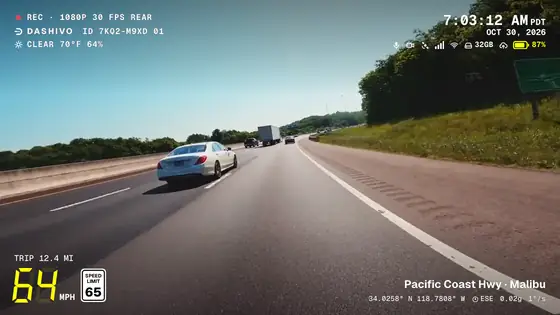
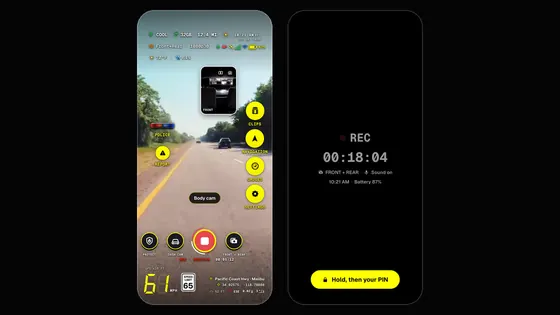
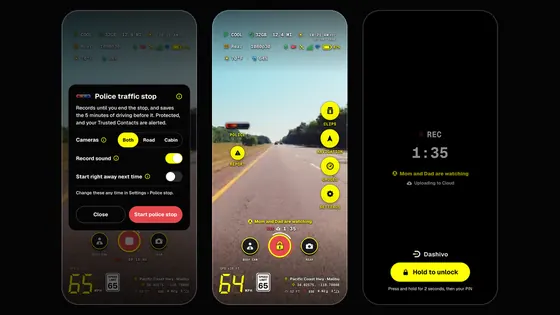
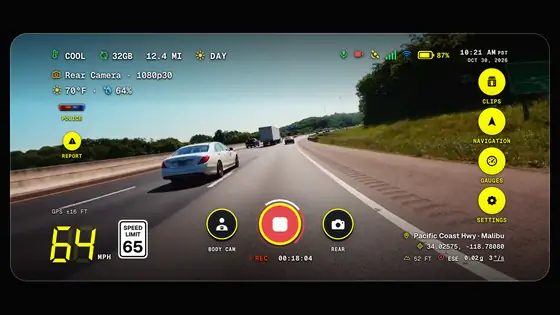
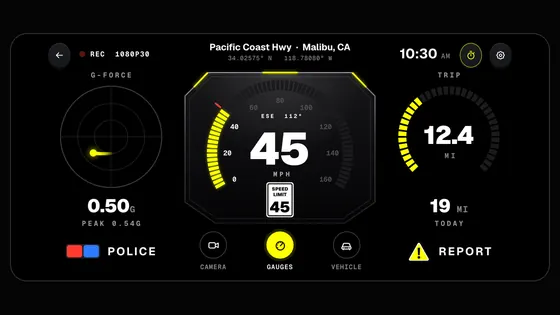
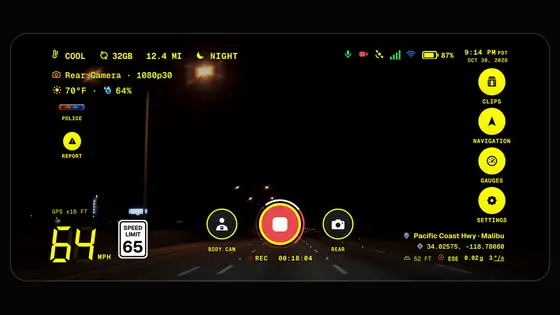
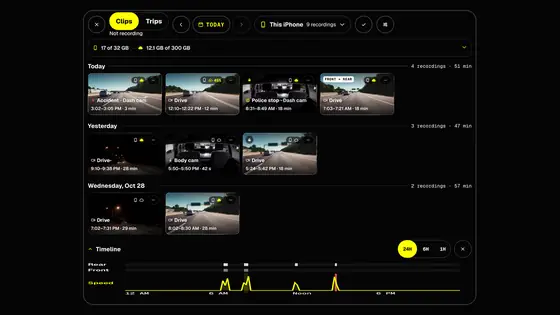
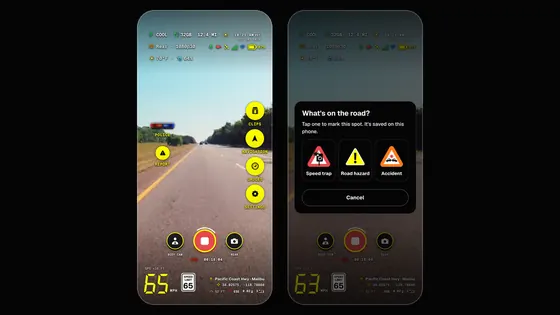
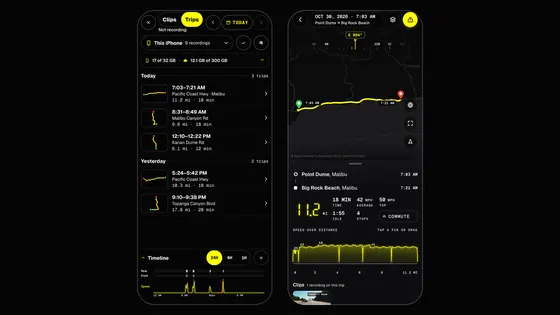
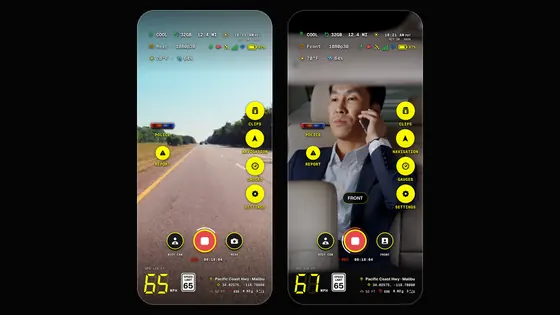
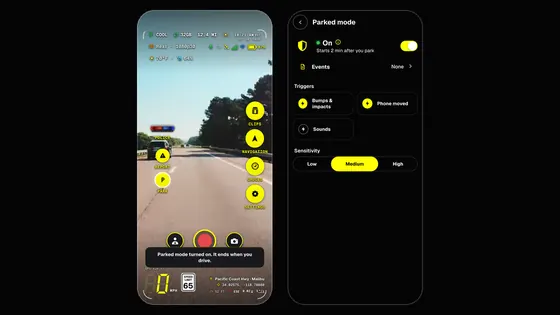
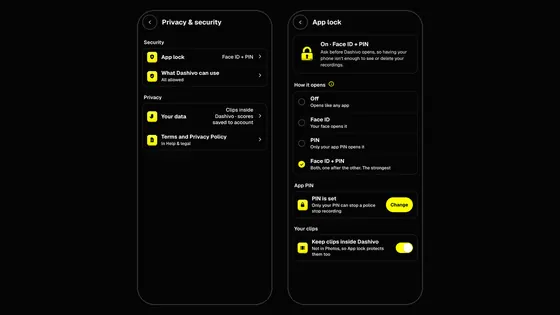
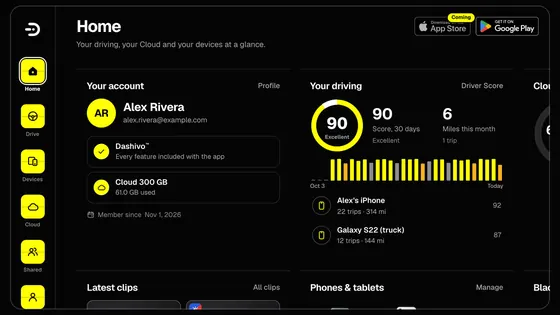
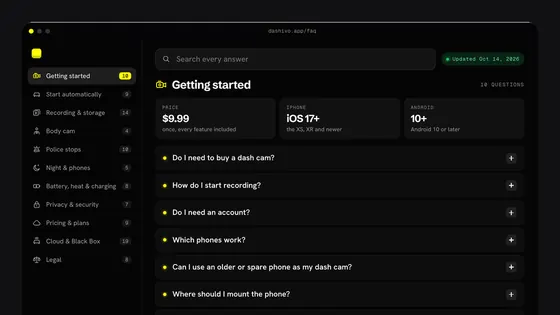
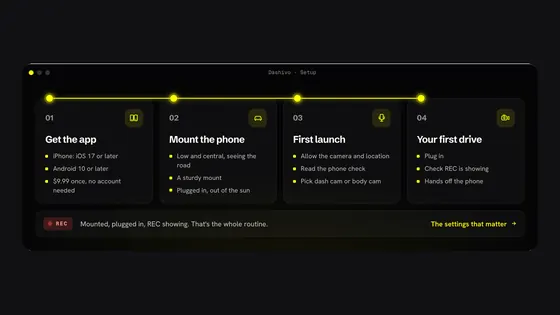
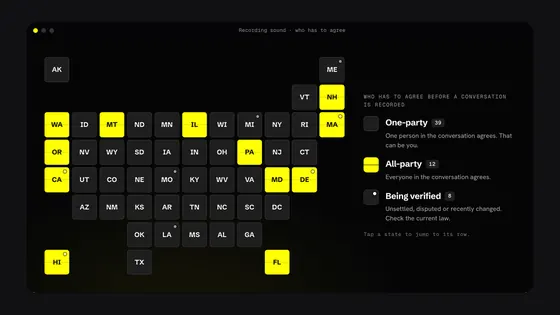
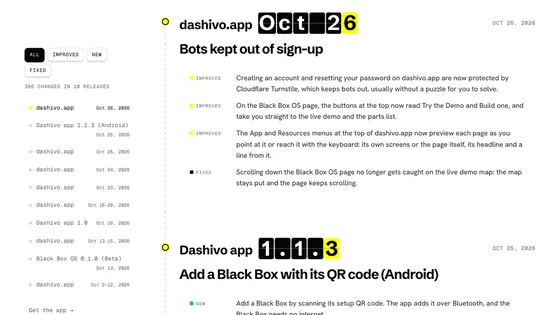
 Coming