Sign in to which Dashivo?
Your own phones, or your company's fleet. Each has its own account.
New to Dashivo Pro? Talk to us and we'll set up your company.
Parked Guard
A sentry for your parked car, on the phone you leave in it.
With Dashivo™ open on a phone left in your parked car, Parked Guard keeps recording with the screen black and watches for bumps, impacts, the car's own alarm, breaking glass and something hitting the car. It keeps the clip, lists it in Events and tells you. Alerts to your other phones come with Dashivo Cloud.
An example of Parked Guard's alerts, drawn for this page.
What it watches for
- Bumps
- A knock or a hit, felt by the phone's motion sensor. Wind and rain are filtered out, and you pick the sensitivity.
- Sounds
- The car's own alarm, breaking glass, something hitting the car, very loud sounds: recognised on the phone, never recorded or sent.
- Moved
- The phone moved or picked up while it watches.
- Power
- Charging cut after a bump, or the battery reaching the level you choose (20% by default), so the phone can still record your next drive.
- Heat
- The phone getting too hot: the camera rests while the sensors keep watching.
- Camera
- The camera stopping while it was recording in the parked car.
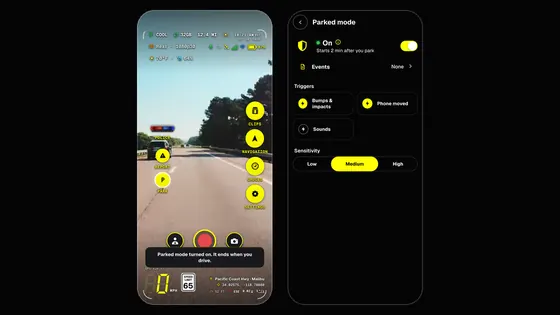
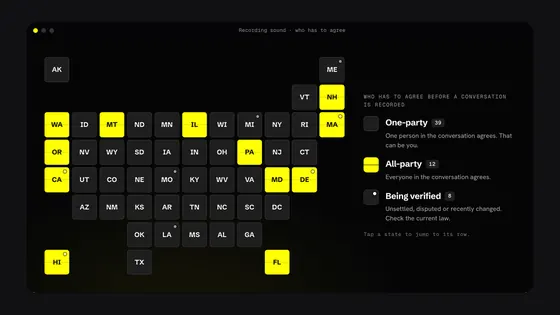
Parked Guard is off until you turn it on in Settings › Parked mode, or tap PARK on the HUD once you've stopped. In Settings › Parked mode you also choose the triggers, the sensitivity, the screen, the battery level and what happens when the phone is hot. Sound triggers have switches of their own; a sound is recognised on the phone, in memory, and never recorded or sent. Parked clips have no sound unless you turn on Sound on clips. Recording laws vary; check yours.
How it works
- 01
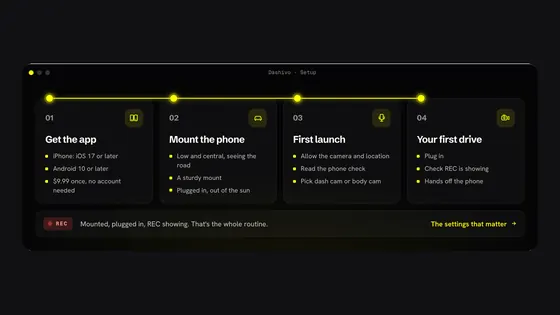
Park, leave Dashivo open on the phone and walk away. After two minutes parked, Parked Guard starts watching, or at once if you tap PARK; a minute later the screen goes black and recording carries on. It stops the moment you drive off.
- 02
Something happens: a bump, an impact, a credible sound. The phone saves it as an event and protects the clip from 30 seconds before to 30 seconds after.
- 03
The phone in the car tells you. With Dashivo Cloud, it also seals the event on the phone and sends it on to your other phones. Only you can view it.
- 04
Your other phones open it and decide whether to buzz: “Rear window · Bump detected”.
PARK, in one tap
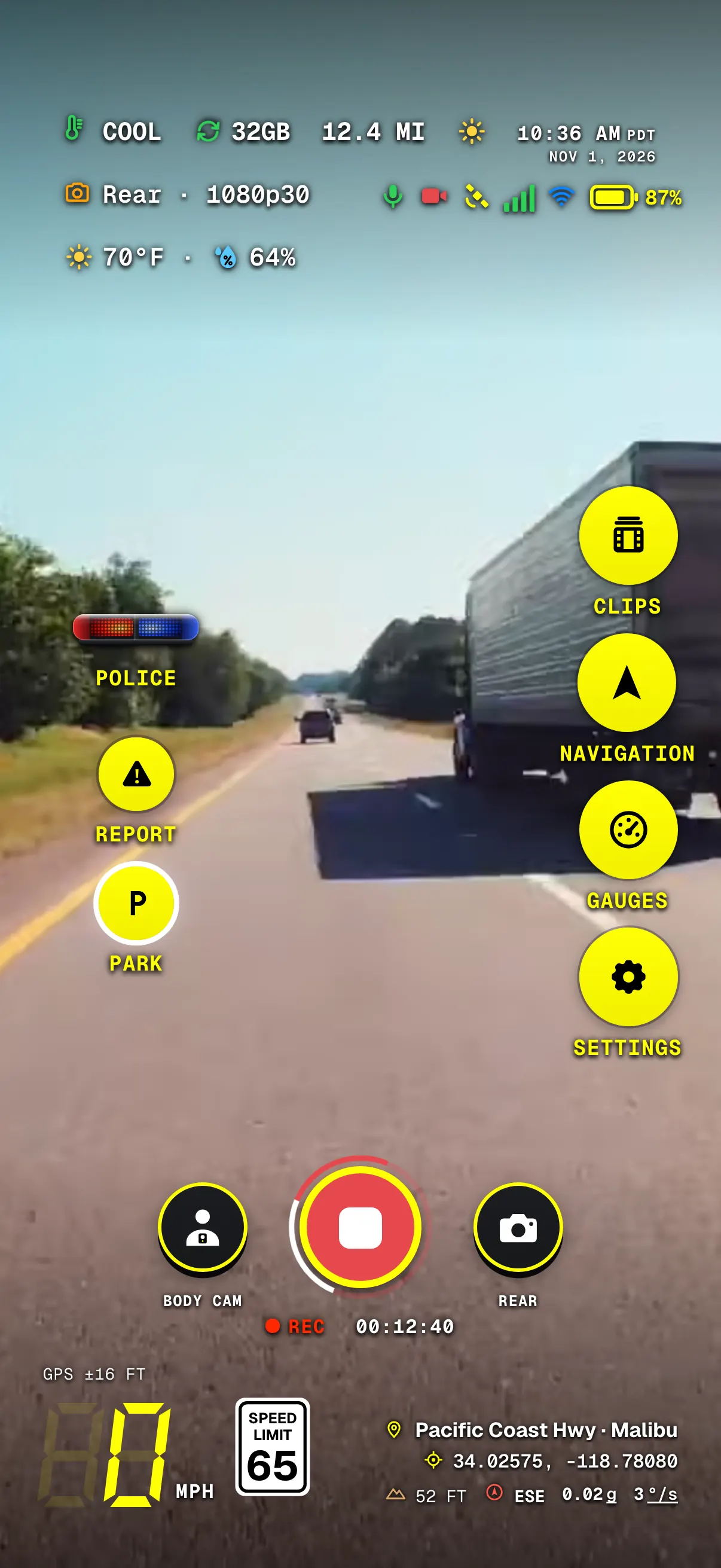
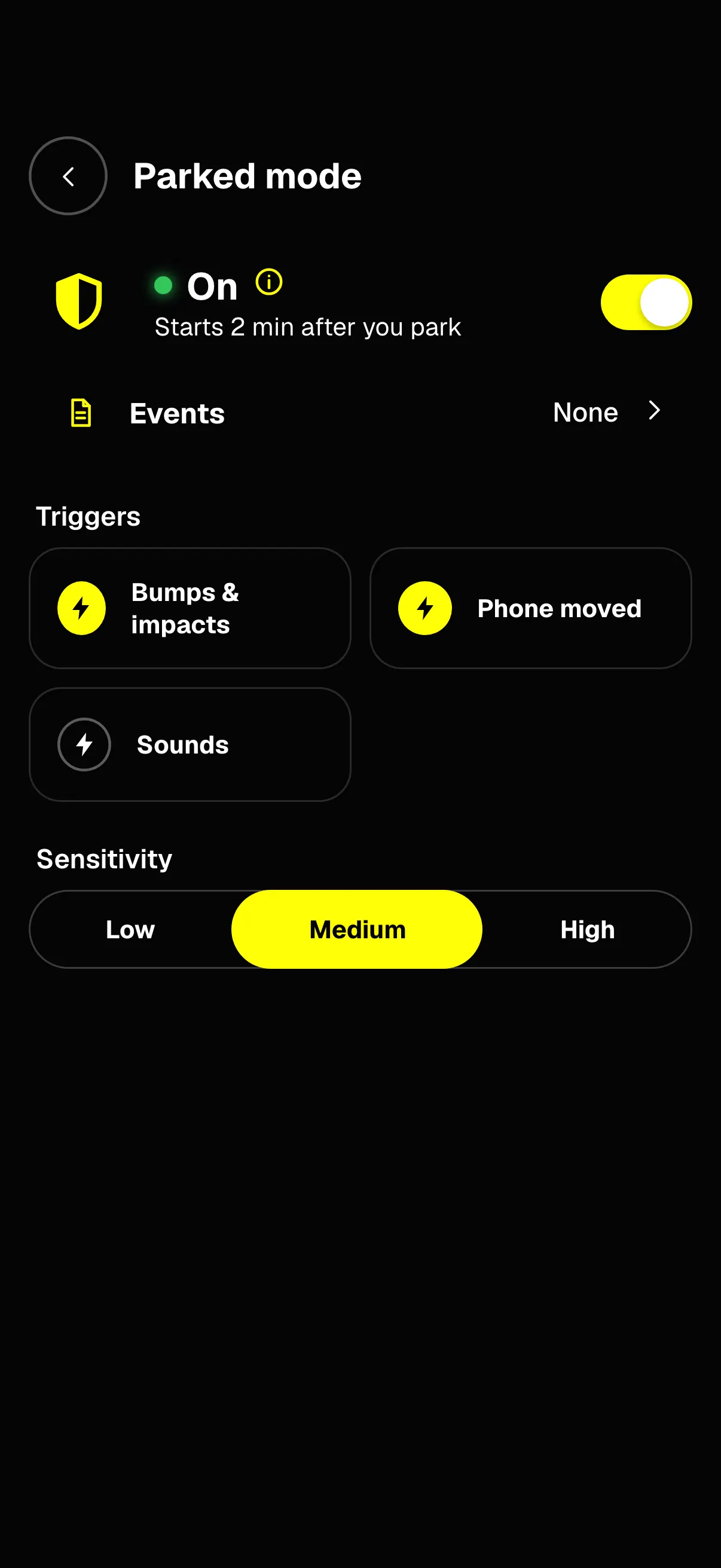
- PARKShows once you've stopped. One tap turns Parked mode on now, instead of after 2 minutes.
- Still recordingParked mode watches what the camera sees, so recording carries on.
- OnOff until you turn it on. It starts 2 minutes after you park.
- EventsEach bump or sound it kept, with its clip.
- TriggersBumps & impacts, Phone moved and Sounds: tap a tile to turn it on or off.
- SensitivityLow, Medium or High. Wind, rain and passing trucks are filtered out.
Dashivo 1.3 on iPhone, on a simulated drive.
On iPhone, Apple stops the camera when an app leaves the screen, so Parked Guard films only with Dashivo open. With Dashivo closed, the iPhone still records its motion sensors, and when you're back Dashivo lists the bumps it felt “While you were away”, marked no video. To film while parked, leave Dashivo on screen with power, and mind the heat.
Where it stands
Works today
- Parked Guard on iPhone and Android, while Dashivo is open
- The black screen, sound triggers, battery and heat choices in Settings › Parked mode
- The clip saved and protected, and the event in Events
- PARK on the HUD: Parked mode at once
- On iPhone, “While you were away” after Dashivo was closed
With Dashivo Cloud
- Alerts to your other phones, encrypted
- Which kinds alert you, and quiet hours
- Your events on dashivo.app, with the place and the clip
Black Box OS (Beta)
- Parked alerts from the Black Box itself
- Impact protection: every camera's clips around an impact locked on the Black Box
Alerts that know
when to be quiet.
With Dashivo Cloud, your other phones decide whether an event buzzes. Every event goes through the same checks, in this order, and small ones like a passing siren are only kept in the list.
- Did it come from this phone?It never alerts the phone that saw it.
- Are you driving?Dash cam recording, over 10 mph, CarPlay or Android AutoNo event alerts. They wait in the Events list, and one summary shows when you park:
While you were driving: 2 bumps on Rear window
. - Are you near the car?Within about 150 m (500 ft)No alert: you're right there.
- Is it quiet hours?Your hours, in Settings › Parked mode › What alerts meNo alert: it waits in the Events list. An impact or a moved phone still alerts.
- Did it just alert?Per kind, per phoneAt most one alert every 5 minutes. The rest update it quietly and add up:
3 bumps in 10 min
. - OtherwiseIt alerts, with the phone's name first:
Rear window · Bump detected
.
While you drive, the only alerts are reports from other Dashivo drivers within a mile ahead and under 30 minutes old. On iPhone, an alert the rules hold back may still arrive silently in Notification Center, with no sound or banner.
What we see:
almost nothing.
Parked Guard is built so an alert can travel between your phones without us being able to read it.
- Encrypted on the phone
- Each event is sealed on the phone that saw it before it leaves. The cloud stores and forwards it to your other phones, and only you can view the title, the detail, where it happened and the clip.
- Listening stays on the phone
- The detector recognises a sound in memory, a moment at a time, then lets it go. It saves and sends no audio of its own.
- Only your phones
- Every phone on your Dashivo Cloud can open your events, with no extra pairing. A phone removed from your account can't read new ones.
- Named by you
- Each phone has a name you choose, like Rear window, so you know which one saw it.
- Kept for a while
- Events stay on your phones, and with Dashivo Cloud for as long as your Cloud keeps clips from that time, at least 30 days.
- Saves your next drive
- On battery it stops at the level you choose, 20% by default, so the phone can still record the next time you drive.
 Coming