Live app
The real Dashivo Pro, with a sample company. Click anything.
The dispatch portal your office uses: the live map, drivers, routes, messages, alerts and scores, running on a sample fleet. View-only, nothing to sign up for.
Owners · Admins · Dispatchers
Take Dashivo Pro
for a drive.
For owners, admins and dispatchers: the real Dashivo Pro portal with a sample company: eight drivers on real Denver roads, their routes, messages, alerts and scores. Click around: open a driver, plan a route, read the alerts. It's view-only, so nothing you do is saved.
- Click a driver for speed against the limit, battery, heat, storage and camera
- Routes to see a day's plan, stops and live ETAs
- People, Messages and Scores from the menu on the left
The live Dashivo Pro portal with a sample company. Everything in it is made up, and nothing can be changed. Open it full screen.
What the map shows
- On shift only
- Drivers appear when they start a shift and leave the map when it ends. A driver accepts the privacy notice on a registered phone first.
- Live ETAs
- For every stop left on a route, updated as the driver drives, counting stop times and your fleet's traffic.
- Fleet traffic
- Route lines turn yellow, orange or red from your own drivers' recent speeds. Only road speeds are kept, for 15 minutes, with no driver or position.
- Lost signal
- A driver on a route with no location for 10 minutes is flagged and dispatch is alerted. A phone that goes offline or turns off GPS mid-shift is flagged too.
- Battery alerts
- A heads-up to the driver at 20% and a critical alert at 15% when a phone on shift isn't charging.
- Parked mode
- After the vehicle has been still for 5 to 30 minutes, recording, camera, mic and high-rate GPS pause. A police stop is never paused.
- Accidents
- A crash detected by a driver's phone flashes them on the map with a critical alert until someone acknowledges it.
- Driving paths
- Off unless an Owner or Admin turns them on for 7, 30, 90 or 365 days. Each driver acknowledges first, and paths are kept only on shift.
- Off route
- When a driver leaves the planned line the phone reroutes, and the map shows the planned line dimmed with what was driven.
Who sees what
On the map
- Drivers on shift, with a recent position
- Routes, stops and live ETAs
- Parked, lost signal and accident flags
Never on the map
- Drivers off shift
- Locations, for Viewers
- Driving paths, unless your company turns them on
Dashivo staff
- Trip details only, never the path
- Never your footage or messages
Speeding counts toward each driver's Driver Score rather than raising a live alert.
Owners · Admins · Dispatchers
The map,
in your pocket.
Dispatchers on the move open the same console in their phone's browser, with the same alerts.
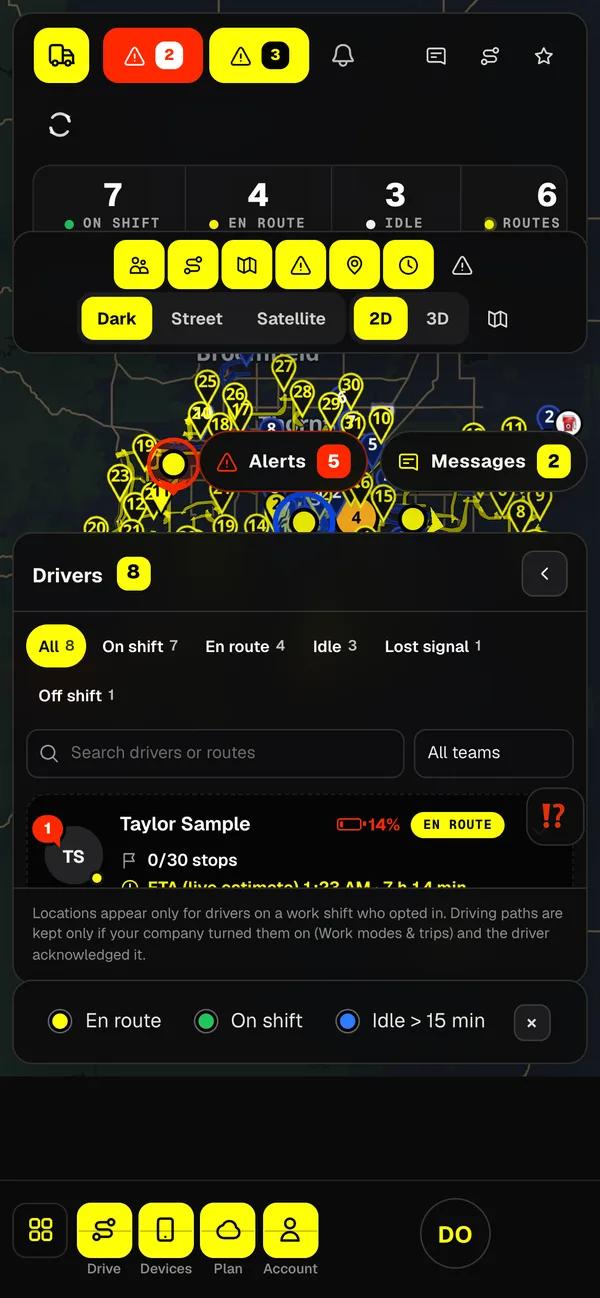
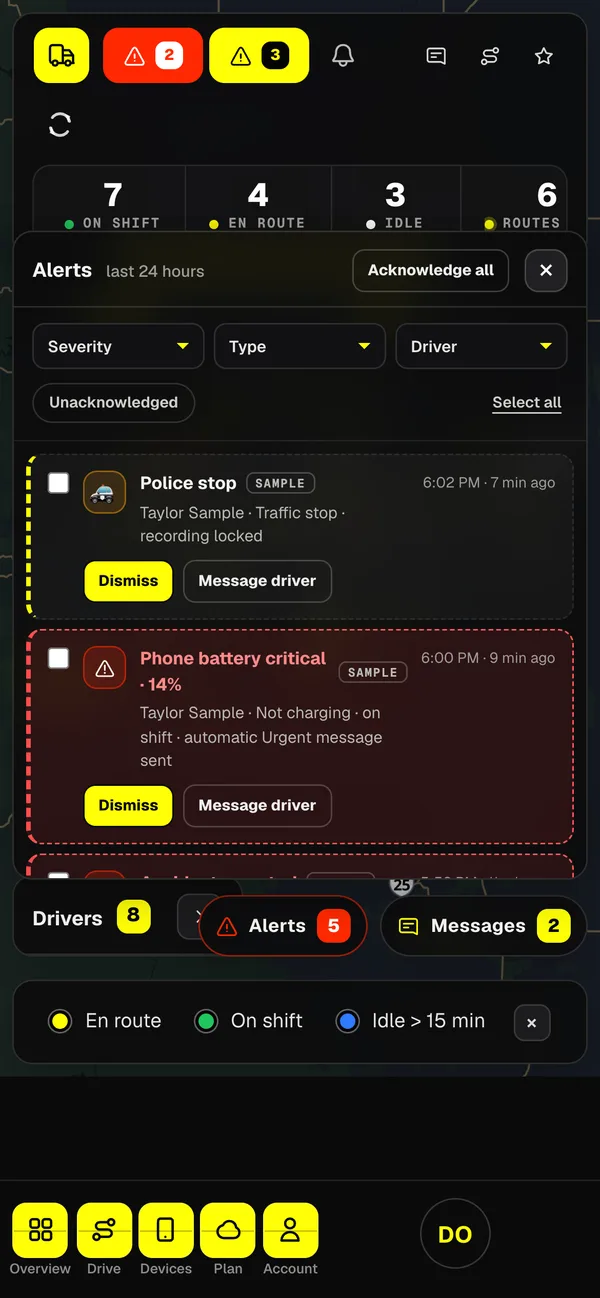
The console in a phone browser, with the demo company.
More of Dashivo Pro
Drivers & field staff
The app in
their hands.
For drivers and field staff: the Dashivo Pro app on their own phone or tablet, as a dash cam, a body cam on foot and a police-stop recorder. Pick a device, turn it sideways and tap around. Made-up trips, clips and places; nothing records.
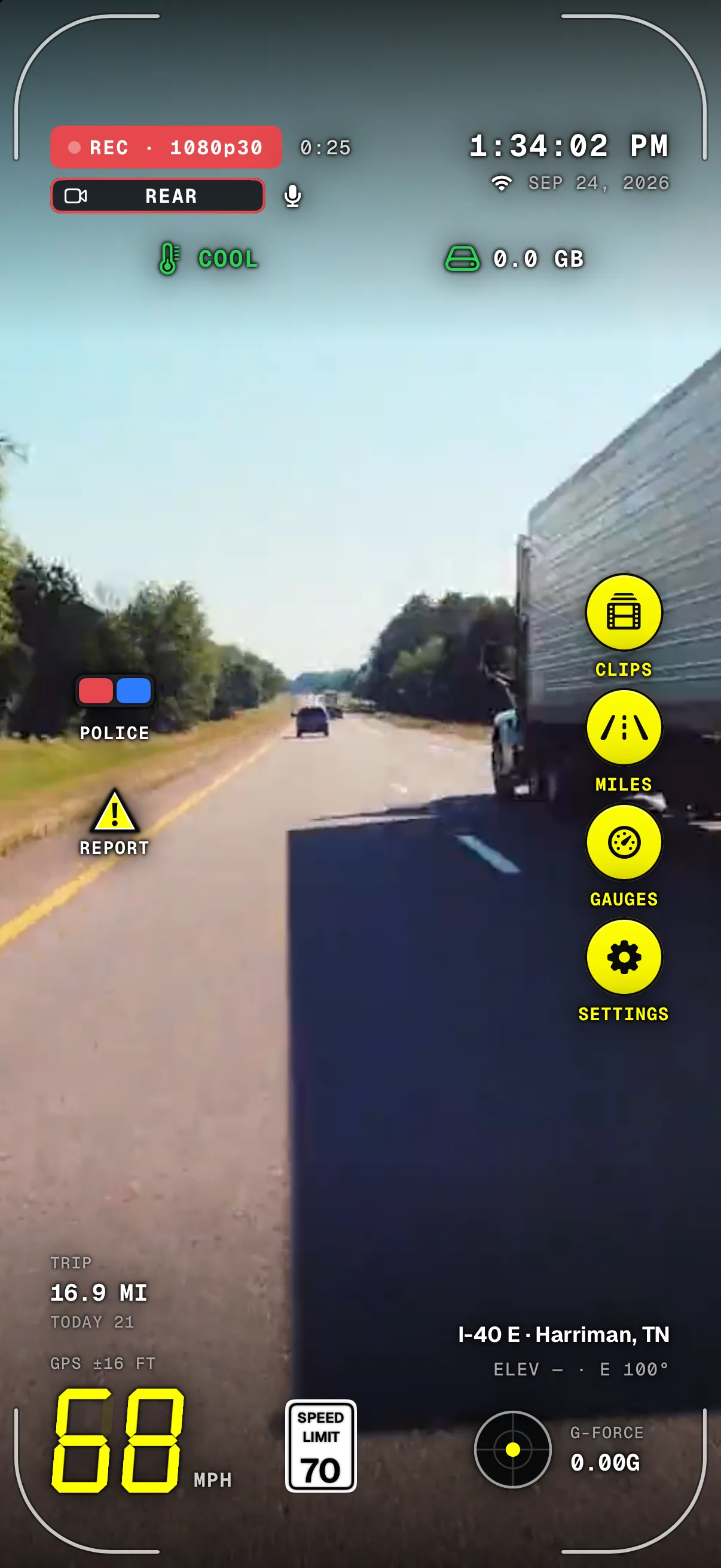
An interactive demo. Nothing is recorded and no data leaves your browser. Footage is a sample.
Every button in the simulated app works with the keyboard: Tab moves between them and Escape closes the screen that is open.
Dashivo Pro
Put your fleet
on the record.
Tell us about your company and the vehicles you run. We'll set up Dashivo™ Pro with you, and reply within one business day.
Your footage is private · Messages end-to-end encrypted · $15 per device a month